Send pre-inspection reminders so clients show up prepared
Every evening, WebRun opens ISN, finds all inspections scheduled for the following day, drafts a personalised email reminder for each client with the time, address, and preparation tips, queues each draft in Gmail for your approval, and optionally queues an SMS via Twilio for a second touchpoint.
- No credit card
- Under $0.01 per run
- Cancel anytime
What does WebRun do on every run?
The exact actions WebRun takes, in order - in plain language, so you can adjust anything.
-
WebRun signs in and gets to work
Opens
app.inspectionsupport.comin a real browser with your saved login - no setup, no API keys. -
1
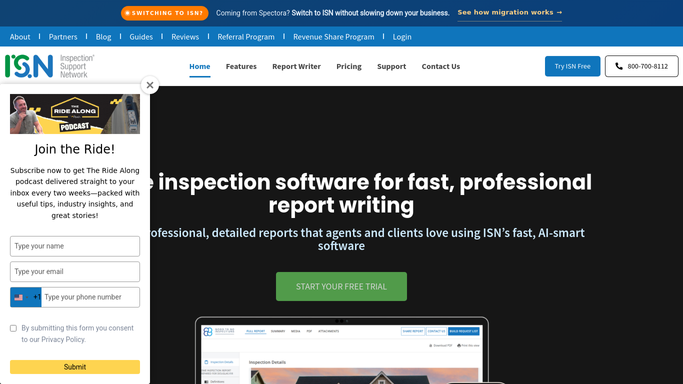
ISN - find tomorrow's scheduled jobs
inspectionsupport.com

WebRun opens ISN to find tomorrow's scheduled jobs. - Open ISN and filter the schedule to jobs booked for tomorrow
- Read the client name, email, phone number, property address, and inspection start time for each
- Note any access instructions or special job details
Done when Every tomorrow's job has its client contact details and schedule time captured.
-
2
Gmail - draft email reminder for each client
gmail.com How to Automate Gmail
WebRun opens Gmail to draft email reminder for each client. - Draft a personalised reminder email for each client with the inspection time, property address, and a short list of what to have ready
- Keep the tone friendly and professional
- Leave every email as an unsent draft in Gmail for your review before any message is sent
Done when A reminder draft exists in Gmail for every job scheduled tomorrow.
-
3
Twilio - queue SMS reminder for approval
twilio.com How to Automate Twilio
WebRun opens Twilio to queue SMS reminder for approval. - Queue a short SMS reminder for each client with the inspection time and address
- Leave each SMS message in the queue for your approval before sending
- Do not send any SMS automatically
Done when SMS reminders are queued and ready for your approval for each client.


How do I automatically send pre-inspection reminders to clients the night before?
Every evening WebRun opens ISN, finds all inspections scheduled for the next day, and drafts a personalised reminder for each client with the inspection time, property address, and preparation tips. Email drafts are queued in Gmail and optional SMS messages are queued via Twilio, all waiting for your approval before anything reaches a client.
- Every client receives a personalised reminder the evening before their inspection
- No-show rates drop because clients know exactly what to expect
- Zero manual reminder work for the inspection team each night
Built for home inspectors · inspection companies · multi-inspector firms
How is each run configured?
Secure by default
Connect once, stays signed in
WebRun signs in once and keeps each session in a persistent environment, so every run picks up right where it left off.
Every action is checked against this policy before it runs.
Questions, answered
Will it send reminders to clients automatically without my review?
No. Both the email drafts and the SMS messages are queued for your approval. Nothing is sent to a client until you have reviewed and approved each message.
What if a job is cancelled or rescheduled after the reminders are drafted?
WebRun reads the live ISN schedule each evening, so if a job has been cancelled or moved before the nightly run it will not appear in the draft batch. If it was cancelled after drafts were created, simply delete those drafts.
Can it include the pre-inspection agreement link in the reminder?
Yes. If you store the agreement link in ISN or pass it as a setting, WebRun can include it in the email draft so clients can sign before arrival.
Related templates
Put this on autopilot.
Turn it on in minutes - or have our team set it up for you.