Route and track PTO requests for manager approval
When an employee submits a PTO request in Gusto, WebRun checks the team's Google Calendar for conflicts, drafts an approval request to the manager on Slack with the conflict details, and logs the request status so HR has a live view of all pending time-off.
- No credit card
- Under $0.01 per run
- Cancel anytime
What does WebRun do on every run?
The exact actions WebRun takes, in order - in plain language, so you can adjust anything.
-
WebRun signs in and gets to work
Opens
app.gusto.comin a real browser with your saved login - no setup, no API keys. -
1
Gusto - read new PTO request
gusto.com How to Automate Gusto

WebRun opens Gusto to read new PTO request. - Open Gusto Time Off and find new requests submitted since the last run
- Capture the employee name, department, dates requested, and PTO type
- Check the employee's remaining PTO balance
Done when New PTO requests are read with employee details, dates, and remaining balance.
-
2
Google Calendar - check for team coverage conflicts
calendar.google.com How to Automate Google Calendar
WebRun opens Google Calendar to check for team coverage conflicts. - Open the team's shared calendar and check for other team members already on leave during the requested dates
- Flag any dates where more than the allowed number of team members are absent simultaneously
- Note any critical meetings or deadlines during the requested period
Done when Team coverage conflicts and critical events during the PTO window are identified.
-
3
Slack - notify manager with conflict summary
slack.com How to Automate Slack
WebRun opens Slack to notify manager with conflict summary. - Send the manager a Slack DM with the employee's request, their PTO balance, and any coverage conflicts
- Include an approve/note link so the manager can respond in Gusto with a single click
Done when The manager has been notified with full context to make an approval decision.
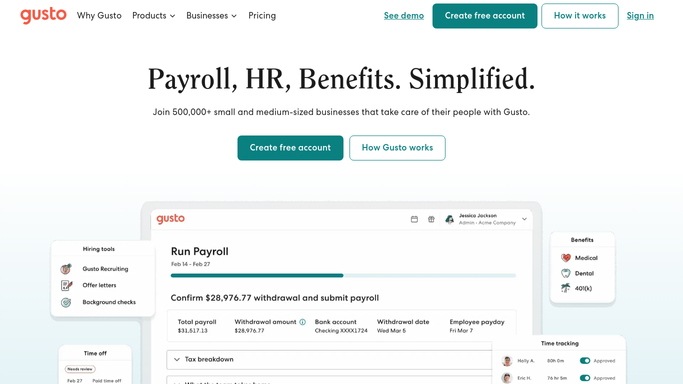


How can I automatically route PTO requests to the right manager for approval?
When an employee submits a PTO request in Gusto, WebRun checks the team's Google Calendar for conflicts, drafts an approval request to the manager on Slack with the conflict details, and logs the request status so HR has a live view of all pending time-off.
- Every PTO request is flagged to the right manager with calendar conflicts already checked
- HR has a live log of all pending time-off without chasing approvals manually
- Employees get faster responses because managers are notified immediately
Built for HR teams · people operations · managers · small business owners
How is each run configured?
Secure by default
Connect once, stays signed in
WebRun signs in once and keeps each session in a persistent environment, so every run picks up right where it left off.
Every action is checked against this policy before it runs.
Questions, answered
Will it approve or deny PTO requests automatically?
No - WebRun routes the request with context but the manager makes every approval decision in Gusto.
What counts as a coverage conflict?
You define the rules - for example, no more than 2 people from the same team on leave on the same day. WebRun applies your threshold when checking the calendar.
Does it update the team calendar when a request is approved?
Yes - once the manager approves in Gusto, WebRun can add the approved time off to the shared Google Calendar automatically.
Related templates
Put this on autopilot.
Turn it on in minutes - or have our team set it up for you.