Welcome new homeowners with account and portal setup info
When a new homeowner is added in PayHOA, WebRun pulls their account details, logs them to the new-owner onboarding tracker in Google Sheets, drafts a personalized welcome email with portal access instructions, key community documents, and payment setup guidance, then saves it as a Gmail draft for the manager to review before sending.
- No credit card
- Under $0.01 per run
- Cancel anytime
What does WebRun do on every run?
The exact actions WebRun takes, in order - in plain language, so you can adjust anything.
-
WebRun signs in and gets to work
Opens
www.payhoa.comin a real browser with your saved login - no setup, no API keys. -
1
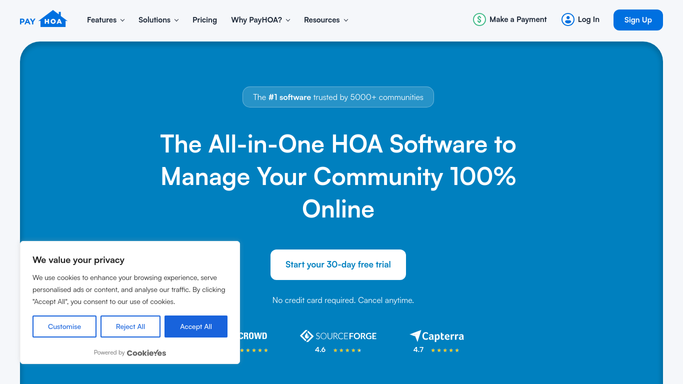
PayHOA - pull new homeowner account details
payhoa.com How to Automate PayHOA

WebRun opens PayHOA to pull new homeowner account details. - Open PayHOA and check for owner accounts added since the last run
- Capture the new owner's name, unit address, mailing email, move-in date, and assessment schedule
- Note the community name, portal URL, and any community-specific rules or welcome information
Done when The new homeowner's account details and community information are collected.
-
2
Google Sheets - log to onboarding tracker
google.com How to Automate Google Sheets
WebRun opens Google Sheets to log to onboarding tracker. - Open the new homeowner onboarding tracker
- Add a row for the new owner with their name, unit, move-in date, and welcome-email status
- Flag if any required information is missing from PayHOA before drafting the welcome
Done when The new owner is logged in the onboarding tracker with their status marked as pending.
-
3
Gmail - draft personalized welcome email
gmail.com How to Automate Gmail
WebRun opens Gmail to draft personalized welcome email. - Draft a welcome email addressed to the new homeowner by name
- Include the PayHOA portal URL, instructions for activating their online account, and how to set up autopay
- Add a brief overview of key community rules, meeting dates, and contact information for the management office
- Save the email as a Gmail draft for the manager to review and personalize. Nothing is sent until the manager approves
Done when A personalized welcome draft is saved in Gmail, ready for manager review and sending.


How do I automatically welcome new HOA homeowners with portal and payment setup information?
When a new homeowner is added in PayHOA, WebRun pulls their account details, logs them to the onboarding tracker in Google Sheets, and drafts a personalized welcome email with portal activation steps, payment setup instructions, and community information. The manager reviews every draft before it is sent to the new owner.
- Every new owner gets a complete, consistent welcome within hours of being added
- Managers review a ready-to-send draft instead of writing from scratch each time
- The onboarding tracker keeps a record of every new owner's welcome status
Built for HOA management companies · community association managers · property managers · HOA boards
How is each run configured?
Secure by default
Connect once, stays signed in
WebRun signs in once and keeps each session in a persistent environment, so every run picks up right where it left off.
Every action is checked against this policy before it runs.
Questions, answered
Will it send the welcome email to the new homeowner automatically?
No. The welcome email is saved as a Gmail draft so the manager can review it, add a personal note, and send when ready. Onboarding sets the tone for the owner relationship, so a human always has the final say.
What information does the welcome email include?
The draft includes the PayHOA portal URL and activation steps, autopay setup instructions, key community rules, the next board meeting date, and the management office contact details. You can edit the template at setup to match your community's voice.
What if the new owner's email address is missing from PayHOA?
If the email field is empty, WebRun flags the new owner in the onboarding tracker as requiring an email address before a welcome can be drafted, and skips creating a draft for that record.
Related templates
Put this on autopilot.
Turn it on in minutes - or have our team set it up for you.