Deliver a monthly financial digest to the board team
On the first of each month, WebRun opens PayHOA, pulls the prior month's income statement, expense breakdown, budget-vs-actual comparison, and reserve fund balance, formats a concise financial summary in Google Sheets, and posts a Slack digest to the management channel so the team and board have the numbers before the day starts.
- No credit card
- Under $0.01 per run
- Cancel anytime
What does WebRun do on every run?
The exact actions WebRun takes, in order - in plain language, so you can adjust anything.
-
WebRun signs in and gets to work
Opens
www.payhoa.comin a real browser with your saved login - no setup, no API keys. -
1
PayHOA - pull prior-month financial reports
payhoa.com How to Automate PayHOA

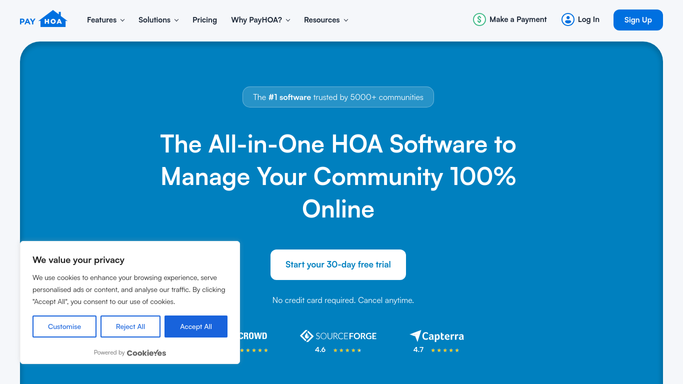
WebRun opens PayHOA to pull prior-month financial reports. - Open PayHOA and navigate to the Financial Reports section
- Pull the prior month's income statement: total assessments billed, collected, and outstanding
- Pull the expense breakdown by category and compare to the approved budget line items
- Capture the current reserve fund balance and any reserve contributions or withdrawals for the month
- Note any outstanding vendor invoices pending approval
Done when All key financial figures for the prior month are captured.
-
2
Google Sheets - compile financial summary
google.com How to Automate Google Sheets
WebRun opens Google Sheets to compile financial summary. - Open the monthly financial summary sheet
- Populate the income section with assessment totals, collections, and delinquency rate
- Populate the expense section with actuals vs. budget by category, highlighting any over-budget line items
- Record the reserve balance and note the year-to-date reserve contribution against the funding plan
- Flag any pending invoices or unusual variances for the manager's attention
Done when The financial summary sheet is fully populated with prior-month figures and variance flags.
-
3
Slack - post digest to management channel
slack.com How to Automate Slack
WebRun opens Slack to post digest to management channel. - Post a formatted Slack message to the management channel with the headline figures: assessments collected, operating expense variance, and reserve balance
- Include a link to the full Google Sheets financial summary for drill-down
- Mention any flagged variances or pending items that need manager attention this month
Done when The management team has a Slack financial digest with headline numbers and a link to the full summary.


How do I automatically generate a monthly HOA financial summary for the board?
On the first of each month, WebRun opens PayHOA, pulls the prior month's income, expenses, budget variance, and reserve fund balance, populates a Google Sheets financial summary, and posts a Slack digest with the headline figures to the management channel. The team starts every month with the numbers already in hand.
- The management team has prior-month financials in Slack before the workday begins
- Budget variances and over-budget line items are flagged automatically each month
- The reserve fund balance is tracked month over month in a single summary sheet
Built for HOA management companies · community association managers · HOA boards · property managers
How is each run configured?
Secure by default
Connect once, stays signed in
WebRun signs in once and keeps each session in a persistent environment, so every run picks up right where it left off.
Every action is checked against this policy before it runs.
Questions, answered
Does the Slack digest go directly to board members?
No. It posts to the internal management Slack channel only. The manager decides what to share with the board and when, typically as part of the monthly board packet or a separate email.
Which PayHOA reports does it use?
It pulls the income statement, expense breakdown, budget-vs-actual comparison, and reserve fund balance from PayHOA's financial reports section. You can add or remove specific line items at setup.
What if some invoices are still pending at month-end and the numbers are not final?
WebRun notes any pending vendor invoices in the summary and flags the totals as preliminary. The manager can re-run the digest once the books are closed, or add a manual note to the Slack post.
Related templates
Put this on autopilot.
Turn it on in minutes - or have our team set it up for you.