Turn incoming referrals into booked new patient visits
As soon as a new GI or hepatology referral lands in Doximity, WebRun reads the referring provider's notes and urgency, creates the intake record in gGastro (ModMed), books the new patient visit in Google Calendar based on urgency, and drafts a welcome email in Gmail for staff to review before it goes out.
- No credit card
- Under $0.01 per run
- Cancel anytime
What does WebRun do on every run?
The exact actions WebRun takes, in order - in plain language, so you can adjust anything.
-
WebRun signs in and gets to work
Opens
www.doximity.comin a real browser with your saved login - no setup, no API keys. -
1
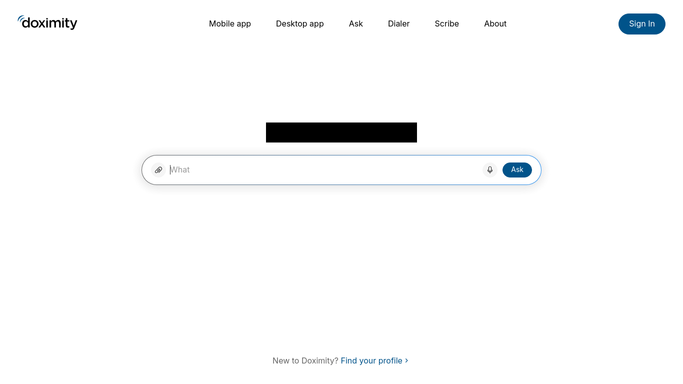
Doximity - read the incoming referral
doximity.com

WebRun opens Doximity to read the incoming referral. - Open Doximity and check for new GI or hepatology referrals from outside providers
- Read the referring provider's notes, diagnosis, and stated urgency
- Flag any referral marked urgent for scheduling within the week
Done when Every new referral has been read and its urgency noted.
-
2
gGastro (ModMed) - create the intake record
modmed.com How to Automate gGastro (ModMed)
WebRun opens gGastro (ModMed) to create the intake record. - Open gGastro (ModMed) and create or update the patient's intake record with the referral details
- Attach the referring provider's notes to the chart
- Confirm insurance and contact information are captured
Done when An intake record exists in gGastro (ModMed) for every new referral.
-
3
Google Calendar - book the new patient visit
calendar.google.com How to Automate Google Calendar
WebRun opens Google Calendar to book the new patient visit. - Open Google Calendar and book the new patient visit, prioritizing urgent referrals for the earliest available slot
- Add the referring provider and reason for visit to the event
- Flag any urgent referral with no slot inside the target window for staff to escalate
Done when Every new referral has a new patient visit booked.
-
4
Gmail - draft the welcome email
gmail.com How to Automate Gmail
WebRun opens Gmail to draft the welcome email. - Draft a welcome email to the patient with their appointment time and what to bring
- Leave the email as a draft in Gmail for staff to review before sending
- Never send the welcome email without a staff member approving it first
Done when A reviewed welcome email draft exists for every booked patient.



How do I turn incoming GI and hepatology referrals into booked visits?
WebRun reads each new GI and hepatology referral in Doximity as it arrives, creates the intake record in gGastro (ModMed), books the new patient visit in Google Calendar with urgent referrals prioritized, and drafts a welcome email in Gmail for staff to review and send. Referrals turn into booked visits the same day instead of sitting in an inbox.
- New referrals become a booked visit the same day they arrive
- Urgent referrals are prioritized for the earliest available slot
- Every referral gets a reviewed welcome email instead of a missed callback
Built for hepatology clinics · GI practices accepting referrals · intake coordinators · front desk staff
How is each run configured?
Secure by default
Connect once, stays signed in
WebRun signs in once and keeps each session in a persistent environment, so every run picks up right where it left off.
Every action is checked against this policy before it runs.
Questions, answered
Will the patient be emailed before staff review the welcome message?
No. WebRun only drafts the welcome email in Gmail and leaves it unsent. A staff member reviews and sends it.
How does it decide which referrals need scheduling within the week?
It reads the urgency the referring provider noted in Doximity and prioritizes those referrals for the earliest available slot.
Does it replace staff verifying insurance?
No. It confirms that insurance and contact information were captured in the intake record, but staff still verify eligibility before the visit.
Related templates
Put this on autopilot.
Turn it on in minutes - or have our team set it up for you.