Get ahead of ACGME survey findings before they happen
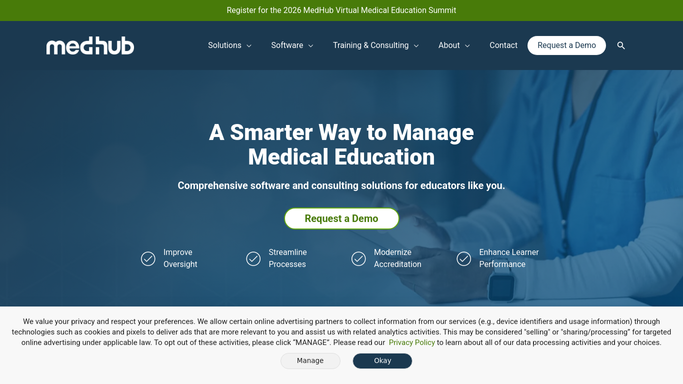
On the last day of every month, WebRun opens MedHub, checks duty-hour violation trends, evaluation completion rates, and case log pace across the program, drafts a readiness report in Google Docs flagging what an ACGME reviewer would flag, and posts your program director a Slack summary of the areas that need attention before the next site visit or survey window.
- No credit card
- Under $0.01 per run
- Cancel anytime
What does WebRun do on every run?
The exact actions WebRun takes, in order - in plain language, so you can adjust anything.
-
WebRun signs in and gets to work
Opens
www.medhub.comin a real browser with your saved login - no setup, no API keys. -
1
MedHub - check duty hours, evaluations, and case logs
medhub.com How to Automate MedHub

WebRun opens MedHub to check duty hours, evaluations, and case logs. - Open MedHub and pull this month's duty-hour violation count and trend
- Pull the program's evaluation completion rate and any procedure log shortfalls
- Compare each metric against your program's own target thresholds
Done when This month's duty-hour, evaluation, and case log metrics are pulled and compared to target.
-
2
Google Docs - draft the readiness report
docs.google.com How to Automate Google Docs
WebRun opens Google Docs to draft the readiness report. - Draft a readiness report section for each metric, naming the current number against target
- Write a plain-language note on any metric trending the wrong way for two months running
- Leave the report as a draft for the program director to review before it's shared further
Done when A draft readiness report exists covering every tracked compliance area for the month.
-
3
Slack - summarize what needs attention
slack.com How to Automate Slack
WebRun opens Slack to summarize what needs attention. - Post the program director a short summary of which areas are on target and which need attention
- Link to the full draft report in Google Docs
- Flag anything trending the wrong way for a second month running
Done when The program director has this month's readiness summary in Slack.


How do I prepare for the ACGME resident and faculty survey before it happens?
WebRun checks MedHub every month for the compliance areas ACGME surveys most often flag: duty-hour violation trends, evaluation completion, and procedure log pace. It drafts a readiness report in Google Docs comparing each metric to your program's targets and posts your program director a Slack summary, so gaps get fixed before survey season, not after.
- Compliance trends get caught months before the ACGME survey window opens
- Program directors get one report instead of pulling three separate MedHub views
- Metrics trending the wrong way for two months running get flagged automatically
Built for residency program directors · designated institutional officials · GME compliance officers · academic medical centers
How is each run configured?
Secure by default
Connect once, stays signed in
WebRun signs in once and keeps each session in a persistent environment, so every run picks up right where it left off.
Every action is checked against this policy before it runs.
Questions, answered
Does it fill out or submit the ACGME survey?
No. WebRun never touches the actual resident or faculty survey, which ACGME collects directly and confidentially. It only reports on your program's own internal compliance data so problems get fixed before the survey window opens.
What compliance areas does it check?
It checks duty-hour violation trends, evaluation completion rates, and procedure log pace, the areas most commonly flagged in ACGME resident and faculty surveys, compared against your program's own target thresholds.
Is the report shared with anyone besides the program director?
It's left as a draft in Google Docs for the program director to review first. Sharing it further with the CCC or GME office is a decision left to a person.
Related templates
Put this on autopilot.
Turn it on in minutes - or have our team set it up for you.