Post a cohort trend digest combining Jirav financials and Fathom analytics
Every Monday, WebRun opens Jirav and reads cohort-level financial data including revenue, gross margin, and retention by cohort period, then cross-checks those figures against Fathom analytics for KPI trends and cash flow signals, and posts a concise cohort trend digest to your Telegram finance channel so the team can spot patterns and outliers before the weekly planning review.
- No credit card
- Under $0.01 per run
- Cancel anytime
What does WebRun do on every run?
The exact actions WebRun takes, in order - in plain language, so you can adjust anything.
-
WebRun signs in and gets to work
Opens
app.jirav.comin a real browser with your saved login - no setup, no API keys. -
1
Jirav - read cohort financial data
jirav.com How to Automate Jirav

WebRun opens Jirav to read cohort financial data. - Open Jirav and navigate to the cohort financial reports for the current and prior periods
- Read revenue, gross margin, and net retention figures grouped by cohort start period
- Identify cohorts where revenue or margin has moved more than your configured threshold week over week
- Note the cohort label, key metrics, and the direction and magnitude of each change
Done when Every cohort has its current revenue, margin, and retention figures with period-over-period change calculated.
-
2
Fathom - cross-check performance analytics
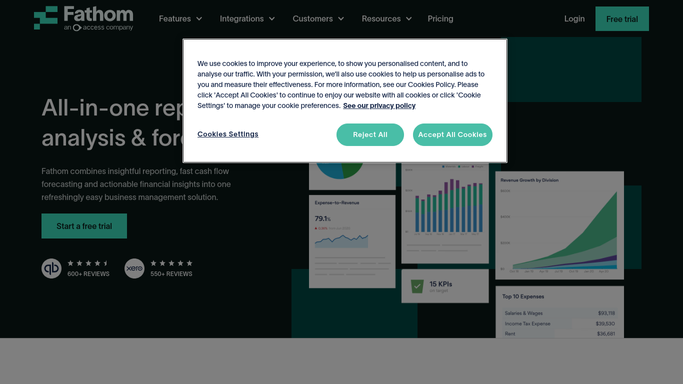
fathomhq.com How to Automate Fathom
WebRun opens Fathom to cross-check performance analytics. - Open Fathom and navigate to the KPI and cash flow analytics for the same cohort periods
- Read the performance trend signals that correspond to each Jirav cohort: cash flow position, operating margin, and key KPI movements
- Flag cohorts where Fathom signals agree with or diverge from the Jirav financial picture
- Summarize the top 3 cohort trends combining both data sources into a concise digest
Done when Each cohort has a cross-checked trend summary combining Jirav financial data and Fathom analytics.
-
3
Telegram - post the cohort trend digest
telegram.org How to Automate Telegram
WebRun opens Telegram to post the cohort trend digest. - Post the cohort trend digest to the finance team Telegram channel
- Lead with the most significant cohort movements, largest changes first
- Include the Jirav financial figures and the Fathom KPI signals side by side for each flagged cohort
- Note the reporting period and timestamp at the end of the message
Done when Finance has a ranked cohort trend digest in Telegram covering both Jirav financials and Fathom analytics.


How do I automatically post a cohort trend digest combining Jirav and Fathom analytics?
WebRun reads cohort-level revenue, margin, and retention data from Jirav each Monday, cross-checks those figures against Fathom KPI and cash flow analytics for the same cohort periods, and posts a ranked cohort trend digest to your Telegram finance channel. Your team sees where cohorts are improving or deteriorating before the weekly planning review.
- Cohort revenue and margin trends surface every Monday without manual report-building
- Jirav and Fathom signals combined in one digest so the team spots divergences early
- Finance team enters the weekly planning review with cohort context already in hand
Built for FP and A teams · finance managers · CFOs · SMB finance leads · management accountants
How is each run configured?
Secure by default
Connect once, stays signed in
WebRun signs in once and keeps each session in a persistent environment, so every run picks up right where it left off.
Every action is checked against this policy before it runs.
Questions, answered
What does Fathom add that Jirav does not already provide?
Fathom specializes in KPI tracking, cash flow analysis, and management reporting for SMBs, so it surfaces operating and liquidity signals that complement Jirav's planning and forecast data. Combining both gives your team a fuller picture of each cohort's financial health in a single digest.
What if Jirav and Fathom show conflicting signals for the same cohort?
WebRun flags the divergence explicitly in the Telegram digest, noting the Jirav figure and the Fathom signal side by side. Your team can see where the sources agree and where they differ so the right person can investigate before the weekly planning review.
Will the digest be sent to external stakeholders or emailed automatically?
No. WebRun posts only to the internal Telegram channel you specify. The digest is visible to your finance team and nobody outside it. Any external reporting is prepared as a draft for you to review and distribute. WebRun never sends external communications on its own.
Related templates
Put this on autopilot.
Turn it on in minutes - or have our team set it up for you.