Extract LP report and capital event data from emails and log it to Addepar
When a capital call notice, distribution notice, or LP quarterly report arrives in Gmail from a fund administrator, WebRun reads the email and attached PDF, extracts the fund name, amount, date, and relevant data fields, logs a staging record in Google Sheets for review, and queues the entry for your team to post into Addepar.
- No credit card
- Under $0.01 per run
- Cancel anytime
What does WebRun do on every run?
The exact actions WebRun takes, in order - in plain language, so you can adjust anything.
-
WebRun signs in and gets to work
Opens
mail.google.comin a real browser with your saved login - no setup, no API keys. -
1
Gmail - read inbound LP email and extract data
gmail.com How to Automate Gmail

WebRun opens Gmail to read inbound LP email and extract data. - Monitor the fund administrator inbox label for new emails containing capital call notices, distribution notices, or LP quarterly reports
- Open each qualifying email and attached PDF
- Extract fund name, event type (capital call, distribution, or NAV update), amount, as-of date, and any relevant accounting period
- Flag any email where extraction confidence is low for manual review
Done when Key data fields extracted from all qualifying inbound fund administrator emails.
-
2
Google Sheets - log staged entry for review
google.com How to Automate Google Sheets
WebRun opens Google Sheets to log staged entry for review. - Append each extracted record to the LP data staging sheet with fund name, event type, amount, as-of date, extraction confidence, and the source email date
- Mark low-confidence extractions in red for manual review before posting
- Leave the Addepar posting status column as Pending for all new rows
Done when All extracted records are in the staging sheet with confidence flags and Pending status.
-
3
Addepar - queue entry for posting after team review
addepar.com How to Automate Addepar
WebRun opens Addepar to queue entry for posting after team review. - After a team member confirms and approves the staged record in Google Sheets, open Addepar and navigate to the relevant fund and entity
- Enter the capital call, distribution, or NAV update using the confirmed data fields from the staging sheet
- Attach the source email or PDF as supporting documentation to the Addepar entry
- Update the Google Sheets staging row status to Posted
Done when Each approved staged record is posted in Addepar with source documentation attached.


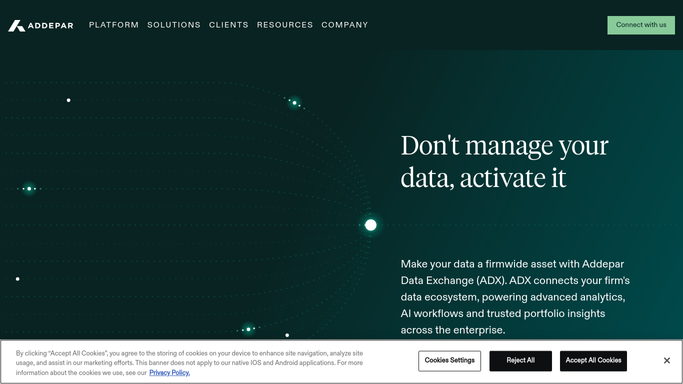
How can I automatically extract LP report and capital event data from emails and get it into Addepar?
WebRun monitors your Gmail inbox for fund administrator emails, extracts key data from capital call notices, distribution notices, and LP reports, logs each extracted record to a Google Sheets staging sheet with a confidence flag, and queues approved records for posting into Addepar, so your team reviews the data once rather than re-keying it manually.
- Capital call and distribution data extracted from emails within minutes of arrival
- Re-keying errors eliminated with staged review before Addepar posting
- Source documentation automatically attached to every Addepar entry
Built for family office operations teams · fund accountants · data management teams · single family offices
How is each run configured?
Secure by default
Connect once, stays signed in
WebRun signs in once and keeps each session in a persistent environment, so every run picks up right where it left off.
Every action is checked against this policy before it runs.
Questions, answered
Will it post data into Addepar automatically without my review?
No. Every extracted record is staged in Google Sheets with a Pending status. A team member must review and approve the record before WebRun posts it into Addepar.
What happens if it cannot read a PDF or the extraction confidence is low?
Low-confidence extractions are flagged in red in the staging sheet and require manual review before posting. WebRun never posts a record to Addepar from a low-confidence extraction without explicit approval.
Which email types does it process?
It monitors a dedicated Gmail label for fund administrator emails and processes capital call notices, distribution notices, and LP quarterly reports. You define the label and can add or remove sender filters at any time.
Related templates
Put this on autopilot.
Turn it on in minutes - or have our team set it up for you.