Get a daily digest of active environmental project status
Every morning, WebRun opens Locus Technologies, reviews all active projects for milestone status, flags any task that is overdue or approaching a deadline, and posts a concise project-status digest to the team Slack channel.
- No credit card
- Under $0.01 per run
- Cancel anytime
What does WebRun do on every run?
The exact actions WebRun takes, in order - in plain language, so you can adjust anything.
-
WebRun signs in and gets to work
Opens
www.locustec.comin a real browser with your saved login - no setup, no API keys. -
1
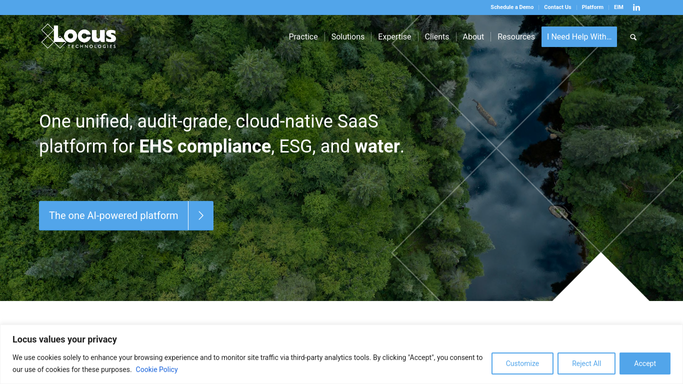
Locus Technologies - review active project milestones
locustec.com How to Automate Locus Technologies

WebRun opens Locus Technologies to review active project milestones. - Open Locus Technologies and navigate to the active projects list
- For each project, check milestone due dates and current task completion status
- Flag any milestone that is overdue or due within the next five business days
- Note the project name, client, responsible consultant, and days overdue or remaining
Done when All at-risk and upcoming milestones are identified and listed with their details.
-
2
Slack - post status digest to team channel
slack.com How to Automate Slack
WebRun opens Slack to post status digest to team channel. - Post the daily digest to the project-management Slack channel
- List overdue items first, followed by items due within five days
- Include project name, client, consultant, and days overdue or remaining
Done when The team has today's project-status digest in Slack.

How do I get an automatic daily status digest for my environmental projects?
WebRun opens Locus Technologies every morning, scans all active project milestones for overdue or upcoming deadlines, and posts a ranked status digest to your team Slack channel. At-risk items are surfaced first so your consultants start each day knowing exactly where to focus.
- At-risk milestones surface every morning before the team starts work
- Project slippage is caught days early, not after a deadline passes
- Completed tasks are skipped automatically from live Locus data
Built for environmental consulting project managers · EHS program managers · remediation project teams · environmental health and safety directors
How is each run configured?
Secure by default
Connect once, stays signed in
WebRun signs in once and keeps each session in a persistent environment, so every run picks up right where it left off.
Every action is checked against this policy before it runs.
Questions, answered
Will it notify clients about project status automatically?
No. WebRun only posts an internal digest to your team Slack channel. No message is sent to clients without a human reviewing and approving it.
How does it define overdue?
It compares each milestone due date in Locus Technologies to today's date and flags anything past due or due within the next five business days. You can adjust that window when you set up the workflow.
What if a project milestone was already completed?
It reads the live status in Locus Technologies each morning, so completed milestones are skipped and only genuinely outstanding items appear in the digest.
Related templates
Put this on autopilot.
Turn it on in minutes - or have our team set it up for you.