Build a daily chain of custody log for every specimen
Every night, WebRun reads the day's nAble Witness scanning events in nAbleIVF, orders each specimen handoff, move, and witnessing step into a chain of custody log in a Google Sheet, and posts a summary to Slack that calls out any specimen whose custody trail has a missing scan or an unwitnessed step.
- No credit card
- Under $0.01 per run
- Cancel anytime
What does WebRun do on every run?
The exact actions WebRun takes, in order - in plain language, so you can adjust anything.
-
WebRun signs in and gets to work
Opens
www.nableivf.comin a real browser with your saved login - no setup, no API keys. -
1
nAbleIVF - read the day's witnessing scans
nableivf.com How to Automate nAbleIVF

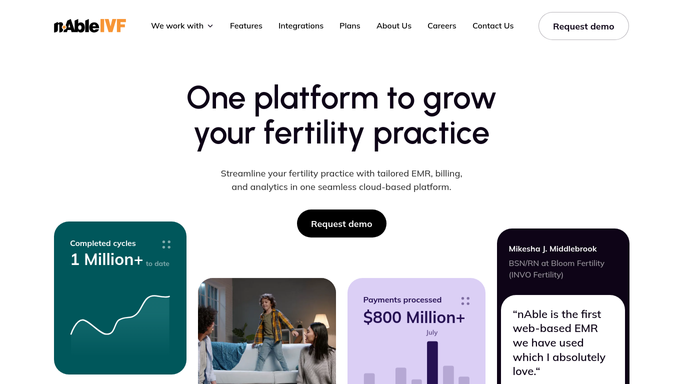
WebRun opens nAbleIVF to read the day's witnessing scans. - Open nAbleIVF and read the day's nAble Witness scanning and witnessing events
- For each specimen, gather every scan: intake, moves, procedure handoffs, and storage placement
- Capture the specimen and patient identifiers, the step, the operator and witness, and the timestamp
- Order each specimen's events into a start-to-finish sequence
Done when Every specimen touched today has its scan events gathered in order.
-
2
Google Sheets - assemble the chain of custody log
google.com How to Automate Google Sheets
WebRun opens Google Sheets to assemble the chain of custody log. - Write the chain of custody log to the sheet, one row per scan event in sequence
- Record specimen, step, operator, witness, and timestamp for each row
- Group rows by specimen so each custody trail reads top to bottom
- Mark any specimen whose trail is missing an expected step or a witness
Done when The day's chain of custody log is saved in the Google Sheet with gaps marked.
-
3
Slack - flag any custody gaps
slack.com How to Automate Slack
WebRun opens Slack to flag any custody gaps. - Post a short summary to the lab Slack channel with the number of specimens logged today
- List any specimen with a custody gap: a missing scan, an unwitnessed step, or a break in sequence
- Put any specimen with an unwitnessed step first so it is reviewed the next morning
Done when The lab has tonight's custody summary with any gaps in Slack.


How do I automatically build a chain of custody log for IVF lab specimens?
WebRun reads the day's nAble Witness scan events in nAbleIVF every night and orders each specimen handoff, move, and witnessing step into a chain of custody log in a Google Sheet. It posts a summary to Slack that flags any missing scan or unwitnessed step, so your lab has a clean, auditable custody trail ready every morning.
- A complete custody trail is ready each morning without manual compiling
- Unwitnessed steps are flagged for review the next day
- A searchable custody history builds up in one sheet
Built for IVF embryology labs · lab quality and compliance leads · fertility clinic directors · reproductive tissue banks
How is each run configured?
Secure by default
Connect once, stays signed in
WebRun signs in once and keeps each session in a persistent environment, so every run picks up right where it left off.
Every action is checked against this policy before it runs.
Questions, answered
Does it change any witnessing record?
No. WebRun only reads the nAble Witness scan events and writes a separate log to your own Google Sheet. It never edits a witnessing record in nAbleIVF, so the source of truth is untouched and the log is purely a read-only compilation.
Is any patient or specimen data sent externally?
No. The Google Sheet and Slack channel are your own internal workspaces on the allowlist. WebRun uses specimen and patient identifiers rather than names where you prefer, and no data is shared with any outside party.
What counts as a custody gap?
A missing expected scan, a step recorded without a witness, or a break in the start-to-finish sequence for a specimen. WebRun sorts unwitnessed steps to the top so your quality lead reviews the most important gaps first.
Related templates
Put this on autopilot.
Turn it on in minutes - or have our team set it up for you.