Give your dispatch team a live load status digest every morning
Every morning, WebRun opens J. J. Keller Encompass, pulls the current status of all active loads (dispatched, in-transit, at-delivery, and problem loads), logs the snapshot to Google Sheets, and posts a structured daily digest to your dispatch team in Slack with problem loads called out first.
- No credit card
- Under $0.01 per run
- Cancel anytime
What does WebRun do on every run?
The exact actions WebRun takes, in order - in plain language, so you can adjust anything.
-
WebRun signs in and gets to work
Opens
encompass.jjkeller.comin a real browser with your saved login - no setup, no API keys. -
1
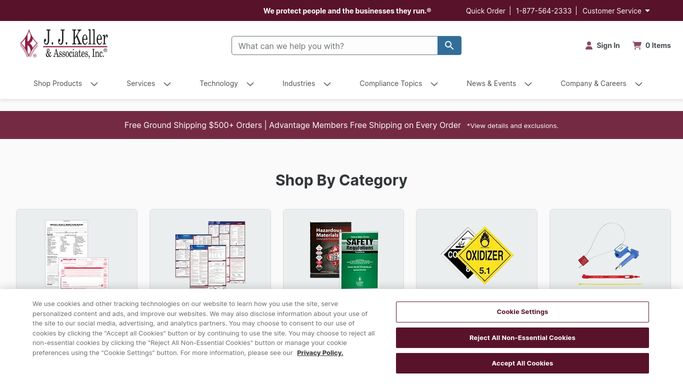
J. J. Keller Encompass - pull active load statuses and flag problems
jjkeller.com How to Automate J. J. Keller Encompass

WebRun opens J. J. Keller Encompass to pull active load statuses and flag problems. - Open the load and compliance records in Encompass and filter for all active loads
- Categorize each load by status: dispatched, in-transit, at-pickup, at-delivery, or delayed
- Flag any load that is behind schedule, has an unresolved HOS issue, or has not had a driver check-in in the last 4 hours
- Capture load number, driver, origin, destination, appointment time, and current ETA
Done when Every active load is categorized with its current status and any flags noted.
-
2
Google Sheets - log daily status snapshot
google.com How to Automate Google Sheets
WebRun opens Google Sheets to log daily status snapshot. - Open the Daily Load Status sheet and add a timestamped snapshot row for each active load
- Record load number, driver, status, appointment time, ETA, and any problem flag
- Highlight problem loads in red and on-time loads in green
Done when Today's load status snapshot is logged to Google Sheets with all active loads.
-
3
Slack - post morning load digest to dispatch team
slack.com How to Automate Slack
WebRun opens Slack to post morning load digest to dispatch team. - Post the morning load digest to the dispatch channel, leading with problem loads
- Group loads by status section: problems first, then in-transit, then dispatched
- Include total active load count and the number of problem loads at the top
Done when Dispatch team has this morning's load status digest in Slack.


How do I automatically get a daily load status digest for my dispatch team?
WebRun opens J. J. Keller Encompass every morning, pulls the current status of all active loads, flags delayed and problem loads, logs a full snapshot to Google Sheets, and posts a structured Slack digest to your dispatch team with problem loads leading, so every load has an owner and a plan before the day gets busy.
- Dispatch team starts each day with a ranked load status snapshot
- Problem loads are flagged before they become service failures
- Every active load has a named owner and a visible status from 6 AM
Built for carrier dispatchers · fleet operations managers · transportation coordinators · trucking company owners
How is each run configured?
Secure by default
Connect once, stays signed in
WebRun signs in once and keeps each session in a persistent environment, so every run picks up right where it left off.
Every action is checked against this policy before it runs.
Questions, answered
Will it contact drivers or customers about delayed loads automatically?
No. WebRun surfaces problem loads in the internal Slack digest. Any communication to a driver or customer must be initiated and sent by your dispatcher.
How does it define a problem load?
WebRun flags a load as a problem if it is behind its scheduled appointment time, has an unresolved HOS or ELD issue in Encompass, or has not had a driver position update in the last 4 hours. The flag threshold is configurable.
Can I set this to run more than once a day?
Yes. The digest can be scheduled to run multiple times daily. A mid-day check at noon and an afternoon check at 4:00 PM are common additions for busy dispatch teams.
Related templates
Put this on autopilot.
Turn it on in minutes - or have our team set it up for you.