Catch expiring driver DQ file documents before they lapse
Every morning, WebRun opens J. J. Keller Encompass, scans every driver qualification file for credentials expiring within 30 days, logs each finding to a Google Sheet tracker, and posts your safety team a ranked Slack alert so renewals never slip through.
- No credit card
- Under $0.01 per run
- Cancel anytime
What does WebRun do on every run?
The exact actions WebRun takes, in order - in plain language, so you can adjust anything.
-
WebRun signs in and gets to work
Opens
encompass.jjkeller.comin a real browser with your saved login - no setup, no API keys. -
1
J. J. Keller Encompass - scan DQ files for expiring credentials
jjkeller.com How to Automate J. J. Keller Encompass

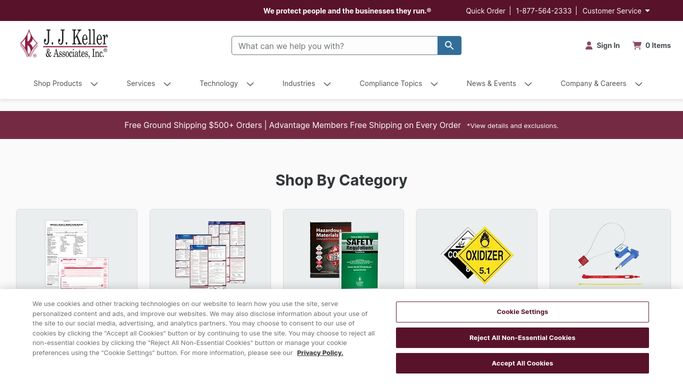
WebRun opens J. J. Keller Encompass to scan DQ files for expiring credentials. - Open the Driver Qualification module and filter for credentials expiring within 30 days
- Capture each driver name, credential type, expiry date, and days remaining
- Note the credential category: medical card, CDL, MVR pull due, or road test
- Skip any credential already renewed or flagged as in-progress
Done when Every driver with a credential expiring within 30 days is listed with its details.
-
2
Google Sheets - log expiry details to tracker
google.com How to Automate Google Sheets
WebRun opens Google Sheets to log expiry details to tracker. - Open the DQ Expiry Tracker sheet and append a new row for each expiring credential
- Record driver name, credential type, expiry date, days remaining, and responsible fleet manager
- Mark any credential expiring within 7 days in red for immediate attention
Done when The tracker sheet is updated with today's full expiry list.
-
3
Slack - alert safety team with ranked list
slack.com How to Automate Slack
WebRun opens Slack to alert safety team with ranked list. - Post a ranked summary to the safety channel, sorted by days remaining (most urgent first)
- Flag credentials expiring within 7 days with a separate urgent callout
- Include a direct link to the Google Sheet tracker for the full list
Done when Safety team has a ranked, actionable expiry alert in Slack.


How do I automatically track expiring driver DQ file credentials?
WebRun opens J. J. Keller Encompass every morning, scans every driver qualification file for medical cards, CDLs, MVRs, and road tests expiring within 30 days, logs each finding to Google Sheets, and posts your safety team a ranked Slack alert sorted by urgency, so no driver operates on a lapsed credential.
- No driver operates on a lapsed medical card or CDL
- Safety team sees a ranked expiry list every morning before dispatch
- Renewed credentials are skipped automatically from live Encompass data
Built for fleet safety managers · DOT compliance officers · trucking companies · motor carriers
How is each run configured?
Secure by default
Connect once, stays signed in
WebRun signs in once and keeps each session in a persistent environment, so every run picks up right where it left off.
Every action is checked against this policy before it runs.
Questions, answered
Will it notify drivers directly about their expiring credentials?
No. WebRun posts only an internal Slack alert for your safety team to action. Any communication to drivers is drafted for human review and never sent automatically.
Which credential types does it track?
It tracks all DQ file credentials in J. J. Keller Encompass, including medical examiner certificates, CDL renewals, MVR pull dates, road test records, and any custom credentials you have configured.
What if a credential has already been renewed in Encompass?
WebRun reads the live credential status in J. J. Keller Encompass each morning, so any driver whose credential has already been renewed is skipped automatically.
Related templates
Put this on autopilot.
Turn it on in minutes - or have our team set it up for you.