Find unmatched crypto transfers in Bitwave before they inflate your income
Every morning, WebRun opens Bitwave, finds internal wallet-to-wallet transfers where the sending leg and receiving leg have not been matched, and posts a daily exception list to Slack so your accountants can link the transactions in Bitwave before they are misclassified as taxable income or an unexplained inflow.
- No credit card
- Under $0.01 per run
- Cancel anytime
What does WebRun do on every run?
The exact actions WebRun takes, in order - in plain language, so you can adjust anything.
-
WebRun signs in and gets to work
Opens
app.bitwave.ioin a real browser with your saved login - no setup, no API keys. -
1
Bitwave - scan for unmatched internal transfer legs
bitwave.io How to Automate Bitwave

WebRun opens Bitwave to scan for unmatched internal transfer legs. - Open Bitwave and filter transactions by type Transfer with a status of Unmatched
- For each unmatched leg, capture the transaction hash, wallet, asset, amount, and timestamp
- Identify the probable counterpart wallet if it is connected to the same Bitwave organization
- Flag any unmatched transfer older than 48 hours as high priority
Done when All unmatched transfer legs are listed with their details and age.
-
2
Slack - post daily transfer-matching exception list
slack.com How to Automate Slack
WebRun opens Slack to post daily transfer-matching exception list. - Post a daily exception list to your accounting Slack channel
- List each unmatched transfer with wallet, asset, amount, age, and a probable counterpart if identified
- Flag items older than 48 hours with a high-priority marker
- Include a direct Bitwave link to the unmatched transaction for one-click resolution
Done when Your accounting team has today's transfer-matching exception list in Slack.
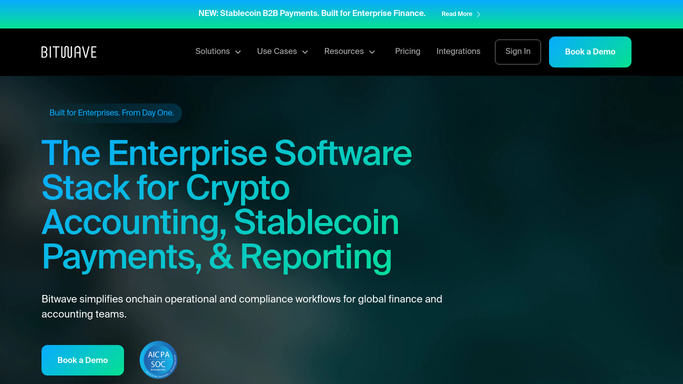

How do I automatically find unmatched crypto transfers in Bitwave each morning?
WebRun opens Bitwave every morning and finds every internal wallet-to-wallet transfer where the sending and receiving legs have not been matched. It posts a daily Slack exception list with each unmatched leg, its probable counterpart, and a direct Bitwave link so your accountants can resolve the pairing before unmatched transfers inflate your income.
- Unmatched transfers caught daily before they misclassify as income
- High-priority items older than 48 hours flagged automatically
- One-click Bitwave links make resolution faster for every accountant
Built for crypto accountants · Web3 finance teams · digital asset controllers · multi-wallet treasury teams
How is each run configured?
Secure by default
Connect once, stays signed in
WebRun signs in once and keeps each session in a persistent environment, so every run picks up right where it left off.
Every action is checked against this policy before it runs.
Questions, answered
Will it match the transfer legs in Bitwave automatically?
No. WebRun identifies the unmatched legs and surfaces the probable counterpart for your accountant to confirm. Matching transfers in Bitwave is a deliberate action to ensure the correct leg pairing.
Why do internal transfers matter for accounting?
An unmatched internal transfer can appear as an unexplained inflow and may be misclassified as taxable income. Matching both legs correctly in Bitwave removes the inflow and keeps your income figures accurate.
What if both wallets are not connected to the same Bitwave organization?
WebRun flags the transaction as unmatched with a note that the receiving wallet is not in scope. Your team can then add the wallet to Bitwave or manually mark the transaction as an external transfer.
Related templates
Put this on autopilot.
Turn it on in minutes - or have our team set it up for you.