Flag clients due for their next dispute round
Every morning, WebRun opens Credit Repair Cloud, finds every client whose current dispute round has passed its response window, logs the round number and days elapsed in Google Sheets, and sends your team a Telegram digest of who is ready to move to the next round.
- No credit card
- Under $0.01 per run
- Cancel anytime
What does WebRun do on every run?
The exact actions WebRun takes, in order - in plain language, so you can adjust anything.
-
WebRun signs in and gets to work
Opens
app.creditrepaircloud.comin a real browser with your saved login - no setup, no API keys. -
1
Credit Repair Cloud - find rounds past their window
creditrepaircloud.com How to Automate Credit Repair Cloud

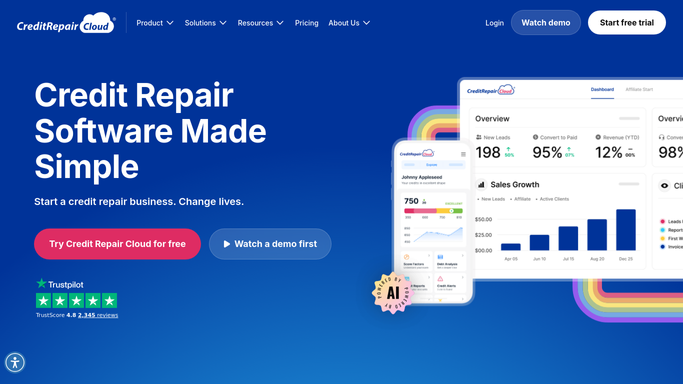
WebRun opens Credit Repair Cloud to find rounds past their window. - Open Credit Repair Cloud and review each active client's current dispute round
- Compare the round start date against the bureau's response window, typically 30 to 35 days
- Note which clients have passed their window and are ready for the next round
Done when Every active client's round status has been checked against its response window.
-
2
Google Sheets - log round status
google.com How to Automate Google Sheets
WebRun opens Google Sheets to log round status. - Open the dispute round tracking sheet
- Add or update a row for each client with round number, start date, and days elapsed
- Mark clients past their window as ready for next round
Done when The tracking sheet reflects today's round status for every active client.
-
3
Telegram - send the daily digest
telegram.org How to Automate Telegram
WebRun opens Telegram to send the daily digest. - Send a digest to the team channel listing clients ready for their next round
- Sort the list by days past window so the most overdue clients sit at the top
- Include a count of clients still within their current window
Done when The team has today's round readiness digest in Telegram.


How do I know when a client is ready for their next dispute round?
Every morning, WebRun opens Credit Repair Cloud and checks every active client's dispute round against its 30 to 35 day bureau response window. It logs the round number and days elapsed in Google Sheets, then sends a Telegram digest ranking clients by how overdue their window is, so your team always knows who is ready for the next round.
- Every client's round window is checked every morning, not manually
- The team opens Telegram to a ranked list instead of digging through Credit Repair Cloud
- No client's next round gets delayed because a window was missed
Built for credit repair businesses · credit repair case managers · credit repair agencies · solo credit repair consultants
How is each run configured?
Secure by default
Connect once, stays signed in
WebRun signs in once and keeps each session in a persistent environment, so every run picks up right where it left off.
Every action is checked against this policy before it runs.
Questions, answered
How does it know when a round window closes?
It reads each client's round start date in Credit Repair Cloud and compares it against the standard 30 to 35 day bureau response window, so nothing relies on manual tracking.
Does it start the next round automatically?
No. It only flags which clients are ready in the digest. A team member still reviews the bureau responses in Credit Repair Cloud before starting the next round of disputes.
What if a bureau responds early?
WebRun checks Credit Repair Cloud's live status each morning, so a client is flagged as soon as a response is logged, even before the standard window closes.
Related templates
Put this on autopilot.
Turn it on in minutes - or have our team set it up for you.