Brief your physicians before every new vein consult
Every morning, WebRun opens 1st Providers Choice, finds new patients whose Doppler ultrasound images were imported since the last run, reads the vein reflux and diameter findings from the vascular module, logs a clean intake summary to Google Sheets, and emails the treating physician a briefing in Outlook before the first consult.
- No credit card
- Under $0.01 per run
- Cancel anytime
What does WebRun do on every run?
The exact actions WebRun takes, in order - in plain language, so you can adjust anything.
-
WebRun signs in and gets to work
Opens
www.1stproviderschoice.comin a real browser with your saved login - no setup, no API keys. -
1
1st Providers Choice - read new ultrasound findings
1stproviderschoice.com How to Automate 1st Providers Choice

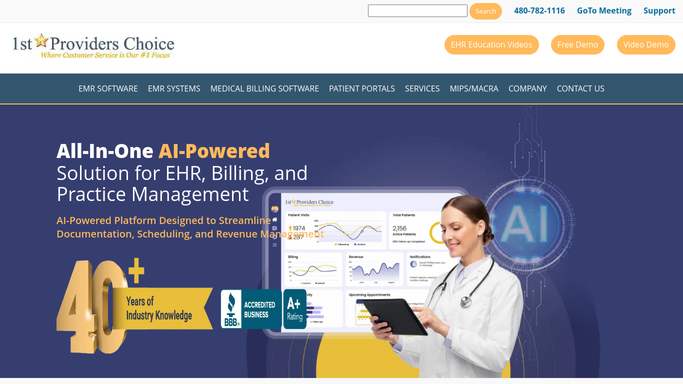
WebRun opens 1st Providers Choice to read new ultrasound findings. - Open 1st Providers Choice and check the vascular module for new patients with Doppler ultrasound images imported since yesterday
- Read the reflux, diameter, and vein segment findings recorded for each leg
- Note the patient's chief complaint and referral source from the intake record
Done when Every new patient with an imported ultrasound has a captured set of findings.
-
2
Google Sheets - log the intake summary
google.com How to Automate Google Sheets
WebRun opens Google Sheets to log the intake summary. - Open the Intake Summaries tracker
- Add a row per new patient with the key findings, chief complaint, and consult date
- Mark the row as briefed once the physician email goes out
Done when Every new patient's findings are logged in the tracker before their consult.
-
3
Outlook - brief the treating physician
microsoft.com How to Automate Outlook
WebRun opens Outlook to brief the treating physician. - Draft a short intake briefing per patient summarizing the ultrasound findings in plain language
- Send it to the treating physician's inbox ahead of the scheduled consult
- Copy the front desk so the chart is known to be ready
Done when The treating physician has a briefing in their inbox before each new patient consult.


How do I automatically summarize new patient ultrasound findings before their consult?
WebRun reviews 1st Providers Choice every morning for new patients with a Doppler ultrasound on file, reads the reflux and diameter findings for each leg, and logs a clean summary to Google Sheets. It then emails the treating physician a short intake briefing in Outlook before the consult, so every new patient visit starts with the findings already in hand.
- Physicians walk into every new consult with the ultrasound findings already summarized
- No new patient's Doppler results sit unread before their visit
- Front desk and physician both see the same intake summary the moment it's logged
Built for vein clinic physicians · phlebologists · vascular surgeons · vein clinic front desk staff
How is each run configured?
Secure by default
Connect once, stays signed in
WebRun signs in once and keeps each session in a persistent environment, so every run picks up right where it left off.
Every action is checked against this policy before it runs.
Questions, answered
Does it send anything to the patient?
No. The briefing goes only to the treating physician and front desk inside your practice. WebRun never emails or messages the patient directly from this workflow.
What findings does the briefing include?
It includes the reflux pattern, vein diameter, and affected segments read from the Doppler ultrasound in 1st Providers Choice, plus the patient's chief complaint and referral source.
What happens if the ultrasound was not imported yet?
That patient is skipped for the day and picked up automatically on a later run once the image and findings appear in 1st Providers Choice.
Related templates
Put this on autopilot.
Turn it on in minutes - or have our team set it up for you.