Prepare the monthly per diem bill from every lease
At month end, WebRun opens MRI Intermodal Software, reads each active lease and the on-hire and off-hire dates, calculates the month's per diem per lessee, drafts a matching invoice in QuickBooks, and drafts a statement email to each account, all left for a person to review before anything is sent.
- No credit card
- Under $0.01 per run
- Cancel anytime
What does WebRun do on every run?
The exact actions WebRun takes, in order - in plain language, so you can adjust anything.
-
WebRun signs in and gets to work
Opens
www.mriintermodal.comin a real browser with your saved login - no setup, no API keys. -
1
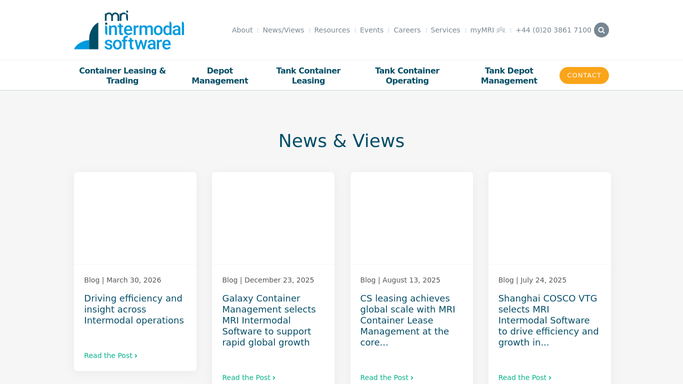
MRI Intermodal Software - calculate per diem from contracts
mriintermodal.com How to Automate MRI Intermodal Software

WebRun opens MRI Intermodal Software to calculate per diem from contracts. - Open MRI Intermodal Software and list active leasing contracts for the billing month
- For each contract, read the per diem rate, the units on hire, and their on-hire and off-hire dates
- Calculate on-hire days per unit within the month and multiply by the rate
- Apply any free days or tiered rates written into the contract and total per lessee
Done when Every lessee has a per diem total for the month with the day counts behind it.
-
2
QuickBooks - draft each per diem invoice
- Open QuickBooks and start a draft invoice for each lessee
- Add line items for per diem days, rate, and any contract adjustments
- Match each invoice to the correct customer and billing period
- Save every invoice as a draft, leaving them unsent for finance to review
Done when A draft per diem invoice exists in QuickBooks for each lessee, none issued automatically.
-
3
Gmail - draft account statements
gmail.com How to Automate Gmail
WebRun opens Gmail to draft account statements. - Draft one statement email per account summarizing the month's per diem
- Show units, on-hire days, rate, and the total that matches the QuickBooks draft
- Note that the invoice is attached or will follow once approved
- Leave every email unsent as a draft for finance to review and send
Done when A ready-to-send statement email is drafted for each account, none sent automatically.

How do I generate monthly per diem billing from leasing contracts automatically?
At month end, WebRun opens MRI Intermodal Software, reads each active lease and every unit's on-hire and off-hire dates, and calculates the month's per diem per lessee. It drafts a matching invoice in QuickBooks and a statement email for each account, all left for finance to review before anything is issued.
- The whole month's per diem billing is drafted and ready on day one
- Every invoice ties back to on-hire days and the contract rate
- Finance approves drafts instead of building each bill by hand
Built for container lessors · depot finance teams · intermodal leasing companies · billing coordinators
How is each run configured?
Secure by default
Connect once, stays signed in
WebRun signs in once and keeps each session in a persistent environment, so every run picks up right where it left off.
Every action is checked against this policy before it runs.
Questions, answered
Will it issue invoices or charge accounts on its own?
No. WebRun saves every per diem invoice as a draft in QuickBooks and leaves each statement email unsent. Nothing is issued, sent, or charged until your finance team reviews and approves it.
How does it work out the per diem days?
It reads each contract's per diem rate and every unit's on-hire and off-hire dates in MRI Intermodal Software, counts on-hire days within the billing month, applies any free days or tiered rates, and totals per lessee.
What if a contract has tiered rates or free days?
It applies the tiers and free days recorded on the contract in MRI Intermodal Software. If a contract has an unusual term it cannot read cleanly, it flags that lessee for a person to price manually rather than guessing.
Related templates
Put this on autopilot.
Turn it on in minutes - or have our team set it up for you.