Keep the reefer repair backlog from blocking bookings
Every few minutes during depot hours, WebRun opens MRI Intermodal Software, lists reefer containers awaiting repair or precool, ranks them by how soon each is needed against a booking, posts the depot a Slack backlog, and drafts an SMS to the on-call tech for the units that are time-critical.
- No credit card
- Under $0.01 per run
- Cancel anytime
What does WebRun do on every run?
The exact actions WebRun takes, in order - in plain language, so you can adjust anything.
-
WebRun signs in and gets to work
Opens
www.mriintermodal.comin a real browser with your saved login - no setup, no API keys. -
1
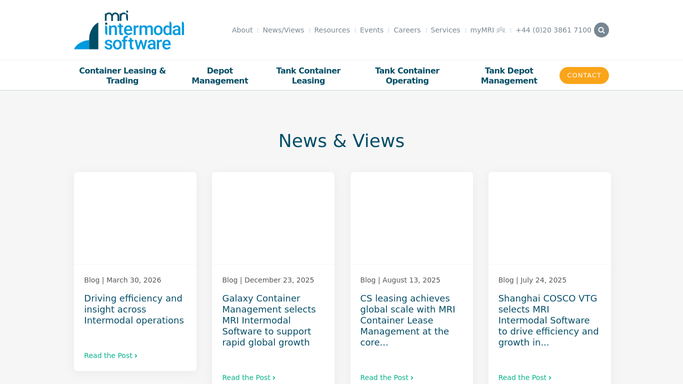
MRI Intermodal Software - list reefers awaiting repair or precool
mriintermodal.com How to Automate MRI Intermodal Software

WebRun opens MRI Intermodal Software to list reefers awaiting repair or precool. - Open MRI Intermodal Software and filter reefer units to awaiting repair or awaiting precool
- For each unit, read the fault or setpoint request, the time in queue, and any booking it is allocated to
- Rank units by how soon they are needed, putting booked pickups first
- Separate quick precool jobs from units needing a genuine repair
Done when Every reefer awaiting work is listed and ranked by how soon it is needed.
-
2
Slack - post the prioritized backlog
slack.com How to Automate Slack
WebRun opens Slack to post the prioritized backlog. - Post the reefer backlog to the depot channel
- Show each unit, its fault or setpoint, time in queue, and the booking it blocks
- Put units tied to an imminent booking at the top and separate precool from repair
Done when The depot team has a ranked reefer backlog in Slack.
-
3
Twilio - draft an SMS to the on-call tech
twilio.com How to Automate Twilio
WebRun opens Twilio to draft an SMS to the on-call tech. - For reefers needed against an imminent booking, prepare an SMS to the on-call tech
- Include the unit number, the fault or setpoint, and the deadline it must be ready by
- Leave the message queued as a draft for a supervisor to approve and release
- Never text a customer or a shipping line, only the internal on-call tech and only after approval
Done when A ready-to-send tech SMS is drafted for each time-critical reefer, none released automatically.


How do I escalate the reefer container precool and repair backlog automatically?
Every few minutes, WebRun opens MRI Intermodal Software, lists reefer containers awaiting repair or precool, and ranks them by how soon each is needed against a booking. It posts the depot a Slack backlog and drafts an SMS to the on-call tech for time-critical units, queued for a supervisor to approve.
- Reefers tied to a booking never get buried behind lower-priority units
- The on-call tech is escalated only for genuinely time-critical work
- Quick precool jobs stay separate from longer mechanical repairs
Built for container depots · reefer repair teams · M&R supervisors · equipment control teams
How is each run configured?
Secure by default
Connect once, stays signed in
WebRun signs in once and keeps each session in a persistent environment, so every run picks up right where it left off.
Every action is checked against this policy before it runs.
Questions, answered
Will it text the on-call tech automatically?
No. WebRun drafts the SMS and queues it for a supervisor to approve and release. The Slack backlog posts on its own, but the text to a person is never sent without human sign-off, and it only ever goes to your internal tech.
How does it decide which reefers are urgent?
It reads each unit's allocated booking and pickup time in MRI Intermodal Software and ranks by how soon the reefer must be ready, so a unit due out this afternoon outranks one with no booking yet.
Does it tell repair from precool?
Yes. It separates units simply awaiting a precool from those needing a genuine repair, so quick setpoint jobs are not buried behind longer mechanical work and the crew can plan the bay accordingly.
Related templates
Put this on autopilot.
Turn it on in minutes - or have our team set it up for you.