Remind registered players before their tournament starts
Every morning, WebRun opens Nerdslice, finds tournaments happening in the next two days, reads who has registered and paid their entry, drafts a personal reminder email in Gmail for each player, leaves it unsent for your review, and posts a headcount to your event Discord.
- No credit card
- Under $0.01 per run
- Cancel anytime
What does WebRun do on every run?
The exact actions WebRun takes, in order - in plain language, so you can adjust anything.
-
WebRun signs in and gets to work
Opens
nerdslice.comin a real browser with your saved login - no setup, no API keys. -
1
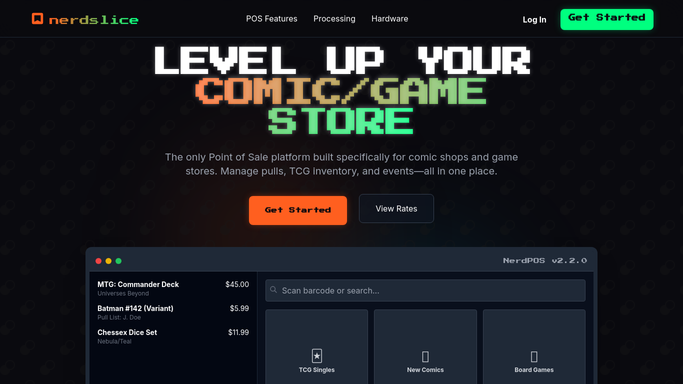
Nerdslice - read upcoming tournament rosters
nerdslice.com How to Automate Nerdslice

WebRun opens Nerdslice to read upcoming tournament rosters. - Open Nerdslice and list tournaments and events scheduled in the next two days
- For each event, capture the registered players, their entry-fee payment status, and format
- Note the start time, table cap, and how many seats remain open
- Skip players who have already checked in or been marked no-show
Done when Every upcoming event has a roster of paid and unpaid registrants with seats remaining.
-
2
Gmail - draft player reminder emails
gmail.com How to Automate Gmail
WebRun opens Gmail to draft player reminder emails. - In Gmail, draft a personal reminder for each registered player with the event, date, and start time
- Politely note whether their entry fee is still outstanding and how to pay at the counter
- Leave every reminder as an unsent draft so you can review the batch before it goes out
- Never email a player automatically. You approve and send the drafts yourself
Done when A reminder email is drafted and waiting for approval for every registered player.
-
3
Discord - post the event headcount
discord.com
WebRun opens Discord to post the event headcount. - Post a headcount to your event Discord channel with registered, paid, and seats-remaining per event
- Flag events close to their table cap so your organizer can add tables or open a waitlist
- List any players whose entry fee is still unpaid so staff can follow up at check-in
Done when Your organizer has a live headcount and a paid-versus-unpaid breakdown in Discord.

How do I automatically remind registered tournament players before an event?
Every morning, WebRun opens Nerdslice, finds tournaments in the next two days, and reads who has registered and paid their entry. It drafts a personal reminder email in Gmail for each player, leaves it unsent for your approval, and posts a paid-versus-unpaid headcount to your event Discord, so your organizer can plan tables with confidence.
- Registered players get a personal reminder before every event
- Organizer sees a live headcount and unpaid entries each morning
- No player email leaves without a human approving the batch first
Built for game store owners · tournament organizers · event coordinators · TCG play coordinators
How is each run configured?
Secure by default
Connect once, stays signed in
WebRun signs in once and keeps each session in a persistent environment, so every run picks up right where it left off.
Every action is checked against this policy before it runs.
Questions, answered
Will it email players without my approval?
No. WebRun drafts every reminder in Gmail and leaves it unsent. You review the batch and send it yourself, so no player is emailed automatically about an event or an unpaid entry fee.
How does it know who is registered and paid?
It reads the live tournament registration list in Nerdslice each morning, including each player's entry-fee payment status, so reminders and headcounts always reflect the current roster.
Does it handle events that are already full?
Yes. It flags any event near its table cap in the Discord headcount so your organizer can add tables or open a waitlist before more players sign up.
Related templates
Put this on autopilot.
Turn it on in minutes - or have our team set it up for you.