Win back subscribers who stopped picking up their pulls
Every Monday, WebRun opens Nerdslice, finds pull-list subscribers whose boxes have gone uncollected for weeks, logs each lapsed subscriber to Google Sheets with the value piling up on hold, and drafts a friendly winback email in Mailchimp that you review before it goes out.
- No credit card
- Under $0.01 per run
- Cancel anytime
What does WebRun do on every run?
The exact actions WebRun takes, in order - in plain language, so you can adjust anything.
-
WebRun signs in and gets to work
Opens
nerdslice.comin a real browser with your saved login - no setup, no API keys. -
1
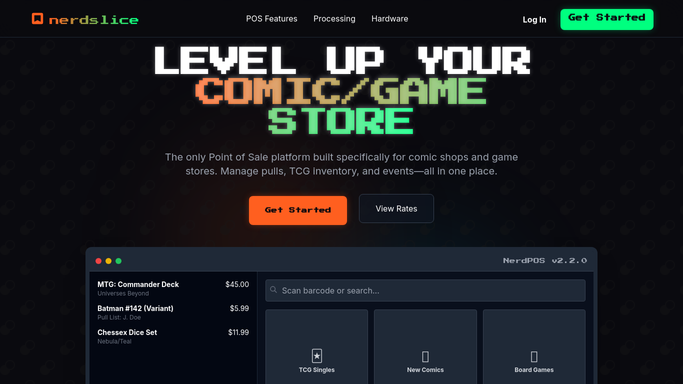
Nerdslice - find lapsed subscribers
nerdslice.com How to Automate Nerdslice

WebRun opens Nerdslice to find lapsed subscribers. - Open Nerdslice and review pull-list subscribers with unclaimed boxes
- Flag any subscriber whose box has gone uncollected past your lapse threshold in weeks
- Capture their name, the titles still on hold, the number of weeks lapsed, and the value owed
- Skip subscribers already flagged as canceled or on a paused hold
Done when Every lapsed subscriber is listed with weeks uncollected and the value on hold.
-
2
Google Sheets - log the winback worklist
google.com How to Automate Google Sheets
WebRun opens Google Sheets to log the winback worklist. - Open the Subscriber Winback sheet and add each lapsed subscriber as a row
- Record weeks lapsed, titles on hold, total value, and last pickup date
- Sort by value at risk so the biggest uncollected boxes sit at the top
- Mark subscribers who lapsed once before so staff know the history
Done when The worklist is current, sorted by value at risk, with each subscriber's history noted.
-
3
Mailchimp - draft winback emails
mailchimp.com How to Automate Mailchimp
WebRun opens Mailchimp to draft winback emails. - In Mailchimp, draft a warm winback email for each lapsed subscriber
- Gently note the titles waiting for them and offer a simple way to resume or pause their pulls
- Leave every email as an unsent draft so you can review tone and offer before release
- Never email a subscriber automatically. You approve and send the batch yourself
Done when A winback email is drafted and waiting for approval for every lapsed subscriber.


How do I automatically win back lapsed comic pull-list subscribers?
Every Monday, WebRun opens Nerdslice and finds pull-list subscribers whose boxes have gone uncollected past your lapse threshold. It logs each one to Google Sheets with the titles and value piling up, then drafts a warm winback email in Mailchimp for your approval, so lapsed subscribers get a personal nudge without anything sending unreviewed.
- Uncollected boxes are surfaced every week before they pile up further
- Winback list is ranked by dollar value at risk automatically
- No subscriber email leaves without a human approving the batch
Built for comic shop owners · subscription managers · pull-list coordinators · retention marketers
How is each run configured?
Secure by default
Connect once, stays signed in
WebRun signs in once and keeps each session in a persistent environment, so every run picks up right where it left off.
Every action is checked against this policy before it runs.
Questions, answered
Will it email lapsed subscribers without my approval?
No. WebRun drafts every winback email in Mailchimp and leaves it unsent. You review the tone and any offer, then send the batch yourself, so no subscriber is contacted automatically.
How does it decide who counts as lapsed?
You set the lapse threshold in weeks, and WebRun flags any subscriber in Nerdslice whose box has gone uncollected longer than that, so the definition of lapsed always matches your policy.
What if a subscriber comes back and collects their box?
It reads the live pickup status in Nerdslice each Monday, so anyone who has resumed collecting drops off the winback worklist automatically before any email is approved.
Related templates
Put this on autopilot.
Turn it on in minutes - or have our team set it up for you.