Verify cease-contact requests are honored before each outreach run
Every morning, before outreach begins, WebRun opens TrueAccord, reads the list of accounts where a consumer has requested cease of contact, verifies each account is correctly flagged in the system, logs the current cease-contact list to Google Sheets for audit, and sends a Telegram alert to the compliance team if any discrepancy is found.
- No credit card
- Under $0.01 per run
- Cancel anytime
What does WebRun do on every run?
The exact actions WebRun takes, in order - in plain language, so you can adjust anything.
-
WebRun signs in and gets to work
Opens
app.trueaccord.comin a real browser with your saved login - no setup, no API keys. -
1
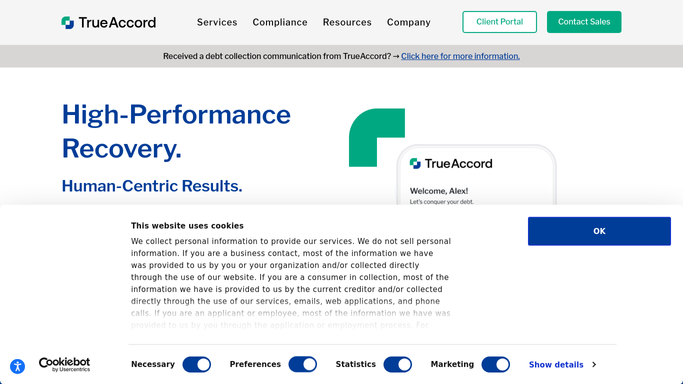
TrueAccord - read and verify cease-contact account flags
trueaccord.com

WebRun opens TrueAccord to read and verify cease-contact account flags. - Open TrueAccord and navigate to the account list filtered by cease-contact or do-not-contact status
- Verify each flagged account has the correct status applied and is excluded from today's outreach queue
- Flag any account where cease-contact status appears inconsistent or missing despite a recorded request
Done when All cease-contact accounts are verified in TrueAccord and any discrepancies are identified.
-
2
Google Sheets - log verified cease-contact list for audit
google.com How to Automate Google Sheets
WebRun opens Google Sheets to log verified cease-contact list for audit. - Open the cease-contact audit log sheet
- Append today's date and the full list of accounts with active cease-contact flags
- Log any discrepancies found as a separate row with the account ID and the nature of the issue
Done when Today's cease-contact list is logged in Google Sheets with any discrepancies recorded.
-
3
Telegram - alert compliance team to any flag discrepancies
telegram.org How to Automate Telegram
WebRun opens Telegram to alert compliance team to any flag discrepancies. - If no discrepancies are found, send a brief clean-check confirmation to the compliance Telegram group
- If any discrepancy is found, send an urgent alert naming the affected account IDs and the nature of the issue so the compliance team can resolve it before outreach begins
- Include the total count of active cease-contact accounts for the day's reference
Done when Compliance team has a Telegram status message confirming either a clean check or listing discrepancies to resolve.


How can I automatically verify that cease-contact requests are honored in TrueAccord?
Every morning before outreach begins, WebRun opens TrueAccord, reads all accounts with cease-contact flags, verifies each is correctly suppressed, and logs the list to a Google Sheets audit trail. If any discrepancy is found, it sends an urgent Telegram alert to your compliance team so the issue is resolved before a single prohibited contact is made.
- Cease-contact accounts verified every morning before outreach begins
- Daily audit log in Google Sheets provides an evidence trail for regulators
- Compliance team alerted immediately if any cease-contact flag is missing or inconsistent
Built for debt collection agencies · compliance officers · collections supervisors · consumer finance legal teams
How is each run configured?
Secure by default
Connect once, stays signed in
WebRun signs in once and keeps each session in a persistent environment, so every run picks up right where it left off.
Every action is checked against this policy before it runs.
Questions, answered
Does it block outreach to cease-contact accounts automatically?
WebRun verifies that accounts are correctly flagged in TrueAccord, which handles the actual outreach suppression. If a discrepancy is found, WebRun alerts your compliance team immediately so a human can resolve the status before any outreach runs.
How is a cease-contact request recorded in TrueAccord?
TrueAccord records cease-contact flags when a consumer submits a written request through the self-serve portal or when your team manually applies the flag after receiving a written cease-contact notice. WebRun reads these flags as set in TrueAccord.
What if the compliance team needs to reverse a cease-contact flag?
WebRun only reads cease-contact status; it does not modify flags in TrueAccord. Your team handles all flag changes directly in TrueAccord, and the next morning's run will reflect the updated status automatically.
Related templates
Put this on autopilot.
Turn it on in minutes - or have our team set it up for you.