Track every new member through your assimilation steps
Every Monday, WebRun opens Breeze ChMS, finds members added in the past 90 days, checks which assimilation steps each has completed (membership class, small group, serving, giving), posts a progress digest to the care team in Slack, and drafts a personal nudge for anyone who has been stuck on the same step for two or more weeks.
- No credit card
- Under $0.01 per run
- Cancel anytime
What does WebRun do on every run?
The exact actions WebRun takes, in order - in plain language, so you can adjust anything.
-
WebRun signs in and gets to work
Opens
www.breezechms.comin a real browser with your saved login - no setup, no API keys. -
1
Breeze ChMS - check assimilation step completion for new members
breezechms.com

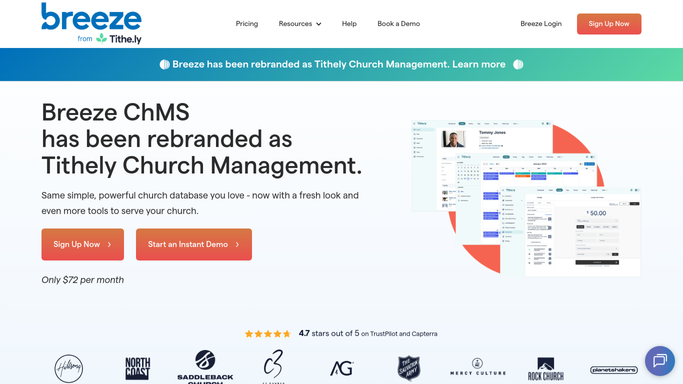
WebRun opens Breeze ChMS to check assimilation step completion for new members. - Open Breeze ChMS and filter People for members added in the past 90 days
- Check the assimilation workflow tags for each member: membership class, small group, serving team, and first gift
- Identify members who have been on the same step for two or more weeks without progressing
- Note the last contact date and assigned care team member for each stalled member
Done when All new members within 90 days have their assimilation step status confirmed.
-
2
Slack - post assimilation progress digest
slack.com How to Automate Slack
WebRun opens Slack to post assimilation progress digest. - Post a weekly assimilation digest to the care team channel listing each new member and their current step
- Flag stalled members prominently so the care team can prioritize outreach
- Include totals: how many are fully assimilated, in progress, and stalled
Done when The care team has this week's assimilation status digest in Slack.
-
3
Gmail - draft follow-up nudges for stalled members
gmail.com How to Automate Gmail
WebRun opens Gmail to draft follow-up nudges for stalled members. - Draft a warm, personal nudge email for each stalled member mentioning the next step and a specific invitation
- Tailor the message to the step they are stuck on: a small group invitation, a serving opportunity, or a membership class date
- Leave all drafts in Gmail for a care team member to review and personalize before sending. Never send automatically.
- Include a note in each draft reminding the reviewer to update the Breeze ChMS record after sending
Done when A personalized nudge draft is queued in Gmail for every stalled new member.


How do I track new church members through assimilation steps automatically?
Every Monday, WebRun checks Breeze ChMS for new members added in the past 90 days and reviews their assimilation step progress. It posts a status digest to the care team in Slack and drafts personalized nudge emails for stalled members for the care team to review and send, so no new member is ever forgotten in the process.
- Every new member's assimilation progress is reviewed weekly without manual Breeze ChMS report pulling
- Stalled members are flagged in Slack before they disengage and drift away
- Care team nudge messages are personalized and human-reviewed before reaching a new member
Built for church care team coordinators · membership pastors · small group directors · church administrators
How is each run configured?
Secure by default
Connect once, stays signed in
WebRun signs in once and keeps each session in a persistent environment, so every run picks up right where it left off.
Every action is checked against this policy before it runs.
Questions, answered
Will it contact new members without a care team member reviewing the message?
No. Every follow-up nudge is drafted in Gmail and held for a care team member to read, personalize, and approve. Pastoral outreach to new members should always feel personal, not automated.
How does it know which assimilation steps each member has completed?
WebRun reads the tags and workflow fields you have set up in Breeze ChMS. The steps tracked (membership class, small group, serving, giving) can be adjusted in your setup to match your church's specific assimilation pathway.
What counts as fully assimilated?
By default, a member is marked fully assimilated when all four steps are tagged as complete in Breeze ChMS. Your team can customize the steps and completion criteria during setup.
Related templates
Put this on autopilot.
Turn it on in minutes - or have our team set it up for you.