Send parents a warm end-of-day recap
Every evening, WebRun opens Brightwheel, reads each child's daily activity, meals, naps, diaper changes, activities, and photos, notes which families to update, and drafts a warm end-of-day recap per family in Gmail, left unsent for your director to review and send.
- No credit card
- Under $0.01 per run
- Cancel anytime
What does WebRun do on every run?
The exact actions WebRun takes, in order - in plain language, so you can adjust anything.
-
WebRun signs in and gets to work
Opens
mybrightwheel.comin a real browser with your saved login - no setup, no API keys. -
1
Brightwheel - read each child's day
mybrightwheel.com

WebRun reviews each child's daily report in Brightwheel. - Open Brightwheel and review each child's daily report by room
- Read the meals, naps, diaper changes, activities, and any notes teachers logged
- Note the photos and learning moments captured during the day
Done when Each child's daily activity has been read with the highlights worth sharing.
-
2
Google Sheets - track who to update
google.com How to Automate Google Sheets
WebRun lists each child and the day's highlights in a sheet. - List each child with the family contact and the day's highlights
- Mark children whose report is incomplete so staff can fill the gap
- Keep the list organized by room so nothing is missed at pickup
Done when Every child is listed with the family to update and the day's highlights.
-
3
Gmail - draft family recaps
gmail.com How to Automate Gmail
WebRun drafts an end-of-day recap per family and leaves it unsent. - Draft a warm recap to each family naming the meals, naps, and a highlight
- Keep the tone friendly and personal to each child's day
- Leave every recap unsent in Drafts for the director to review and send. Never email a family on its own
Done when A daily recap sits in Gmail Drafts for each family, none sent.
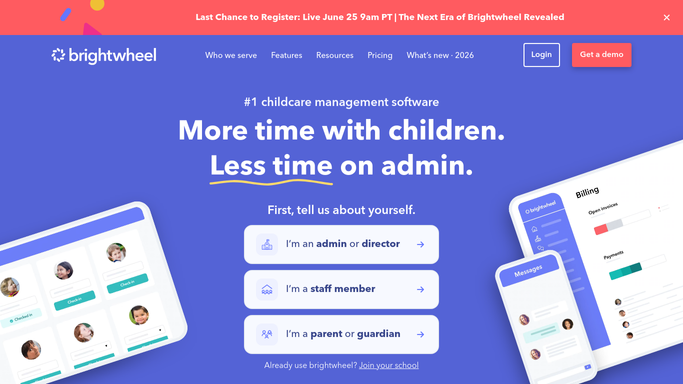


How do I send parents a daily childcare recap automatically?
Every evening, WebRun opens Brightwheel and reads each child's daily report, the meals, naps, diaper changes, activities, and photos teachers logged. It drafts a warm end-of-day recap per family in Gmail, left unsent for your director to review and send, so parents get a personal recap of their child's day without staff writing each one.
- Families get a warm daily recap without staff drafting each one
- Every recap is drafted and waits for the director to send
- Incomplete reports get flagged before the recap goes out
Built for childcare directors · daycare owners · preschool teachers · center administrators
How is each run configured?
Secure by default
Connect once, stays signed in
WebRun signs in once and keeps each session in a persistent environment, so every run picks up right where it left off.
Every action is checked against this policy before it runs.
Questions, answered
Will it email families on its own?
No. WebRun drafts every recap and leaves it unsent in Gmail Drafts. Your director reads each one, adds a personal touch, and sends only the recaps they approve, so nothing reaches a family without a staff member checking it first.
Where does the recap content come from?
From Brightwheel. WebRun reads each child's daily report, the meals, naps, diaper changes, activities, and notes teachers logged through the day, and turns those entries into a warm, plain-language summary for the family.
What if a child's report is incomplete?
WebRun marks that child in the tracking sheet so staff can fill the gap before the recap goes out, and it drafts from only what was logged rather than inventing details that were not recorded.
Related templates
Put this on autopilot.
Turn it on in minutes - or have our team set it up for you.