Bring eligible donors back the moment their deferral lifts
Every morning, WebRun opens SCC Soft Computer (SoftBank), finds donors whose temporary deferral, such as low hemoglobin or travel, expires within the next 14 days, posts the list to Microsoft Teams for the donor recruitment team, and drafts a welcome back email in Outlook for each donor to review before it goes out.
- No credit card
- Under $0.01 per run
- Cancel anytime
What does WebRun do on every run?
The exact actions WebRun takes, in order - in plain language, so you can adjust anything.
-
WebRun signs in and gets to work
Opens
www.softcomputer.comin a real browser with your saved login - no setup, no API keys. -
1
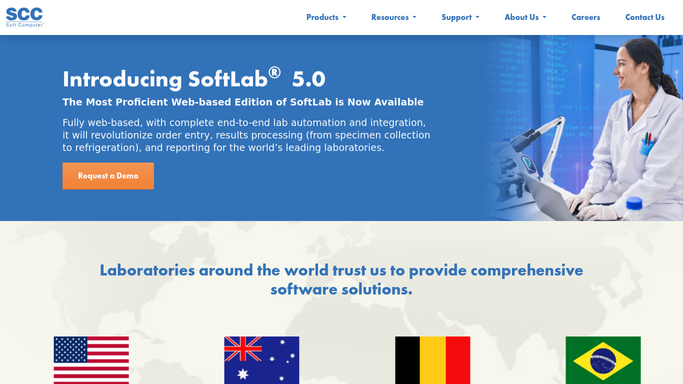
SCC Soft Computer (SoftBank) - find deferrals about to expire
softcomputer.com How to Automate SCC Soft Computer (SoftBank)

WebRun opens SCC Soft Computer (SoftBank) to find deferrals about to expire. - Open SCC Soft Computer (SoftBank) and filter donors on temporary deferral
- Find any deferral, such as low hemoglobin, travel, or low weight, expiring within the next 14 days
- Capture the donor's deferral reason, expiry date, and eligible blood type
- Exclude any donor also flagged with a permanent or indefinite deferral
Done when Every temporarily deferred donor becoming eligible within 14 days is listed with their deferral reason and date.
-
2
Microsoft Teams - post the recheck list
microsoft.com How to Automate Microsoft Teams
WebRun opens Microsoft Teams to post the recheck list. - Post the recheck list to the donor recruitment channel sorted by soonest eligible date
- Flag donors with rare or high demand types first
- Note which donors already have an upcoming drive scheduled nearby
Done when Donor recruitment has a prioritized recheck list in Teams.
-
3
Outlook - draft the welcome back email
WebRun opens Outlook to draft the welcome back email. - Draft a welcome back email for each donor becoming eligible, naming their eligible date and nearest drive
- Leave every email as a draft in the recruitment coordinator's Outlook for review
- Never send an email to a donor without a coordinator reviewing it first
Done when A reviewable draft email is ready for every donor on the list. None have been sent automatically.

How do I know when a temporarily deferred donor becomes eligible again?
WebRun checks SCC Soft Computer (SoftBank) every morning for donors whose temporary deferral, such as low hemoglobin or travel, expires within 14 days. It posts a prioritized recheck list to Microsoft Teams for donor recruitment and drafts a welcome back email in Outlook for each donor, leaving the review and send to a recruitment coordinator.
- Recruitment gets a prioritized list of soon to be eligible donors every morning
- Rare and high demand donor types are flagged first for outreach
- Every donor email is drafted for review, never sent without a coordinator's approval
Built for blood donor centers · donor recruitment teams · hospital based donor programs · blood bank supervisors
How is each run configured?
Secure by default
Connect once, stays signed in
WebRun signs in once and keeps each session in a persistent environment, so every run picks up right where it left off.
Every action is checked against this policy before it runs.
Questions, answered
Will it email donors without anyone checking first?
No. WebRun only drafts the welcome back email in Outlook for each donor becoming eligible. A recruitment coordinator always reviews and sends it themselves before it reaches the donor.
How far ahead does it check deferrals?
By default it looks 14 days ahead for any temporary deferral, such as low hemoglobin or travel, that is about to expire, giving recruitment time to plan outreach before the donor is eligible again.
What about donors with a permanent deferral?
They are excluded automatically. WebRun only surfaces donors on a temporary deferral with a known expiry date, reading the live status in SCC Soft Computer (SoftBank) each morning.
Related templates
Put this on autopilot.
Turn it on in minutes - or have our team set it up for you.