Reconcile keg deposits before they go missing
Every Monday, WebRun opens VIP, pulls each retailer's keg deposit balance, kegs out versus kegs returned, checks it against the Google Sheets deposit ledger, and posts a Slack alert naming every account whose balance does not match.
- No credit card
- Under $0.01 per run
- Cancel anytime
What does WebRun do on every run?
The exact actions WebRun takes, in order - in plain language, so you can adjust anything.
-
WebRun signs in and gets to work
Opens
www.vipinsights.comin a real browser with your saved login - no setup, no API keys. -
1
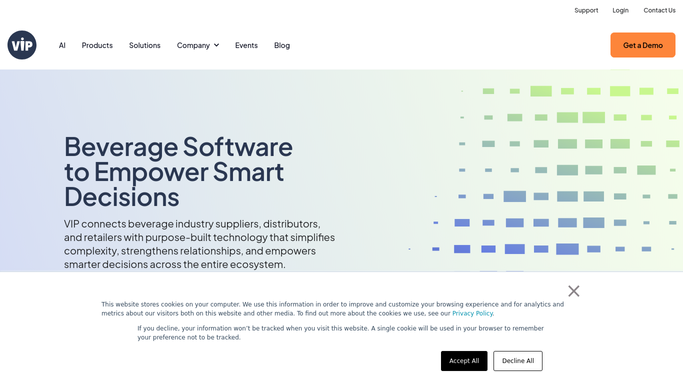
VIP - pull keg deposit balances
vipinsights.com How to Automate VIP

WebRun opens VIP to pull keg deposit balances. - Open VIP and go to the keg tracking screen
- Read kegs out, kegs returned, and the deposit balance for each retailer
- Capture this week's figures per account
Done when Every active account has this week's keg balance captured.
-
2
Google Sheets - reconcile against the deposit ledger
google.com How to Automate Google Sheets
WebRun opens Google Sheets to reconcile against the deposit ledger. - Open the keg deposit ledger sheet
- Compare VIP's balance against the ledger's running total for each account
- Mark any account where the two numbers do not match
Done when Every account is checked against the ledger and mismatches are marked.
-
3
Slack - flag discrepancies
slack.com How to Automate Slack
WebRun opens Slack to flag discrepancies. - Post an alert listing every account with a keg deposit mismatch
- Show the ledger amount, the VIP balance, and the difference
- Keep it internal to the accounting team
Done when The team has this week's keg discrepancy list in Slack.


How do I reconcile keg deposits across retailers automatically?
WebRun reconciles your keg deposits every Monday. It opens VIP, reads kegs out and kegs returned for each retailer, checks the balance against your Google Sheets deposit ledger, and posts a Slack alert naming every account that does not match, with the dollar difference, so missing kegs and deposit errors surface before they pile up.
- Keg deposit mismatches get caught within a week, not at year end
- Every account's kegs out and kegs returned are checked against the ledger automatically
- Accounting opens Slack to a ready discrepancy list instead of hunting through spreadsheets
Built for beer distributors · wine and beer wholesalers · route accounting teams · beverage distribution accounting
How is each run configured?
Secure by default
Connect once, stays signed in
WebRun signs in once and keeps each session in a persistent environment, so every run picks up right where it left off.
Every action is checked against this policy before it runs.
Questions, answered
Where do the keg deposit numbers come from?
From VIP's keg tracking screen: kegs delivered, kegs returned, and the running deposit balance for each retailer. WebRun reads the live figures every Monday, it never estimates or reuses an old number.
Does WebRun correct the ledger itself?
No. WebRun marks the mismatch in the Google Sheets ledger and posts it to Slack for accounting to review. A person decides how to fix the entry, WebRun never overwrites the ledger on its own.
What counts as a discrepancy?
Any account where the Google Sheets deposit balance does not match VIP's kegs out minus kegs returned. WebRun flags the account, the ledger amount, and the dollar gap so accounting can dig in fast.
Related templates
Put this on autopilot.
Turn it on in minutes - or have our team set it up for you.