Draft family updates for you
Every Monday, WebRun opens ECP, reads each resident's recent care notes, activities, and any change in condition, drafts a short personalized update for their family in Gmail, and logs which updates are ready in a Google Sheet so your care team can review and send every one from your own account.
- No credit card
- Under $0.01 per run
- Cancel anytime
What does WebRun do on every run?
The exact actions WebRun takes, in order - in plain language, so you can adjust anything.
-
WebRun signs in and gets to work
Opens
www.ecp123.comin a real browser with your saved login - no setup, no API keys. -
1
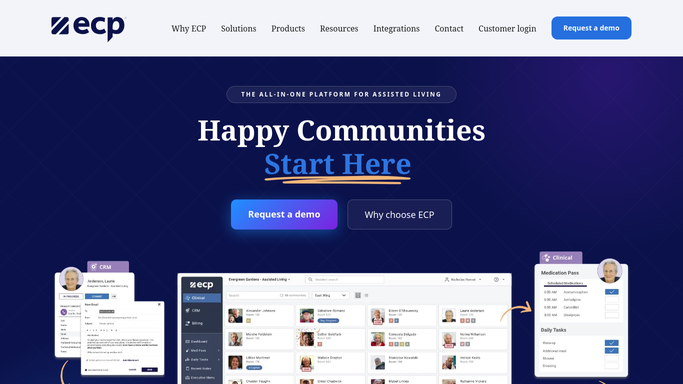
ECP - read each resident's recent care notes
ecp123.com How to Automate ECP

WebRun opens ECP to read each resident's recent care notes. - Open ECP and pull each resident's care notes and activity log from the past week
- Note any change in condition, mood, or participation worth sharing
- Skip residents whose family has opted out of updates
Done when Every resident with family updates enabled has this week's notes pulled.
-
2
Gmail - draft a personalized family update
gmail.com How to Automate Gmail
WebRun opens Gmail to draft a personalized family update. - Draft a short, warm update for each resident's family contact
- Mention specific activities or moments from the notes, not generic filler
- Leave every draft unsent in Gmail for your care team to review and send
Done when A reviewable draft exists for every eligible resident's family.
-
3
Google Sheets - log which updates are ready for review
google.com How to Automate Google Sheets
WebRun opens Google Sheets to log which updates are ready for review. - Open the family update tracker in Google Sheets
- Log each resident and whether this week's draft is ready
- Flag any resident from last week whose update was never sent
Done when The sheet shows every resident's update status for the week.


How do I automatically draft family updates from resident care notes?
WebRun reads each resident's care notes and activity participation in ECP every Monday and drafts a short, personalized family update in Gmail for each one, referencing real moments from that week. Every draft waits unsent for your care team's review, and a Google Sheet tracks which updates are ready, so families hear from your team, not an automation.
- Every resident's family gets a personal, timely update instead of silence
- Care team reviews ready made drafts instead of writing every family update from scratch
- Opted out families are automatically skipped, respecting their preference every week
Built for assisted living care teams · family engagement coordinators · memory care communities · resident care managers
How is each run configured?
Secure by default
Connect once, stays signed in
WebRun signs in once and keeps each session in a persistent environment, so every run picks up right where it left off.
Every action is checked against this policy before it runs.
Questions, answered
Will it send updates to families without review?
No. Every update is drafted in Gmail and left unsent. Your care team reads and sends each one, so no family hears from WebRun directly.
Where does it get what to say?
It reads each resident's actual care notes and activity participation from ECP that week, so the update reflects real moments instead of a generic template.
Can a family opt out of these updates?
Yes. Mark a resident's family as opted out in ECP and WebRun skips drafting an update for them every week.
Related templates
Put this on autopilot.
Turn it on in minutes - or have our team set it up for you.