How to Automate Google Forms
Automating Google Forms usually means working from the linked Sheet, where every response lands as a row, with email notifications and an Apps Script trigger on each submission. Acting on a response in a system that has no API, and chasing the people who never answered, are the parts an AI agent such as WebRun takes over.
 Written by
Hannah Vogel
Finance operations
Written by
Hannah Vogel
Finance operations
 Reviewed by
Julian Adeniyi
Retail operations
Reviewed by
Julian Adeniyi
Retail operations
Every Google Form answer lands as a row in a linked Sheet
Plenty of small organizations run their intake on Google Forms. A transport service takes ride requests from families through one, and a drinks distributor's reps file store display checklists through another from their phones. Anyone with a Google account starts a form at forms.google.com, or from Tools inside a Google Sheet, and shares it as a link.
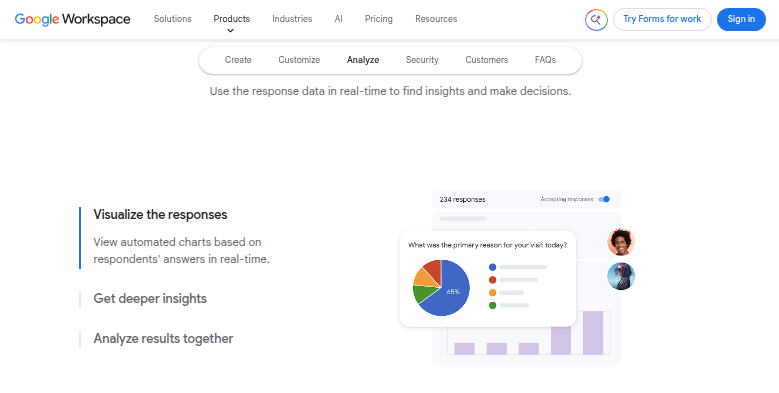
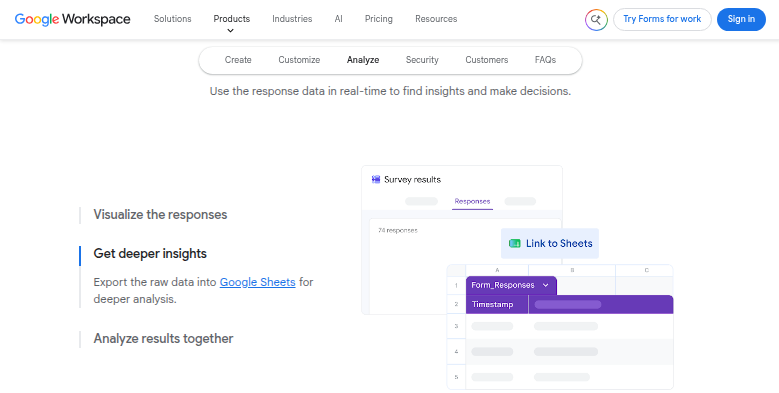
Every answer lands in the Responses tab, where charts update as responses arrive, and Link to Sheets writes each submission into a spreadsheet as a new row. The owner can also download everything as a CSV. Logic shows people only the questions their earlier answers call for, and a quiz can mark itself.
For the dispatcher or the school office reading those rows, each response starts a job in another system, such as a booking in the scheduling tool or a new client record in the payroll software.
Each new row in the response sheet becomes somebody's errand
A family requests a ride for Thursday, and the dispatcher opens the scheduling system to check whether a driver and a vehicle are free, books the ride and writes back to the family. A new payroll client completes the onboarding form, and someone at the bureau retypes the company details into the payroll software. A rep's checklist says a store is missing its promotion, and the sales manager has to spot that row among forty.
The office manager reads the new rows first thing each morning, and nobody else does on the days the office manager is out.
When the form went out to thirty families for observation notes, or to last spring's graduates for an outcome survey, the only way to see who is missing is to hold the response sheet against a class list and compare by eye before writing to anyone.
Google Forms knows who answered, never who was supposed to
Get email notifications for new responses, a setting on the Responses tab, tells the owner each time one comes in, and the Form notifications add-on offers more options. The owner can set a close date or a response limit so the form stops accepting answers on time. For anything further, the Apps Script form submit trigger hands a script each response, so code can run on every submission.
The form only knows the people who filled it in. It holds no list of who was meant to, so chasing the missing ones starts from a list kept somewhere else. A response also cannot reach into another system by itself. Apps Script can, when that system has an API and somebody on the team writes the script and maintains it, but a dispatcher's scheduling tool or a payroll package often offers a sign-in screen and no API at all.
Responses get worked in the system that owns the next step
By the time the dispatcher looks at Thursday's ride request, the scheduling system shows a pending booking with a driver and a vehicle, and the confirmation to the family needs only a read before it goes. A payroll bureau's onboarding lead starts on a new client whose record already exists in the payroll software, with the missing details noted on it. On Monday the sales manager sees the stores that failed their display checks as one Slack post, grouped by rep.
In the other direction, the school office sends the observation request, with the form link, to each family whose child has no family input yet in the school's records, and a week later sends a reminder to each family still missing. Career services sends the alumni survey at each graduate's six-month mark, and the workshop manager matches equipment sign-outs against the class timetable to see who still has the laptop cart.
Each row in the linked Sheet is handled in the system it concerns
For the dispatcher, each ride request means a sign-in to the scheduling system, a lookup, a booking and a reply.
WebRun is an AI agent that works a real Chrome browser, signed in as you. A new response sends the agent into the scheduling system or the payroll software for the lookup or entry you have allowed, and the outcome lands in a column beside the row. The list of who still owes an answer stays with the agent too, so the chasing carries on after the first reminder.
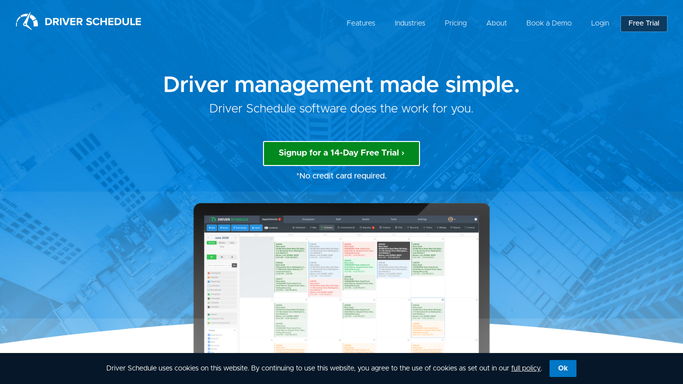
The office sends each reply to a family or client itself, and a booking stays pending in the scheduling system until the dispatcher confirms it. Ride requests are among the setups listed below, ending as a pending booking in Driver Schedule.
Questions people ask
Which people haven't filled in my Google Form yet?
Google Forms cannot say, because it only knows who responded. Given a list of who should respond, in another sheet or in your school or client system, each person missing from the response sheet gets a reminder drafted for them.
Is Apps Script a better route?
Where the other system has an API and someone on the team maintains the script, yes: the form submit trigger runs code on every response. The agent covers systems with no API, and teams with nobody to look after a script.
What happens when a response does not match the other system?
A column set aside for the agent records what is missing or what the other system shows, and a person decides. The submitted answers stay exactly as they came in.
Sources
- View & manage form responses - Google Docs Editors Help Covers linking a form to Google Sheets, email notifications for new responses and the Form notifications add-on, downloading responses as CSV, and closing a form with a close date or response limit.
- Google Forms: Online form builder | Google Workspace Describes Google Forms' question types, quizzes, logic that shows questions based on previous answers, automatic charts and export to Google Sheets.
- Create & grade quizzes with Google Forms - Google Docs Editors Help Explains point values, answer keys and releasing grades immediately after each submission or later after manual review.
- Event Objects | Apps Script | Google for Developers Documents the Apps Script form submit trigger, which hands a script the submitted form response.
- How to use Google Forms - Computer - Google Docs Editors Help Shows starting a form at forms.google.com or from Tools in Google Sheets, and publishing it to collect responses.
6 ready-made Google Forms workflows
Each one names the apps it touches and the exact steps it takes. Open one to read what it will do, then turn it on.







Want one of these running on your own Google Forms?
Show WebRun the process once and it will run it on schedule, in your own private browser environment.