How to Automate Frame.io
Frame.io's exports carry notes into Premiere Pro, Final Cut Pro, Media Composer and Resolve, and its beta webhooks can tell another tool a comment arrived, if a developer receives them. Moving notes into a shot tracker, a dubbing tool or an edit list, and chasing unapproved cuts, is the work WebRun, an AI agent, does in a browser.
 Written by
Devon Ruiz
Workflow engineer
Written by
Devon Ruiz
Workflow engineer
 Reviewed by
Marcus Deleon
Support operations
Reviewed by
Marcus Deleon
Support operations
Cuts go to Frame.io to collect their notes
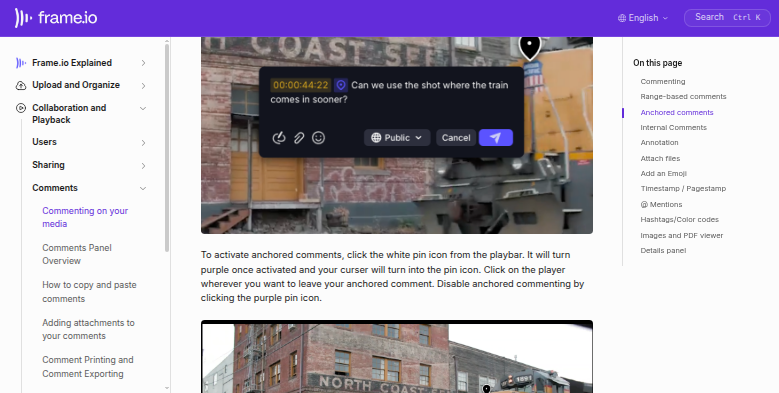
Frame.io, owned by Adobe, is where a video team sends a cut when it needs someone else's opinion. The editor uploads the version, the producer sends a share link, and the client or director watches in a browser and leaves comments pinned to the exact frame, with drawings on the picture where words are not enough.
Those notes come back into the edit. In Premiere Pro, the Frame.io panel shows the comments for the open sequence and jumps the playhead to each one, and Camera to Cloud sends footage from the set to the same project while the shoot is still going.
Version stacks, a Status field and custom metadata keep track of where each asset stands. Post houses, agencies, brand teams and VFX and dubbing studios run their review rounds through it. The producer or post supervisor keeps the schedule, and many clients never log in at all; they open a link and type their notes.
Notes arrive by timecode and leave by copy and paste
A review round on a sixty-second spot can bring back forty comments from four people across two versions, some repeating each other and one contradicting the rest. The producer reads them all, merges the duplicates and types an edit list the editor can work from. A few notes always arrive somewhere else: on the old version after a new one went up, or in an email that never touched Frame.io.
In a VFX house the same notes have to reach the shot tracker, where the coordinator matches each comment to a shot number. At a dubbing studio, the director's comments become a retake list lined up against the script in the dubbing software, and when the edit changes, someone checks which cues moved.
Approvals take chasing. The producer can see the client opened the link on Tuesday, but the cut still has no approval on Friday, so an email goes out, then another, and the delivery date slips.
Frame.io's comment exports are built for the editing software
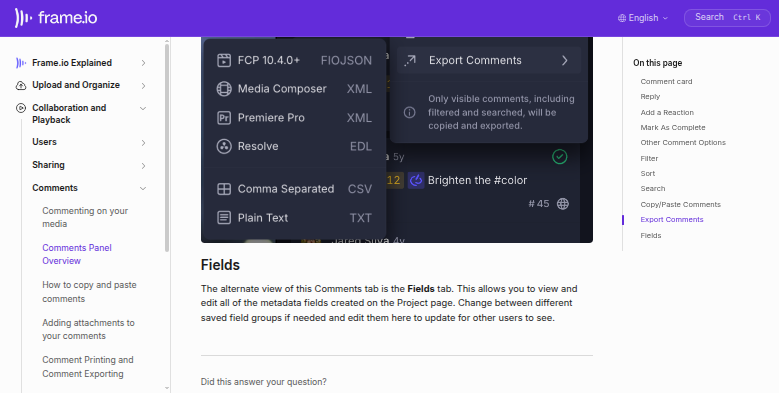
Comments export as CSV or plain text, or in formats Premiere Pro, Final Cut Pro, Media Composer and DaVinci Resolve can read, and Print Comments makes a PDF with a thumbnail of each frame. From the Pro plan up, share links can carry a passphrase and an expiry date, and each share has an activity feed showing who opened it, what they viewed, and whether they commented or downloaded.
Reviewers can edit a Featured field, such as Status, from the share, and they get notification digests every fifteen minutes, though only for assets they have commented on. Account Owners and Content Admins can set up webhooks, still in beta, that call a URL when a comment is created or a metadata value changes. On Adobe-managed Enterprise accounts, the Workfront integration syncs assets and approval decisions with Adobe Workfront; Frame.io notes that comments do not sync.
A shot tracker, VoiceQ or the producer's edit list gets the notes only if someone builds on the webhooks, with a receiving URL and code behind it. An export arrives as a CSV for someone to sort by hand, and the activity feed tells the producer the client looked, not what to send next.
Each review round ends with an edit list in Notion
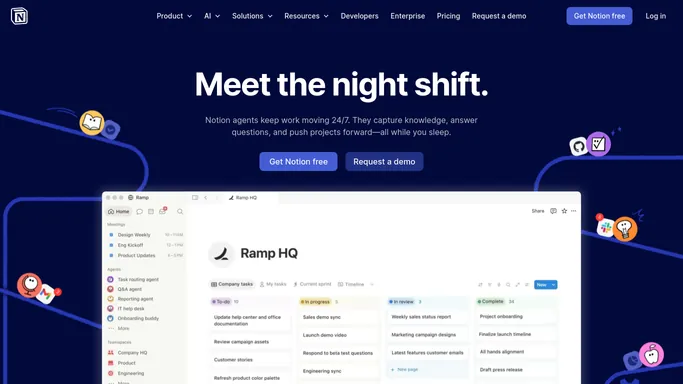
When a round closes, the editor works from one edit list in Notion: every comment from each version with its timecode and author, duplicates merged and contradictions flagged, plus a short summary in Slack.
At a dubbing studio, the director's comments line up against their script lines in VoiceQ and reach a Google Sheets retake list before the next session. When the picture changes, a morning digest names the cues in VoiceQ that no longer match the new version in Frame.io.
Before the morning production meeting, the shots that have sat in client review past their deadline appear in the production channel in Slack with their Frame.io links, matched from the shot tracker, and the producer sends each client the sign-off request written for that shot in Gmail. The producer's chase list covers the review links that have gone quiet, with the client and the last time the link was opened, and a reminder for each sits in Gmail drafts.
Comments move from the Frame.io player into the tracker and VoiceQ Cloud
Matching each Frame.io comment to a shot number in the tracker, or to a script line in VoiceQ Cloud, is tab-to-tab copying. WebRun is an AI agent that works a real Chrome browser, signed in as you. Its Frame.io login carries only the project permissions you choose, and the lists it builds land where the team already works: the Notion edit list, the Google Sheets retake list, Slack and the producer's Gmail drafts.
The producer settles conflicting notes and decides when a shot is final, and the agent leaves every Status field and version as it found them. Start with feedback consolidation if notes are the bottleneck, or with the approval chaser if sign-offs are.
Questions people ask
Does the agent take up a Frame.io seat?
Only if you invite it as a member of the account. Frame.io bills a member with Comment Only or View Only access as a paid seat, so some teams run it on the producer's sign-in instead.
Can it read the comments clients leave through a share link?
Yes, as long as its account can open the project. Comments made through a share land on the asset in the project, with their timecodes and authors, the same comments the Premiere Pro panel shows the editor.
Could we build this on the Frame.io API and webhooks instead?
Where both ends have an API, yes, with a developer to write and maintain it. The webhooks, still in beta, send only the resource ID, so the code has to fetch each comment from the API before writing it anywhere, and a tracker or dubbing tool with no API of its own stays out of that route.
Sources
- Comment Printing and Comment Exporting Comments can be printed or saved as a PDF with frame thumbnails, and exported as CSV or plain text or for Final Cut Pro, Media Composer, Premiere Pro and Resolve.
- Shares in Frame.io Shares carry a passphrase, expiry date and permissions, a Featured field recipients can edit, and an activity feed tracking opened links, viewed assets, comments and downloads.
- Frame.io pricing Passphrase-protected shares and share link expiration are on the Pro, Team and Enterprise plans, not Free.
- Share Notifications Reviewers get notification digests every 15 minutes and must comment on a shared asset to receive notifications from it.
- Set up webhooks in Frame.io Frame.io V4 webhooks are in beta, are created by Account Owners and Content Admins, send events such as comment.created and metadata.value.updated to a receiving URL, and carry only the resource ID.
- Adobe Workfront Integration Overview The Workfront integration syncs assets, folders, permissions and approval decisions for Adobe-managed Frame.io V4 Enterprise accounts; comments do not sync between the two.
- Adobe Premiere Frame.io V4 Comments Panel Overview The Premiere Pro panel shows comments for the open sequence, including share-link comments from reviewers, and clicking one moves the playhead to that moment.
- User Roles and Permissions Sets out account roles and the Full Access, Edit & Share, Edit, Comment Only and View Only permissions, and notes that a Comment Only or View Only member is still a paid seat.
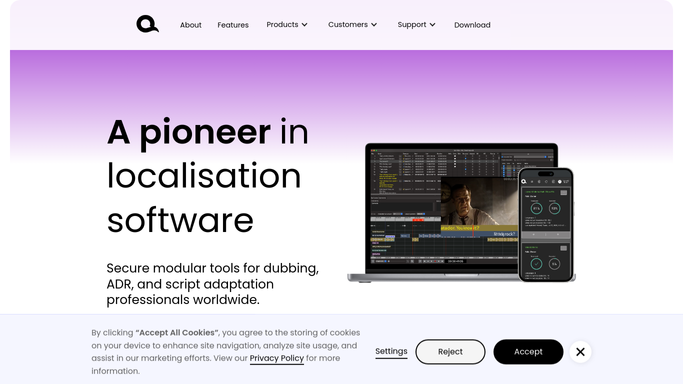
- VoiceQ features With VoiceQ Cloud, directors, adaptors and engineers edit scripts and share projects from anywhere, and changes sync with the VoiceQ desktop apps.
6 ready-made Frame.io workflows
Each one names the apps it touches and the exact steps it takes. Open one to read what it will do, then turn it on.

Want one of these running on your own Frame.io?
Show WebRun the process once and it will run it on schedule, in your own private browser environment.