Win back your best clients before they drift away
Every Monday, WebRun opens AestheticsPro, finds patients with no booked visit in the last four months, checks each patient's lifetime spend in Stripe to identify your top clients, drafts a warm, personal winback email for each one referencing their favorite treatment, and leaves every draft in Gmail for your team to review before sending.
- No credit card
- Under $0.01 per run
- Cancel anytime
What does WebRun do on every run?
The exact actions WebRun takes, in order - in plain language, so you can adjust anything.
-
WebRun signs in and gets to work
Opens
www.aestheticspro.comin a real browser with your saved login - no setup, no API keys. -
1
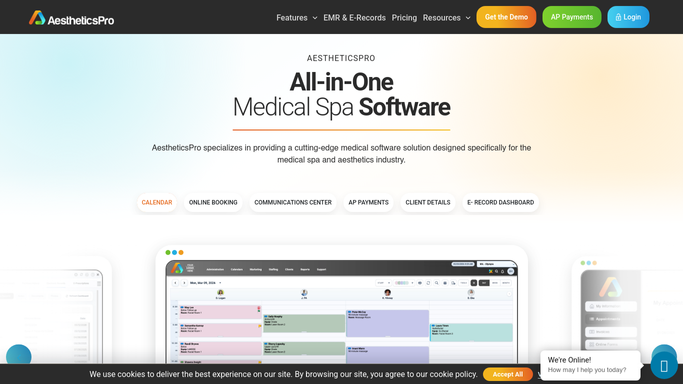
AestheticsPro - find patients with no recent visit
aestheticspro.com How to Automate AestheticsPro

WebRun opens AestheticsPro to find patients with no recent visit. - Open AestheticsPro and pull patients with no booked or completed visit in the last four months
- Note each patient's most frequent or favorite treatment from their history
- Skip anyone marked do not contact or already scheduled
Done when Every lapsed patient is listed with their treatment history and last visit date.
-
2
Stripe - check lifetime spend to rank VIP clients
stripe.com How to Automate Stripe
WebRun opens Stripe to check lifetime spend to rank VIP clients. - Look up each lapsed patient's lifetime payment total in Stripe
- Rank the list so the highest lifetime spenders appear first
- Keep only patients above a lifetime spend threshold you set as VIP
Done when Lapsed patients are ranked by lifetime spend and the VIP threshold is applied.
-
3
Gmail - draft the winback email for review
gmail.com How to Automate Gmail
WebRun opens Gmail to draft the winback email for review. - Draft a warm, personal winback email for each VIP patient referencing their favorite treatment and inviting them back
- Consider offering a small loyalty gesture if your practice authorizes one
- Save every winback email as an unsent draft in Gmail. Do not send any message to a patient automatically
Done when A Gmail draft exists for every ranked VIP patient, waiting for review.


How do I win back my best med spa clients before they stop coming?
WebRun finds AestheticsPro patients with no visit in four months, ranks them by lifetime spend in Stripe to identify your top clients, and drafts a personal winback email for each VIP in Gmail. Every draft waits for your team's review before sending, so your highest value patients get a thoughtful nudge back, not a form letter.
- Highest lifetime value patients get a personal winback draft before they lapse further
- Winback emails are ranked and prioritized by real Stripe spend, not guesswork
- Do not contact and already scheduled patients are skipped automatically
Built for med spa owners · patient retention coordinators · injectors with a loyal client base · multi location aesthetics practices
How is each run configured?
Secure by default
Connect once, stays signed in
WebRun signs in once and keeps each session in a persistent environment, so every run picks up right where it left off.
Every action is checked against this policy before it runs.
Questions, answered
Will VIP patients get emailed without anyone checking first?
No. Every winback email is saved as an unsent Gmail draft. Your team reviews, personalizes if needed, and sends it, so no patient is contacted automatically.
How does it decide who counts as a VIP client?
It ranks lapsed patients by their lifetime payment total in Stripe and only drafts a winback email for those above the spend threshold you set.
What counts as a lapsed patient?
A patient with no booked or completed visit in the last four months. Anyone already scheduled or marked do not contact is skipped automatically.
Related templates
Put this on autopilot.
Turn it on in minutes - or have our team set it up for you.