Remind alumni when their next clinical follow-up is due
Every Monday, WebRun opens Kipu Health, finds alumni whose next recommended follow-up is due within 14 days and who do not yet have an appointment on the calendar, checks Google Calendar for scheduling availability, drafts a reminder for each alumni for staff review, and queues approved messages in Gmail so no care milestone is missed.
- No credit card
- Under $0.01 per run
- Cancel anytime
What does WebRun do on every run?
The exact actions WebRun takes, in order - in plain language, so you can adjust anything.
-
WebRun signs in and gets to work
Opens
app.kipuhealth.comin a real browser with your saved login - no setup, no API keys. -
1
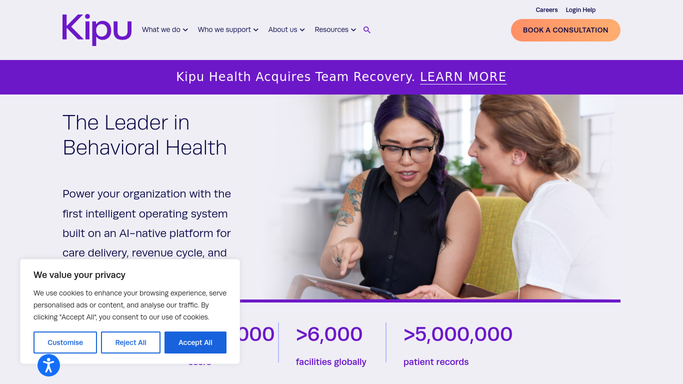
Kipu Health - find alumni with approaching follow-up dates
kipuhealth.com How to Automate Kipu Health

WebRun opens Kipu Health to find alumni with approaching follow-up dates. - Open the Kipu Health alumni or discharge tracking section and filter to patients with a recommended follow-up date in the next 14 days
- Check each patient's record to confirm they have not already been readmitted or referred elsewhere
- Capture the alumni's recommended follow-up type (30-day, 60-day, 90-day check-in), due date, and assigned coordinator
- Exclude patients who have opted out of follow-up contact
Done when Every alumni with a follow-up due in 14 days who lacks a scheduled appointment is identified.
-
2
Google Calendar - check for existing scheduled appointments
calendar.google.com How to Automate Google Calendar
WebRun opens Google Calendar to check for existing scheduled appointments. - Check Google Calendar for each identified alumni to see if a follow-up appointment is already scheduled
- Remove from the reminder list any alumni who already have an appointment booked
- Note available appointment slots this week to suggest in the reminder draft
Done when The list contains only alumni with no upcoming follow-up appointment and a calendar check is complete.
-
3
Gmail - draft scheduling reminders for staff review
gmail.com How to Automate Gmail
WebRun opens Gmail to draft scheduling reminders for staff review. - Draft a warm scheduling reminder email for each eligible alumni - do not send yet
- Include their follow-up milestone type and offer to help book an appointment
- Include no clinical details or diagnosis references in the email
- Leave all drafts unsent in Gmail for the alumni coordinator to review, personalize, and approve before sending
Done when Draft reminder emails are in Gmail for every due-for-follow-up alumni, awaiting staff approval.


How do I automatically remind addiction treatment alumni when their next follow-up appointment is due?
WebRun opens Kipu Health each Monday, finds alumni whose follow-up milestone is due within 14 days with no appointment on the books, and cross-checks Google Calendar to confirm the gap. It drafts a warm scheduling reminder in Gmail for each eligible alumni for staff review, so every care milestone gets a timely, human-approved nudge and no alumni falls through the cracks.
- Follow-up milestones flagged 14 days before they lapse without a booked appointment
- Alumni already scheduled are automatically excluded from reminders
- All outreach human-reviewed and approved before sending
Built for addiction treatment alumni coordinators · behavioral health continuing care teams · residential treatment centers · SUD program directors
How is each run configured?
Secure by default
Connect once, stays signed in
WebRun signs in once and keeps each session in a persistent environment, so every run picks up right where it left off.
Every action is checked against this policy before it runs.
Questions, answered
Will it send reminder emails to alumni without staff approval?
No. Every draft goes into Gmail for the alumni coordinator to review and approve. No email is sent to an alumni automatically, protecting patient privacy and giving your team control over all outreach under 42 CFR Part 2.
Does the reminder email mention their treatment history?
No. The email is warm and supportive but contains no clinical details, diagnosis, or treatment program references. It simply reaches out about scheduling a check-in, so no sensitive health information is disclosed.
What if an alumni already scheduled their follow-up before the reminder runs?
It cross-checks Google Calendar before building the reminder list, so any alumni who already booked an appointment is excluded from the drafts automatically.
Related templates
Put this on autopilot.
Turn it on in minutes - or have our team set it up for you.