Turn combined orders into one daily production sheet
Every morning before the ovens start, WebRun opens BakeSmart, combines every wholesale account order and custom order due today into one production total per recipe, logs the sheet to Google Sheets, and posts it to your kitchen's Slack channel so bakers work from one list.
- No credit card
- Under $0.01 per run
- Cancel anytime
What does WebRun do on every run?
The exact actions WebRun takes, in order - in plain language, so you can adjust anything.
-
WebRun signs in and gets to work
Opens
www.bakesmart.comin a real browser with your saved login - no setup, no API keys. -
1
BakeSmart - combine orders into production totals
bakesmart.com How to Automate BakeSmart

WebRun opens BakeSmart to combine orders into production totals. - Open BakeSmart and pull every wholesale account order and custom order due today
- Combine matching items across all orders into one production total per recipe
- Note any rush orders, allergens, or special instructions attached to a line item
Done when Every item due today is combined into one production total in BakeSmart.
-
2
Google Sheets - log today's production sheet
google.com How to Automate Google Sheets
WebRun opens Google Sheets to log today's production sheet. - Write today's production totals to the shared kitchen sheet, one row per item
- Include the quantity, recipe name, and any special instructions
- Keep each day's totals on a dated tab so past sheets stay on record
Done when Today's production sheet is logged and ready to print.
-
3
Slack - post the sheet to the kitchen
slack.com How to Automate Slack
WebRun opens Slack to post the sheet to the kitchen. - Post the finished production sheet to the kitchen channel
- Flag rush orders and allergen items at the top of the post
- Tag the shift lead so the sheet is seen before prep starts
Done when The kitchen team has today's production sheet in Slack before prep starts.
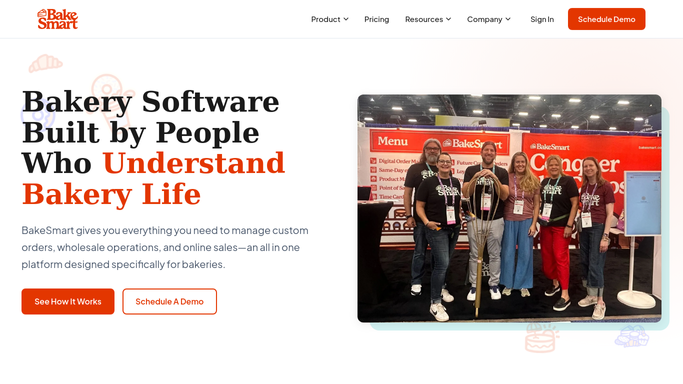


How do I automatically build a daily bakery production sheet from combined orders?
WebRun opens BakeSmart each morning and combines every wholesale account order and custom order due that day into one production total per recipe, flagging rush orders and allergens. It logs the sheet to Google Sheets and posts it to your kitchen's Slack channel before prep starts, so bakers work from one accurate list instead of separate order tickets.
- Bakers see one combined production total instead of separate order tickets
- Rush orders and allergens are flagged before prep starts
- The kitchen has today's sheet in Slack before the first oven load
Built for wholesale bakeries · commercial bakery production teams · bakery owners · kitchen managers
How is each run configured?
Secure by default
Connect once, stays signed in
WebRun signs in once and keeps each session in a persistent environment, so every run picks up right where it left off.
Every action is checked against this policy before it runs.
Questions, answered
Does this replace checking BakeSmart myself?
No. WebRun still reads BakeSmart as the source of truth each morning. It saves you from manually adding up wholesale and custom orders by hand before the sheet reaches the kitchen.
What happens to rush or allergen orders?
They are flagged at the top of the Slack post and marked on the sheet, so the kitchen sees them before general prep starts instead of buried in a long list.
Will it contact any wholesale account or customer?
No. The production sheet only goes to your internal Google Sheet and Slack channel. It never emails, texts, or contacts a customer or wholesale account.
Related templates
Put this on autopilot.
Turn it on in minutes - or have our team set it up for you.