Catch roommate conflicts before move-in day
Every morning, WebRun opens StarRez, reviews roommate profiles and matching answers submitted or updated since the last run, scores each assigned pairing for lifestyle mismatches like sleep schedule, cleanliness, and guest habits, logs any high-mismatch pair to a tracking sheet, and alerts your RA staff in Microsoft Teams so they can check in before it becomes a conflict.
- No credit card
- Under $0.01 per run
- Cancel anytime
What does WebRun do on every run?
The exact actions WebRun takes, in order - in plain language, so you can adjust anything.
-
WebRun signs in and gets to work
Opens
www.starrez.comin a real browser with your saved login - no setup, no API keys. -
1
StarRez - review roommate matching profiles
starrez.com How to Automate StarRez

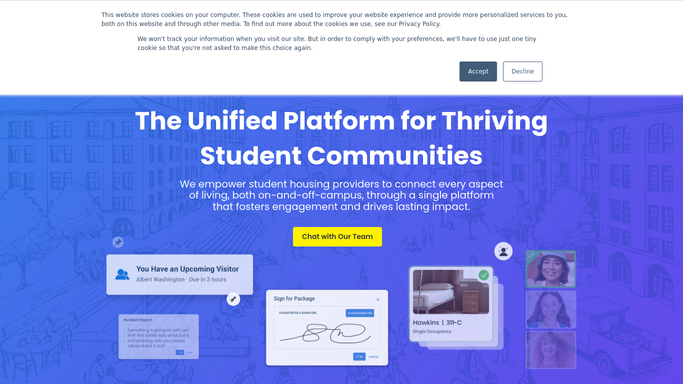
WebRun opens StarRez to review roommate matching profiles. - Open StarRez and pull roommate matching answers for newly assigned pairs
- Compare each pair's answers on sleep schedule, cleanliness, noise, and guests
- Score the pairing as low, medium, or high mismatch
- Skip pairs already flagged and checked in on this term
Done when Every newly assigned pair has a mismatch score.
-
2
Google Sheets - log flagged pairings
google.com How to Automate Google Sheets
WebRun opens Google Sheets to log flagged pairings. - Open the Roommate Mismatch tracker
- Log each medium or high mismatch pair with their hall, room, and the specific mismatch areas
Done when The tracker reflects every currently flagged pairing.
-
3
Microsoft Teams - alert RA staff
teams.microsoft.com How to Automate Microsoft Teams
WebRun opens Microsoft Teams to alert RA staff. - Post flagged pairs to the RA staff channel for their hall, with the mismatch areas named
- Put high-mismatch pairs first so RAs know who to check in with soonest
Done when RA staff have today's flagged pairings to follow up on in person.

How do I flag roommate mismatches before they become conflicts?
WebRun reviews roommate matching profiles in StarRez every morning, scoring each newly assigned pair on sleep schedule, cleanliness, noise, and guest habits. It logs any medium or high mismatch to a tracking sheet and alerts your RA staff in Microsoft Teams, ranked by severity, so a roommate conflict gets a check-in before it escalates instead of after.
- High-mismatch pairs get an RA check-in before move-in problems start
- RA staff open Teams to a severity-ranked list every morning
- Already-checked-in pairs are skipped so staff aren't re-alerted
Built for resident assistants · residence life staff · housing operations teams · university housing offices
How is each run configured?
Secure by default
Connect once, stays signed in
WebRun signs in once and keeps each session in a persistent environment, so every run picks up right where it left off.
Every action is checked against this policy before it runs.
Questions, answered
Does it contact the roommates directly?
No. WebRun only flags mismatches internally to a tracker and your RA staff in Teams. Any conversation with residents is left to your RA to have in person.
What counts as a mismatch?
It compares each pair's own matching answers on sleep schedule, cleanliness, noise tolerance, and guest habits, and scores the pairing low, medium, or high based on how far apart their answers are.
Will it flag the same pair every day?
No. Once a pair has been logged and an RA has checked in on it this term, it's skipped in later runs so staff aren't re-alerted on the same pairing.
Related templates
Put this on autopilot.
Turn it on in minutes - or have our team set it up for you.