Never let a req go stale
Every Monday, WebRun opens SmartRecruiters, reviews every open requisition, captures how long each has been open and how many active candidates it has, logs them to a Google Sheet, and posts your team a Slack digest of the oldest, thinnest reqs to act on.
- No credit card
- Under $0.01 per run
- Cancel anytime
What does WebRun do on every run?
The exact actions WebRun takes, in order - in plain language, so you can adjust anything.
-
WebRun signs in and gets to work
Opens
www.smartrecruiters.comin a real browser with your saved login - no setup, no API keys. -
1
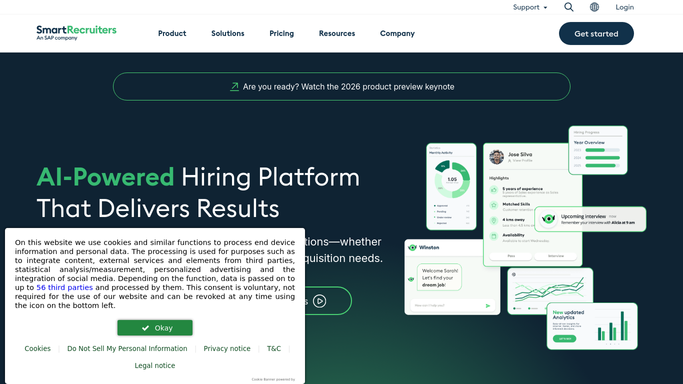
SmartRecruiters - review open requisitions
smartrecruiters.com

WebRun opens SmartRecruiters to review open requisitions. - Open SmartRecruiters and list every job in an open or active status
- Capture each req's title, hiring manager, days open since it was published, and number of active candidates
- Flag reqs open well past your target time-to-fill or with few candidates in the pipeline
Done when Every open requisition is captured with its age and active pipeline count.
-
2
Google Sheets - log age and pipeline depth
google.com How to Automate Google Sheets
WebRun logs req age and pipeline depth to a sheet. - Log each open req with its days open, hiring manager, and active candidate count
- Sort so the oldest and thinnest-pipeline reqs sit at the top
- Keep a running view of how req age trends week over week
Done when Open reqs are mirrored and ranked by age in the sheet.
-
3
Slack - post the aging digest
slack.com How to Automate Slack
WebRun posts the requisition aging digest to Slack. - Post a digest of the oldest open reqs, with days open and active candidate count for each
- Name the hiring manager so the right owner can act
- Leave it for the team to decide on next steps. Never close, pause, or edit a requisition automatically
Done when Your team has this week's requisition aging digest in Slack.


How do I track requisitions that have been open too long?
Every Monday, WebRun opens SmartRecruiters, reviews every open requisition, and captures how long each has been open and how many active candidates it has. It logs them to a Google Sheet and posts your team a Slack digest ranked by age, so aging reqs with thin pipelines get attention before they quietly stall the hiring plan.
- Aging reqs surface every Monday, ranked by days open
- Thin-pipeline jobs get more sourcing before they stall
- Every open req has a named owner in the digest
Built for recruiters · talent acquisition · hiring managers · HR teams
How is each run configured?
Secure by default
Connect once, stays signed in
WebRun signs in once and keeps each session in a persistent environment, so every run picks up right where it left off.
Every action is checked against this policy before it runs.
Questions, answered
Will it close or change my requisitions?
No. WebRun only reads open requisitions in SmartRecruiters and reports their age and pipeline depth. Closing, pausing, or editing a req stays entirely with your team inside SmartRecruiters.
How is this different from flagging stale candidates?
This tracks the requisition itself, not individuals. It ranks jobs by how long they have been open and how thin the pipeline is, so you spot reqs that need more sourcing or a hiring-plan rethink, not single candidates going cold.
Does it message candidates or hiring managers directly?
No. The digest is a single internal Slack post to your own recruiting team. It names hiring managers for accountability but does not message them or any candidate on its own.
Related templates
Put this on autopilot.
Turn it on in minutes - or have our team set it up for you.