Line up reference checks without the back-and-forth
Every morning, WebRun opens Workable, finds candidates moved to the reference-check stage, drafts a polite reference-request email for each in Gmail, leaves every draft unsent for review, and logs the request list to a Google Sheet.
- No credit card
- Under $0.01 per run
- Cancel anytime
What does WebRun do on every run?
The exact actions WebRun takes, in order - in plain language, so you can adjust anything.
-
WebRun signs in and gets to work
Opens
www.workable.comin a real browser with your saved login - no setup, no API keys. -
1
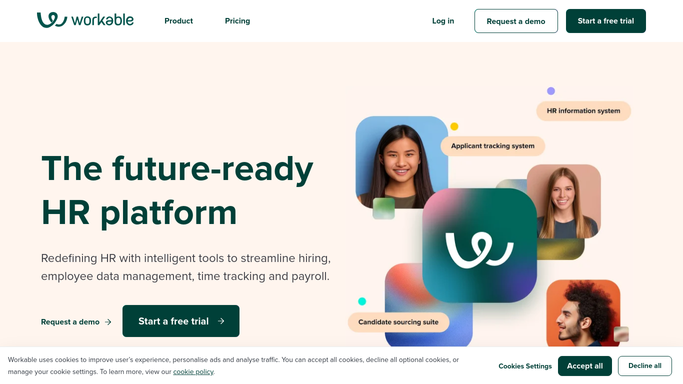
Workable - find reference-stage candidates
workable.com

WebRun opens Workable to find candidates at the reference stage. - Open Workable and filter candidates in the reference-check stage of each job pipeline
- Capture the candidate, role, recruiter, and any reference contacts already on file
- Flag candidates who reached the stage but have no reference request started yet
Done when Every reference-stage candidate is captured with their role and reference details on file.
-
2
Gmail - draft the reference requests
gmail.com How to Automate Gmail
WebRun drafts a reference-check request and leaves it unsent. - Draft a polite reference-check request email for each candidate, addressed to the candidate or their listed referee
- Include the role, the questions you ask referees, and a clear reply-by date
- Save every email as a draft. Leave them unsent for a recruiter to review and send
Done when A reference-request email is drafted and waiting in Gmail for every flagged candidate.
-
3
Google Sheets - track reference status
google.com How to Automate Google Sheets
WebRun logs reference requests and their status to a sheet. - Log each candidate, role, and referee on the reference-request tracker
- Mark which drafts are ready for review and which references have come back
- Keep a running view of outstanding reference checks per role
Done when The reference tracker reflects every drafted request and its status.


How do I send reference-check requests for candidates automatically?
Every morning, WebRun opens Workable, finds candidates who reached the reference-check stage, and drafts a polite reference-request email for each in Gmail. Every draft is left unsent for a recruiter to review and send, and the request list is logged to a Google Sheet, so references get lined up quickly while a human still approves each send.
- Reference requests are drafted the day a candidate reaches the stage
- Outstanding references stay tracked in one place
- No referee is contacted without a recruiter approving the draft
Built for recruiters · talent acquisition · hiring managers · HR teams
How is each run configured?
Secure by default
Connect once, stays signed in
WebRun signs in once and keeps each session in a persistent environment, so every run picks up right where it left off.
Every action is checked against this policy before it runs.
Questions, answered
Will it email referees or candidates on its own?
No. WebRun only drafts each reference-check request and leaves it unsent in Gmail. A recruiter reviews every draft and decides to send, so no referee or candidate is contacted without a human approving it first.
What does the reference request include?
A polite note naming the role, the questions you ask referees, and a clear reply-by date. Give WebRun your reference questionnaire or an example email and it matches your wording and tone.
How does it avoid duplicate requests?
It logs every drafted request to a Google Sheet and checks the reference stage in Workable each run, so candidates who already have a request in flight are skipped automatically.
Related templates
Put this on autopilot.
Turn it on in minutes - or have our team set it up for you.