Post a new job to multiple job boards
When you kick off a new role, WebRun reads your job brief, drafts a tailored job post for each board (Workable, LinkedIn, Indeed) respecting each platform's format, saves them as drafts for your review, and waits for your approval before any listing goes live.
- No credit card
- Under $0.01 per run
- Cancel anytime
What does WebRun do on every run?
The exact actions WebRun takes, in order - in plain language, so you can adjust anything.
-
WebRun signs in and gets to work
Opens
app.workable.comin a real browser with your saved login - no setup, no API keys. -
1
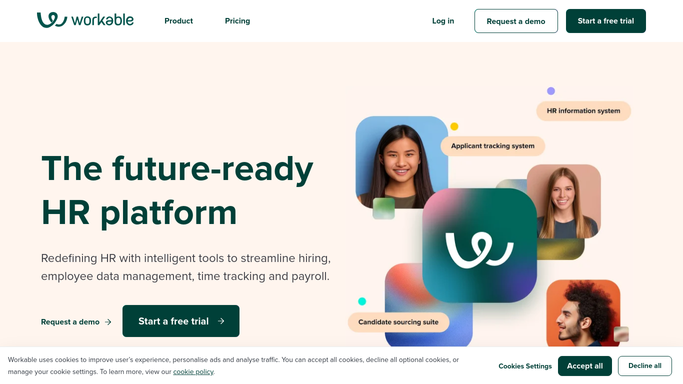
Workable - draft job post in ATS
workable.com

WebRun opens Workable to draft job post in ATS. - Open Workable and create a new job from your brief: title, department, location, and description
- Set the application form fields and screening questions you require
- Save as a draft - do not publish until you approve
Done when A draft job exists in Workable with all fields filled and ready for review.
-
2
LinkedIn - draft LinkedIn job listing
linkedin.com How to Automate LinkedIn
WebRun opens LinkedIn to draft LinkedIn job listing. - Open LinkedIn Jobs and start a new job post from your brief
- Adapt the description to LinkedIn's format: concise headline, bullet responsibilities, and skills section
- Save as a draft without posting
Done when A LinkedIn draft job post is saved and awaiting your approval.
-
3
Indeed - draft Indeed job listing
indeed.com
WebRun opens Indeed to draft Indeed job listing. - Open Indeed Employer and create a new job listing from your brief
- Fill the title, location, salary range (if provided), and job description
- Save as a draft - do not sponsor or publish yet
Done when An Indeed draft job listing is saved and awaiting your approval.

How can I automatically post a new job to multiple job boards at once?
When you kick off a new role, WebRun reads your job brief, drafts a tailored job post for Workable, LinkedIn, and Indeed respecting each platform's format, saves them as drafts for your review, and waits for your approval - no listing goes live until you confirm.
- One brief turns into polished drafts for three job boards without copy-pasting
- Each listing is formatted for the platform it will run on
- No role goes live until a human reviews and approves every post
Built for recruiters · HR teams · talent acquisition managers · small business owners
How is each run configured?
Secure by default
Connect once, stays signed in
WebRun signs in once and keeps each session in a persistent environment, so every run picks up right where it left off.
Every action is checked against this policy before it runs.
Questions, answered
Will it publish the job posts without my approval?
No - every post is saved as a draft on each platform. Nothing goes live until you review and publish each one yourself.
Does it tailor the post for each platform?
Yes - LinkedIn, Indeed, and Workable each get a version formatted to their conventions, not identical copy-pastes.
Can I add more job boards later?
Yes - additional boards (Glassdoor, your careers page, etc.) can be added to the plan and WebRun will draft posts for those too.
Related templates
Put this on autopilot.
Turn it on in minutes - or have our team set it up for you.