Win back lapsed loyalty customers before they forget you
Every Monday, WebRun opens Bottlecapps, identifies loyalty members who have not purchased in 90 or more days, drafts a personalized winback offer email for each in Gmail, and logs the outreach batch in Google Sheets so your team can track who has been contacted.
- No credit card
- Under $0.01 per run
- Cancel anytime
What does WebRun do on every run?
The exact actions WebRun takes, in order - in plain language, so you can adjust anything.
-
WebRun signs in and gets to work
Opens
www.bottlecapps.comin a real browser with your saved login - no setup, no API keys. -
1
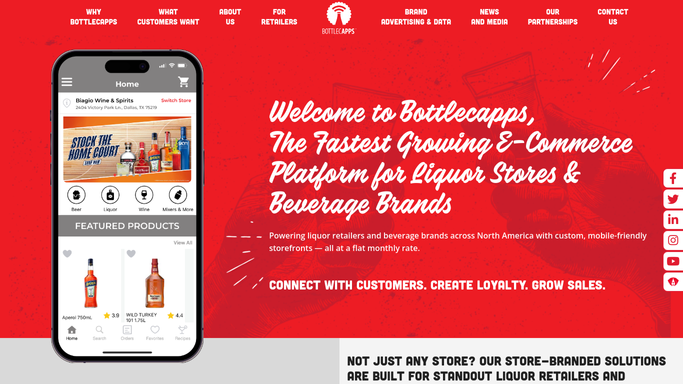
Bottlecapps - find lapsed loyalty members
bottlecapps.com

WebRun opens Bottlecapps to find lapsed loyalty members. - Open Bottlecapps and navigate to the loyalty or customer section
- Filter to members with no purchases in the past 90 days
- Capture each member's name, email, loyalty tier, and the products or categories they bought before lapsing
Done when Every lapsed loyalty member is listed with their last purchase history.
-
2
Gmail - draft personalized winback offers
gmail.com How to Automate Gmail
WebRun opens Gmail to draft personalized winback offers. - For each lapsed member, draft a personalized winback email referencing their purchase history and including a specific offer, such as bonus points or a category discount
- Save each draft unsent in Gmail Drafts for staff review
- Do not send any offer without staff approval
Done when A personalized winback draft sits in Gmail Drafts for every lapsed loyalty member.
-
3
Google Sheets - log the outreach batch
google.com How to Automate Google Sheets
WebRun opens Google Sheets to log the outreach batch. - Open the winback outreach log
- Append a row for each member drafted today with the date, member name, loyalty tier, days since last purchase, and draft status
- Mark each as Pending until staff confirms the email is sent
Done when Today's winback batch is recorded in Google Sheets with pending status.


How do I automatically send winback offers to lapsed loyalty customers at my liquor store?
WebRun checks Bottlecapps every Monday for loyalty members who have not purchased in 90 or more days, drafts a personalized winback offer for each in Gmail referencing their past purchases, and logs the batch in Google Sheets. Your team reviews and sends the drafts, turning lapsed members into returning customers without manual list-building.
- Lapsed members are contacted within days rather than forgotten
- Personalized offers reference each customer's actual purchase history
- Opt-out members are excluded automatically from every batch
Built for liquor store marketers · bottle shop managers · wine and spirits retailers · loyalty program operators
How is each run configured?
Secure by default
Connect once, stays signed in
WebRun signs in once and keeps each session in a persistent environment, so every run picks up right where it left off.
Every action is checked against this policy before it runs.
Questions, answered
Will it send winback emails to lapsed customers without my team reviewing them first?
No. Every offer is saved as a Gmail draft and logged in Google Sheets as pending. Your team approves and sends each one, so no customer receives a message without human review.
How does it personalize the winback offer?
It reads the customer's purchase history from Bottlecapps and references the categories or products they bought previously. Give WebRun an offer template and it will match your store's voice.
What if a lapsed member has unsubscribed from marketing?
WebRun checks the marketing opt-in status in Bottlecapps before drafting. Members who have opted out are excluded from the batch automatically.
Related templates
Put this on autopilot.
Turn it on in minutes - or have our team set it up for you.