Remind contractors to reorder filters before they run out
Every Monday, WebRun opens Savance Enterprise (Klipboard), finds contractor accounts due for a filter reorder based on their typical purchase interval, checks each account is current with no past due balance in QuickBooks Online, and drafts a personalized reorder reminder for your inside sales team to review and send.
- No credit card
- Under $0.01 per run
- Cancel anytime
What does WebRun do on every run?
The exact actions WebRun takes, in order - in plain language, so you can adjust anything.
-
WebRun signs in and gets to work
Opens
klipboard.com/loginin a real browser with your saved login - no setup, no API keys. -
1
Savance Enterprise (Klipboard) - find contractors due for a filter reorder
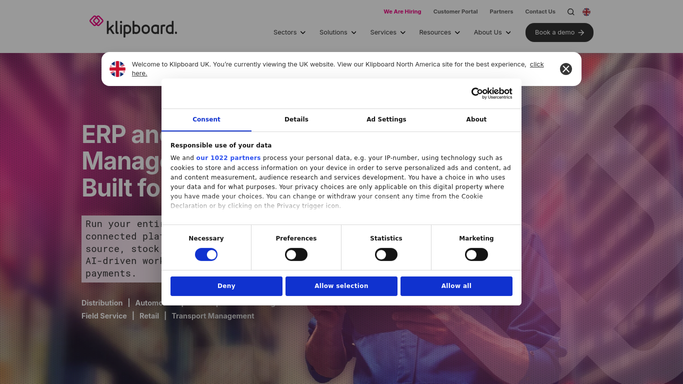
klipboard.com How to Automate Savance Enterprise (Klipboard)

WebRun opens Savance Enterprise (Klipboard) to find contractors due for a filter reorder. - Open Savance Enterprise (Klipboard) and pull each contractor's filter purchase history
- Calculate the typical reorder interval per contractor and filter model
- Flag any contractor whose next expected reorder date has passed
Done when Every contractor past their expected filter reorder interval is flagged.
-
2
QuickBooks Online - confirm the account is in good standing
- Check each flagged contractor's account balance and payment status
- Skip any account with a past due balance so a reminder does not go to a delinquent account
Done when Every flagged contractor has a current account standing checked.
-
3
Gmail - draft the reorder reminder
gmail.com How to Automate Gmail
WebRun opens Gmail to draft the reorder reminder. - Draft a reorder reminder for each contractor in good standing, naming their usual filter model and quantity
- Leave every reminder as a draft for inside sales to review and send
Done when A draft reorder reminder exists for every eligible contractor.

How do I remind contractors to reorder filters before they run out?
WebRun reads each contractor's filter purchase history in Savance Enterprise (Klipboard) every Monday, works out their typical reorder interval, and flags anyone past their expected date. It checks QuickBooks Online to confirm the account has no past due balance, then drafts a personalized reminder in Gmail naming their usual filter model, left for inside sales to review and send.
- Reorder reminders land close to when a contractor actually runs low
- Accounts with a past due balance are skipped automatically
- Inside sales reviews a ready to send draft instead of writing one from scratch
Built for HVAC wholesale distributors · inside sales teams · contractor account managers · counter sales staff
How is each run configured?
Secure by default
Connect once, stays signed in
WebRun signs in once and keeps each session in a persistent environment, so every run picks up right where it left off.
Every action is checked against this policy before it runs.
Questions, answered
Will it email contractors without review?
No. Every reorder reminder is saved as a Gmail draft. Inside sales reviews and sends it, WebRun never emails a contractor on its own.
How does it calculate the reorder interval?
It reads each contractor's past filter purchases in Klipboard and works out their typical time between reorders, so the reminder lands close to when they actually need it.
Why check QuickBooks Online first?
So a reminder does not go to an account with an outstanding balance. Accounts that are not in good standing are skipped and left for your collections process instead.
Related templates
Put this on autopilot.
Turn it on in minutes - or have our team set it up for you.