Chase missing proof of delivery before invoices hit a dispute
Every morning, WebRun opens Encompass, identifies orders marked as delivered in the past 48 hours that have no proof of delivery on file, logs the missing-POD list to a Google Sheet for your records team, and posts a chase list to your logistics Slack channel so drivers or supervisors can collect signatures before the invoice is disputed.
- No credit card
- Under $0.01 per run
- Cancel anytime
What does WebRun do on every run?
The exact actions WebRun takes, in order - in plain language, so you can adjust anything.
-
WebRun signs in and gets to work
Opens
app.encompasstech.comin a real browser with your saved login - no setup, no API keys. -
1
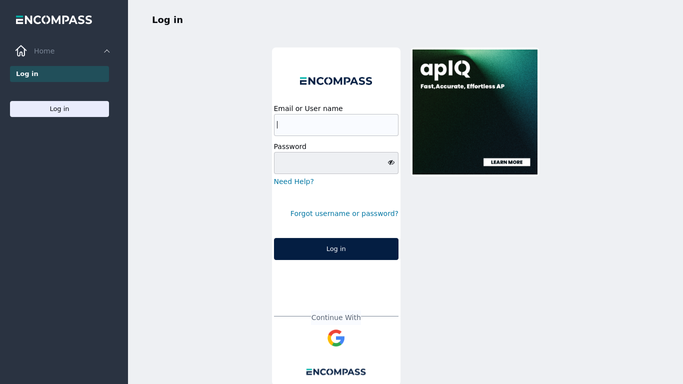
Encompass - find delivered orders with no POD on file
encompasstech.com How to Automate Encompass

WebRun opens Encompass to find delivered orders with no POD on file. - Open Encompass and filter delivery records to orders marked as delivered in the past 48 hours
- Identify records with no proof of delivery document attached or confirmed
- Capture order number, customer name, delivery date, route, driver, and invoice value for each missing-POD order
- Flag high-value orders (above a set threshold) as priority for same-day chase
Done when All delivered orders from the past 48 hours with missing POD are captured with full delivery context.
-
2
Google Sheets - log missing-POD list with delivery and route details
google.com How to Automate Google Sheets
WebRun opens Google Sheets to log missing-POD list with delivery and route details. - Append each missing-POD order to the daily POD tracking sheet
- Log order number, customer, delivery date, route, driver, invoice value, and chase status
- Mark high-value orders in red and update the 'Chased' column once logistics confirms POD is collected
Done when All missing-POD orders are logged in Google Sheets with priority flags and status tracking.
-
3
Slack - post POD chase list to logistics team
slack.com How to Automate Slack
WebRun opens Slack to post POD chase list to logistics team. - Post the POD chase list to the logistics Slack channel, ranked with high-value orders first
- Include order number, customer name, delivery date, driver, and invoice value for each entry
- Summarize total count of missing PODs and combined invoice value at risk
Done when Logistics team has today's POD chase list in Slack and can begin collecting missing signatures.


How do I automatically track and chase missing proof of delivery in foodservice distribution?
WebRun checks Encompass every morning for orders delivered in the past 48 hours that have no proof of delivery on file. It logs the full missing-POD list to Google Sheets for your records team and posts a ranked chase list to your logistics Slack channel, with high-value invoices at the top, so missing signatures are collected before a dispute is raised.
- Missing PODs caught within 48 hours of delivery before invoices are disputed
- High-value invoices surfaced first so the biggest disputes are prevented first
- Google Sheets log gives records team a chase-status audit trail for every delivery
Built for foodservice distributors · broadline distributors · logistics managers · dispatch teams
How is each run configured?
Secure by default
Connect once, stays signed in
WebRun signs in once and keeps each session in a persistent environment, so every run picks up right where it left off.
Every action is checked against this policy before it runs.
Questions, answered
Will it contact restaurant customers to request a signed POD automatically?
No. WebRun posts the chase list to your logistics team in Slack only. Contacting customers or drivers to collect a signature is done by your team after reviewing the list.
What qualifies as a POD on file in Encompass?
WebRun checks for a confirmed delivery acknowledgment or attached document in the Encompass delivery record. If your workflow uses a separate eSignature tool, that integration can be added to expand what counts as a confirmed POD.
What if a POD was collected but not yet uploaded to Encompass?
The order remains on the chase list until the POD is recorded in Encompass. Logistics can update the Google Sheet chase status manually to track which PODs are in hand but pending upload.
Related templates
Put this on autopilot.
Turn it on in minutes - or have our team set it up for you.