Roll out price list updates to customers without missing anyone
When you trigger a price list update in Encompass, WebRun reads the affected items and customer segments, drafts a per-segment notification email in Gmail for your team to review, logs the full rollout to a Google Sheet, and posts a Slack summary so the sales team knows which accounts received updated pricing.
- No credit card
- Under $0.01 per run
- Cancel anytime
What does WebRun do on every run?
The exact actions WebRun takes, in order - in plain language, so you can adjust anything.
-
WebRun signs in and gets to work
Opens
app.encompasstech.comin a real browser with your saved login - no setup, no API keys. -
1
Encompass - read affected items and customer segments
encompasstech.com How to Automate Encompass

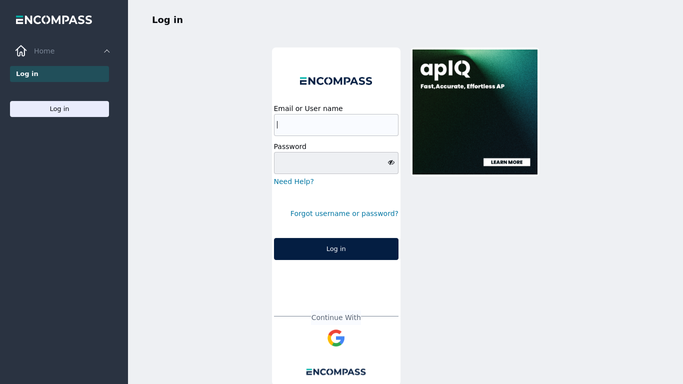
WebRun opens Encompass to read affected items and customer segments. - Open Encompass and navigate to the updated price list
- Identify which items changed price and by how much (new price, old price, percent change)
- Group affected customers by their assigned price list or segment
- Capture each customer's primary contact email and assigned sales rep
Done when All affected items, price changes, and customer segments are captured and grouped.
-
2
Gmail - draft per-segment price change notifications
gmail.com How to Automate Gmail
WebRun opens Gmail to draft per-segment price change notifications. - Draft a price change notification email for each customer segment
- Include the effective date, list of changed items with old and new prices, and contact details for questions
- Leave every draft unsent for the sales team to personalize and approve before sending
Done when A price notification draft is in Gmail for every affected customer segment, unsent and ready for review.
-
3
Google Sheets - log the rollout with items and customer counts
google.com How to Automate Google Sheets
WebRun opens Google Sheets to log the rollout with items and customer counts. - Log the rollout to the price-update tracking sheet with effective date, price list name, item count, and customer count per segment
- Add a row for each changed item with old price, new price, and percent change
- Mark each segment row as 'Pending review' until the team sends the corresponding email
Done when Full rollout details are logged in Google Sheets with status tracking for each segment.
-
4
Slack - alert sales team that price notifications are ready
slack.com How to Automate Slack
WebRun opens Slack to alert sales team that price notifications are ready. - Post a summary to the sales Slack channel listing the number of changed items, segments affected, and customer count
- Note that Gmail drafts are ready for review and include a link to the Google Sheet rollout log
Done when Sales team is alerted in Slack that price notification drafts are ready for their review.



How do I automatically draft price list update notifications for foodservice customers?
WebRun reads the updated price list in Encompass, identifies every affected item and customer segment, and drafts a per-segment notification email in Gmail for your team to review before sending. The full rollout is logged to Google Sheets for status tracking, and the sales team gets a Slack summary so no account is missed when pricing changes.
- Every affected customer segment gets a drafted notification ready to send on the same day pricing changes
- No price notification sent to a restaurant without sales team review
- Full rollout logged in Google Sheets so no segment is accidentally missed
Built for foodservice distributors · broadline distributors · sales teams · pricing managers
How is each run configured?
Secure by default
Connect once, stays signed in
WebRun signs in once and keeps each session in a persistent environment, so every run picks up right where it left off.
Every action is checked against this policy before it runs.
Questions, answered
Will it email price change notifications to restaurant customers automatically?
No. Every notification is drafted in Gmail and left unsent. Your sales team reviews and personalizes each draft before sending, so no pricing communication goes out without human approval.
What if different customer segments get different prices?
WebRun groups customers by their price list or segment in Encompass and creates a separate draft for each group, so each notification reflects the correct pricing for that segment.
How does the Google Sheet help the team track the rollout?
Each segment row in the sheet starts as 'Pending review' so the team can mark rows as sent once emails go out, giving you a live audit trail of which accounts have been notified.
Related templates
Put this on autopilot.
Turn it on in minutes - or have our team set it up for you.