Request an exemption certificate the moment a customer signs up
When a new customer marked tax-exempt appears in Shopify, WebRun reads their name, state, and account details, opens EXEMPTAX to start a guided exemption certificate request for that jurisdiction, drafts a friendly welcome email linking them to the completion flow, and leaves the email unsent for a human to approve.
- No credit card
- Under $0.01 per run
- Cancel anytime
 Shopify
spot new tax-exempt customers
Shopify
spot new tax-exempt customers
What does WebRun do on every run?
The exact actions WebRun takes, in order - in plain language, so you can adjust anything.
-
WebRun signs in and gets to work
Opens
admin.shopify.comin a real browser with your saved login - no setup, no API keys. -
1
Shopify - spot new tax-exempt customers

WebRun opens Shopify to find new customers marked tax-exempt. - Open Shopify and review customers created since the last run
- Capture each customer flagged tax-exempt, with their name, email, and ship-to state
- Skip any customer who already has a certificate request open in EXEMPTAX
Done when Every new tax-exempt customer is listed with the details needed to request a certificate.
-
2
EXEMPTAX - start a guided certificate request
exemptax.com How to Automate EXEMPTAX
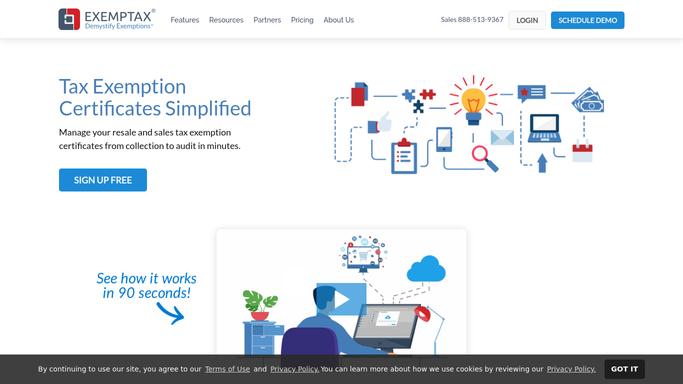
WebRun opens EXEMPTAX to start a guided certificate request per customer. - Open EXEMPTAX and start a guided certificate request for each new customer
- Pre-select the exemption type and the state that matches their ship-to jurisdiction
- Note the request link and status so the welcome email can point to the completion flow
Done when A guided certificate request is open in EXEMPTAX for every new tax-exempt customer.
-
3
Gmail - draft the onboarding email
gmail.com How to Automate Gmail
WebRun drafts each onboarding email and leaves it unsent for review. - Draft a warm, on-brand welcome email for each customer with the link to their EXEMPTAX request
- Explain in one line why the certificate is needed and how quick the guided flow is
- Save every message as a draft and leave it unsent for review
Done when A welcome email with the certificate link sits ready in Gmail for every new customer.


How do I request an exemption certificate from every new customer at onboarding?
When a new tax-exempt customer appears in Shopify, WebRun reads their state and account details, opens EXEMPTAX to start a guided certificate request for that jurisdiction, and drafts a welcome email linking to the completion flow. It leaves the email unsent for review, so every new account is asked for its certificate on day one.
- Every new tax-exempt account is asked for its certificate on day one
- The welcome email is drafted and waiting, so staff just review and send
- No exempt customer starts buying without a certificate request on file
Built for ecommerce sellers · wholesale distributors · finance teams · sales tax compliance teams
How is each run configured?
Secure by default
Connect once, stays signed in
WebRun signs in once and keeps each session in a persistent environment, so every run picks up right where it left off.
Shopify
Sign in once
Every action is checked against this policy before it runs.
Questions, answered
Will it email new customers without me?
No. WebRun drafts each welcome email in Gmail and leaves it unsent. A person reviews the wording and the certificate link, then clicks send, so nothing reaches a customer without approval.
Does it start the certificate request correctly for each state?
Yes. WebRun reads the customer's ship-to state in Shopify and opens the matching guided request in EXEMPTAX, pre-selecting the exemption type and jurisdiction so the customer just fills in their details.
What if the customer already has a request open?
It checks EXEMPTAX for an existing request before starting a new one, so a customer already mid-flow is skipped and never gets a duplicate ask.
Related templates
Shopify›Put this on autopilot.
Turn it on in minutes - or have our team set it up for you.