Keep rental equipment serviced and compliant on schedule
Every morning, WebRun opens TeamDME, scans the equipment fleet for items whose next preventive maintenance or inspection date falls within the next 30 days, logs each item to a Google Sheet service tracker, and posts a prioritized alert to Slack so your technicians can plan service calls before any equipment goes out of compliance.
- No credit card
- Under $0.01 per run
- Cancel anytime
What does WebRun do on every run?
The exact actions WebRun takes, in order - in plain language, so you can adjust anything.
-
WebRun signs in and gets to work
Opens
teamdme.comin a real browser with your saved login - no setup, no API keys. -
1
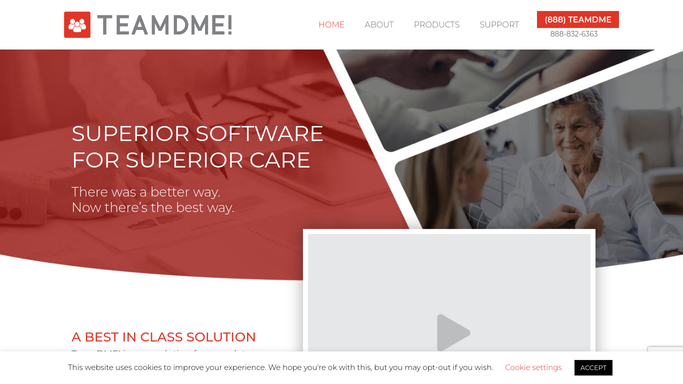
TeamDME - find equipment due for maintenance or inspection
teamdme.com

WebRun opens TeamDME to find equipment due for maintenance or inspection. - Open TeamDME and navigate to the inventory or equipment management module
- Filter for items whose next preventive maintenance or inspection date is within 30 days
- Capture equipment ID, item type, current patient or location, last service date, and next service due date
- Flag items past their due date as overdue and items within 7 days as urgent
Done when Every item due for service in the next 30 days is listed with current location and urgency tier.
-
2
Google Sheets - log service-due items in the fleet tracker
google.com How to Automate Google Sheets
WebRun opens Google Sheets to log service-due items in the fleet tracker. - Open the fleet maintenance tracker sheet and append or update the row for each flagged item
- Record equipment ID, type, due date, location, and tier (overdue, urgent, upcoming)
- Mark items as serviced once the date is updated in TeamDME on the next run
Done when The Google Sheet shows a current maintenance schedule for the entire at-risk fleet.
-
3
Slack - alert technicians with prioritized service queue
slack.com How to Automate Slack
WebRun opens Slack to alert technicians with prioritized service queue. - Post a maintenance alert to the technician or operations channel grouped by urgency tier
- List overdue items first, followed by urgent (within 7 days), then upcoming (8 to 30 days)
Done when Technicians have today's service queue in Slack, sorted so the most at-risk equipment is addressed first.


How do I automatically track DME preventive maintenance and equipment service schedules?
WebRun scans TeamDME every morning for rental equipment approaching its preventive maintenance or inspection deadline, logs each item to a Google Sheet fleet tracker with urgency tiers, and posts a prioritized alert to Slack. Technicians start each day knowing exactly which equipment needs service first, keeping your fleet compliant and in safe working order.
- No equipment service date is missed or discovered after equipment has left the warehouse
- Overdue and urgent items are separated from upcoming so technicians prioritize correctly
- A permanent maintenance audit trail is kept automatically in Google Sheets
Built for DME operations teams · HME technicians · rental fleet managers · durable medical equipment suppliers
How is each run configured?
Secure by default
Connect once, stays signed in
WebRun signs in once and keeps each session in a persistent environment, so every run picks up right where it left off.
Every action is checked against this policy before it runs.
Questions, answered
Does it schedule or dispatch a technician automatically?
No. WebRun identifies and prioritizes equipment needing service and posts it to Slack for your team to act on. Scheduling and dispatching technicians is handled by your operations staff.
How far ahead does it look for service due dates?
It flags equipment due within 30 days, with a special urgent tier for items within 7 days and an overdue tier for anything past its scheduled service date.
What happens once a piece of equipment is serviced?
Once the next service date is updated in TeamDME, the item drops off the alert list on the following morning's run and the Google Sheet row is updated to reflect the new schedule.
Related templates
Put this on autopilot.
Turn it on in minutes - or have our team set it up for you.