Collect every fiber test result before closeout
Every Friday, WebRun reads the fiber and copper runs a job scoped in Conest IntelliBid, checks the closeout folder in Google Drive for the matching OTDR and certification test files, and drafts a reminder email to each field tech listing the runs still missing test results, held for you to approve before it sends.
- No credit card
- Under $0.01 per run
- Cancel anytime
What does WebRun do on every run?
The exact actions WebRun takes, in order - in plain language, so you can adjust anything.
-
WebRun signs in and gets to work
Opens
conest.comin a real browser with your saved login - no setup, no API keys. -
1
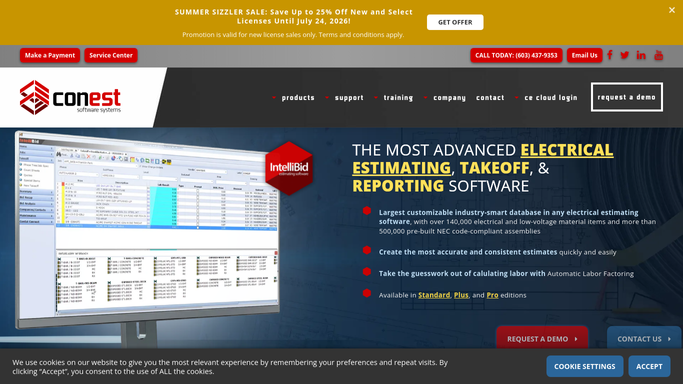
Conest IntelliBid - read the runs a job requires
conest.com How to Automate Conest IntelliBid

WebRun reads the fiber and copper runs in scope from Conest IntelliBid. - Open the job estimate in Conest IntelliBid and read the fiber and copper runs in scope
- List each run and the certification or OTDR test it needs for closeout
- Capture the responsible field tech or crew for each area
Done when Every run that needs a test result is listed with its area and responsible tech.
-
2
Google Drive - check which test files landed
drive.google.com How to Automate Google Drive
WebRun checks the Drive closeout folder for the matching test files. - Open the job's closeout folder in Google Drive
- Match uploaded OTDR traces and certification reports to the runs in scope
- Flag every run that has no matching test file yet
Done when Each scoped run is marked as having its test file or still missing it.
-
3
Gmail - draft reminders for missing results
gmail.com How to Automate Gmail
WebRun drafts each tech reminder and leaves it unsent for your review. - Draft a reminder email to each field tech listing their runs still missing results
- Leave every email unsent as a Gmail draft for you to review
- Never chase a tech on its own. You confirm the list and hit send
Done when A reminder email is drafted and waiting in Gmail for each tech with missing results.


How do I collect missing fiber test documentation before closeout automatically?
Every Friday, WebRun reads the fiber and copper runs a job scoped in Conest IntelliBid and checks the Google Drive closeout folder for matching OTDR traces and certification reports. For every run still missing its result, it drafts a Gmail reminder to the field tech, left unsent, so you approve each chase and no run reaches closeout undocumented.
- No run reaches closeout without its test result on file
- Field techs get a clear list of exactly what is outstanding
- Reminders are drafted and ready, never sent without your review
Built for structured cabling contractors · fiber install teams · project managers · closeout coordinators
How is each run configured?
Secure by default
Connect once, stays signed in
WebRun signs in once and keeps each session in a persistent environment, so every run picks up right where it left off.
Every action is checked against this policy before it runs.
Questions, answered
Will it email field techs without me?
No. WebRun drafts each reminder and leaves it unsent in Gmail. You confirm the list of missing runs and hit send, so no chase goes out on its own.
How does it know which test files are missing?
It reads the fiber and copper runs in scope in Conest IntelliBid, matches them to the OTDR and certification files in the Google Drive closeout folder, and flags any run with no matching file yet.
Does it check the test results are passing?
It confirms a test file exists for each run and can flag files it cannot match to a run, but a person reviews the actual pass or fail values, so no result is signed off automatically.
Related templates
Put this on autopilot.
Turn it on in minutes - or have our team set it up for you.