Bill every hour your team tracked
Every Monday, WebRun opens Harvest, finds billable time that has not been invoiced, drafts an invoice for each client from those hours, leaves every invoice unsent for your approval, logs the totals to a Google Sheet, and posts you a Slack summary of what is ready to bill.
- No credit card
- Under $0.01 per run
- Cancel anytime
What does WebRun do on every run?
The exact actions WebRun takes, in order - in plain language, so you can adjust anything.
-
WebRun signs in and gets to work
Opens
id.getharvest.comin a real browser with your saved login - no setup, no API keys. -
1
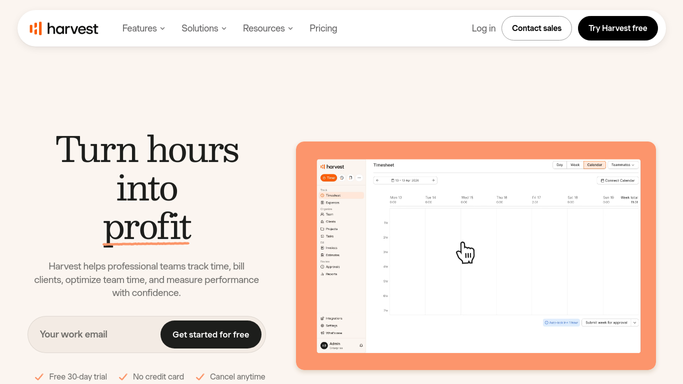
Harvest - draft invoices from uninvoiced time
getharvest.com

WebRun opens Harvest to draft invoices from uninvoiced time. - Open Harvest and find billable time not yet invoiced, by client
- Draft an invoice for each client from those uninvoiced hours
- Leave every invoice as a draft. Never send or finalize it automatically
Done when Each client with uninvoiced time has a draft invoice ready.
-
2
Google Sheets - log what is ready to bill
google.com How to Automate Google Sheets
WebRun logs the week's billable totals per client. - Log each client, the hours, and the draft invoice total
- Show the total value ready to bill this week
- Keep a running record of billed-versus-tracked over time
Done when The week's billable totals are logged.
-
3
Slack - summarize the billing run
slack.com How to Automate Slack
WebRun posts the weekly billing summary to Slack. - Post a summary of draft invoices ready and their total value
- Flag any client with unusually high or low uninvoiced hours
- Leave it for you to review and send each invoice in Harvest
Done when You have this week's billing summary in Slack.


How can I draft invoices from unbilled tracked time?
Every Monday, WebRun reviews uninvoiced billable time in Harvest and drafts an invoice for each client from those hours, leaving every invoice unsent for your approval. It logs the totals to a Google Sheet and posts you a Slack summary of what is ready to bill, so tracked hours stop slipping through uninvoiced.
- Billable hours stop slipping through uninvoiced
- Invoices are drafted weekly, then approved by a human
- You see the total value ready to bill every Monday
Built for agencies · consultants · professional services · freelancers and studios
How is each run configured?
Secure by default
Connect once, stays signed in
WebRun signs in once and keeps each session in a persistent environment, so every run picks up right where it left off.
Every action is checked against this policy before it runs.
Questions, answered
Will it send invoices to clients?
No. WebRun drafts each invoice in Harvest from uninvoiced time and leaves it unsent. You review every draft and send it yourself, so nothing reaches a client without your sign-off.
How does it know what is billable?
It reads Harvest's uninvoiced billable time, already separated from non-billable hours, and groups it by client so each draft invoice reflects only hours you can bill.
What if some hours should not be billed yet?
Because every invoice stays a draft, you can edit or remove any line in Harvest before sending. WebRun prepares the bill. You decide what actually goes out.
Related templates
Put this on autopilot.
Turn it on in minutes - or have our team set it up for you.