Draft blog outlines from your keyword gaps
Every Monday, WebRun opens Semrush, runs a keyword-gap analysis against your top competitors, selects the most valuable missing topics, drafts a structured blog outline for each in Notion, and notifies you in Slack to review before anything is published.
- No credit card
- Under $0.01 per run
- Cancel anytime
What does WebRun do on every run?
The exact actions WebRun takes, in order - in plain language, so you can adjust anything.
-
WebRun signs in and gets to work
Opens
www.semrush.com/gapin a real browser with your saved login - no setup, no API keys. -
1
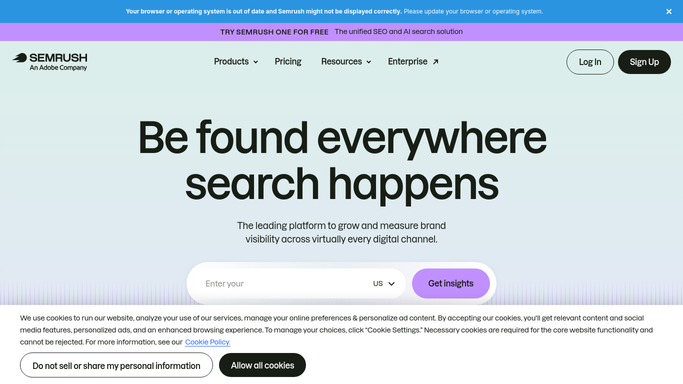
Semrush - find keyword gaps vs competitors
semrush.com

WebRun opens Semrush to find keyword gaps vs competitors. - Open Keyword Gap and enter your domain plus up to 3 competitor domains
- Filter for keywords where competitors rank in the top 10 but your domain does not appear
- Sort by search volume descending and apply a keyword difficulty filter below 60
- Select the top 5 opportunities for the week
Done when Five high-value keyword gaps are identified with volume, difficulty, and the ranking competitor.
-
2
Notion - create draft blog outlines
notion.so How to Automate Notion
WebRun opens Notion to create draft blog outlines. - Create a new page in your Content Calendar database for each keyword
- Draft a structured outline: working title, target keyword, suggested H2 sections, and a brief angle note
- Tag each page as 'Draft - Needs Review' and leave it unpublished
Done when Five draft outlines are saved in Notion, tagged for review, with no content published.
-
3
Slack - notify you to review outlines
slack.com How to Automate Slack
WebRun opens Slack to notify you to review outlines. - Post a message listing this week's five new outline drafts with their target keyword and a direct Notion link
- Remind the team to review and assign a writer before the outlines go live
Done when You have been notified of the new drafts and can action them in Notion.


How can I automatically create blog outlines from my keyword gaps?
Every Monday, WebRun opens Semrush, runs a keyword-gap analysis against your top competitors, selects the most valuable topics your site is missing, drafts a structured blog outline for each in Notion, and notifies you in Slack to review - so your content calendar stays filled with high-opportunity topics without manual research.
- Weekly supply of blog outlines based on real keyword gaps, not guesswork
- Competitor opportunities identified and drafted before your team lifts a finger
- Content calendar filled with topics proven to have search demand
Built for content marketers · SEO managers · marketing teams · agency content strategists
How is each run configured?
Secure by default
Connect once, stays signed in
WebRun signs in once and keeps each session in a persistent environment, so every run picks up right where it left off.
Every action is checked against this policy before it runs.
Questions, answered
Will it publish anything without me checking it?
Never. Every outline is saved as 'Draft - Needs Review' in Notion. Nothing goes live until a human approves it and hits publish.
How does it choose which gaps to turn into outlines?
It filters for high search volume combined with lower keyword difficulty, so the opportunities it picks are worth writing for and winnable. You can adjust these thresholds.
Can I change the outline format?
Yes. Tell WebRun your preferred structure - number of H2s, content brief format, word-count target - and it will follow that template for every draft.
Related templates
Put this on autopilot.
Turn it on in minutes - or have our team set it up for you.