Fill your events by reminding members to register
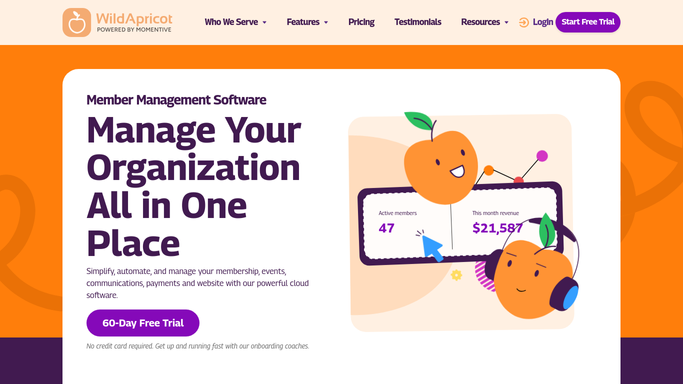
Every morning, WebRun opens Wild Apricot, finds events scheduled in the next 7 to 21 days, identifies members who have not yet registered, drafts a targeted reminder email for each, and posts a review queue to Slack so staff can approve before sending.
- No credit card
- Under $0.01 per run
- Cancel anytime
What does WebRun do on every run?
The exact actions WebRun takes, in order - in plain language, so you can adjust anything.
-
WebRun signs in and gets to work
Opens
app.wildapricot.comin a real browser with your saved login - no setup, no API keys. -
1
Wild Apricot - find upcoming events and unregistered members
wildapricot.com How to Automate Wild Apricot

WebRun opens Wild Apricot to find upcoming events and unregistered members. - Open Wild Apricot and navigate to the Events section
- Find events scheduled in the next 7 to 21 days that are open for registration
- Pull the registrant list for each event and compare against eligible members
- Build a list of members in the eligible audience who have not yet registered
- Skip members who have already registered, are on a waitlist, or have an exemption tag
Done when Every upcoming event has a list of eligible, unregistered members ready to receive a reminder.
-
2
Gmail - draft registration reminder emails
gmail.com How to Automate Gmail
WebRun opens Gmail to draft registration reminder emails. - Draft a personalized registration reminder for each unregistered member, naming the event, the date, and a direct registration link
- Adjust the urgency for events fewer than 7 days away or with limited spots remaining
- Leave every draft unsent, ready for staff review before delivery
Done when A draft reminder email exists in Gmail for every eligible unregistered member, unsent and awaiting staff approval.
-
3
Slack - post approval queue for staff review
slack.com How to Automate Slack
WebRun opens Slack to post approval queue for staff review. - Post a daily summary to the events team channel listing upcoming events, their current registration count, and how many reminder drafts are ready
- Flag events that are filling up or closing soon for priority review
- Include a link to the Gmail drafts folder for quick staff action
Done when Staff have today's event registration status and a link to approve the reminder drafts in Slack.


How do I automatically remind association members to register for upcoming events?
WebRun checks Wild Apricot every morning for events in the next 7 to 21 days, identifies eligible members who have not yet registered, and drafts a personalized reminder email in Gmail for each one. Staff review and approve every draft in Slack before any reminder is sent, helping fill events without over-communicating.
- Events fill faster with targeted, timely reminders to eligible non-registrants
- Staff control every outreach with a one-click review-and-approve workflow
- Already-registered members are automatically excluded from every reminder run
Built for professional associations · trade associations · events managers · membership coordinators
How is each run configured?
Secure by default
Connect once, stays signed in
WebRun signs in once and keeps each session in a persistent environment, so every run picks up right where it left off.
Every action is checked against this policy before it runs.
Questions, answered
Will it send registration reminders to members without staff approval?
No. Every reminder is saved as a Gmail draft and held unsent until a staff member reviews and approves it. No member receives a reminder without a human sign-off.
How does it know which members are eligible for a particular event?
WebRun reads the event's audience settings in Wild Apricot, such as membership level or chapter, and only drafts reminders for members who meet the eligibility criteria for that event.
What if a member registers after the reminder is drafted but before it is sent?
Because each draft is reviewed by staff before sending, the reviewer can check the current registrant list in Wild Apricot and discard any reminders for members who have since signed up.
Related templates
Put this on autopilot.
Turn it on in minutes - or have our team set it up for you.