How to Automate Brex
Brex Assistant already fills in receipts, memos and attendees, the Audit Agent ranks violations by risk and the Review Agent approves low-risk spend. What the agents escalate usually needs facts from other systems, such as the guest's deal in the CRM or what an unknown merchant sells, and a browser agent such as WebRun can look those up.
 Written by
Nora Whitfield
Editorial lead
Written by
Nora Whitfield
Editorial lead
 Reviewed by
Rosa Lindqvist
Operations editor
Reviewed by
Rosa Lindqvist
Operations editor
A Brex card swipe becomes an expense with an owner
Brex is a corporate card with the rest of the finance stack built around it: expense management, reimbursements, bill pay, travel booking and a business account. It sells to startups, mid-size companies and enterprises. Most people know it as the Brex card, and finance teams also issue vendor cards with their own per-transaction limits.
Live Budgets sit above the cards. A budget can belong to a team or to one purpose such as an offsite, and card spend and reimbursements count against it as they happen.
The cardholder owes each expense its paperwork: a receipt, a memo saying what it was for and, for a meal, the names of the people at the table. Managers approve requests and flagged expenses, and the accounting team checks the coding before the expenses sync to NetSuite, QuickBooks Online, Xero or Sage Intacct.
A flagged dinner sends the reviewer to the CRM
A dinner for six comes in over the per-person limit. If the cardholder connected Google Calendar, Brex Assistant has already added the attendees from the invite, so the reviewer's question is who those six people are. The reviewer opens the CRM to check that the guests work for a customer with a live deal, then checks the reason in the memo against that deal.
A software charge from a merchant nobody recognises sends the reviewer searching the descriptor to find out what the company is. A flight booked outside Brex's own travel booking means hunting through email for the itinerary and for whoever agreed the trip.
An engineer ignores the Monday email about three missing receipts for the third week running, while a reimbursement waits nine days because its approver is on holiday. When a budget owner asks in Slack how much of the offsite budget is left, a finance analyst opens Brex and reads the number out.
Brex's agents fill in expenses and escalate what they cannot judge
On auto-pilot, Brex Assistant fills in receipts, memos, categories and the attendees the policy asks for, and with Google Calendar connected it matches each expense to the event around it. The Audit Agent sorts potential violations by risk level. The Review Agent approves low-risk expenses on its own and escalates the exceptions to a person, following up with anyone out of compliance.
Some receipts arrive with nobody sending them: Amazon and major airlines produce virtual receipts, and Uber Business and Lyft pass theirs straight to Brex. A cardholder still missing one gets a reminder two to seven days after the charge and an email every Monday until it is fixed. Approvers get their own Monday email listing the expenses waiting for their review.
What the agents escalate lands with a reviewer, and the answer usually sits in another system. The CRM shows whether the external guest's company has a live deal, and the IT team's list of approved software shows whether a new tool was agreed. Brex's API can join those systems in, if someone on staff can write the code and keep it running.
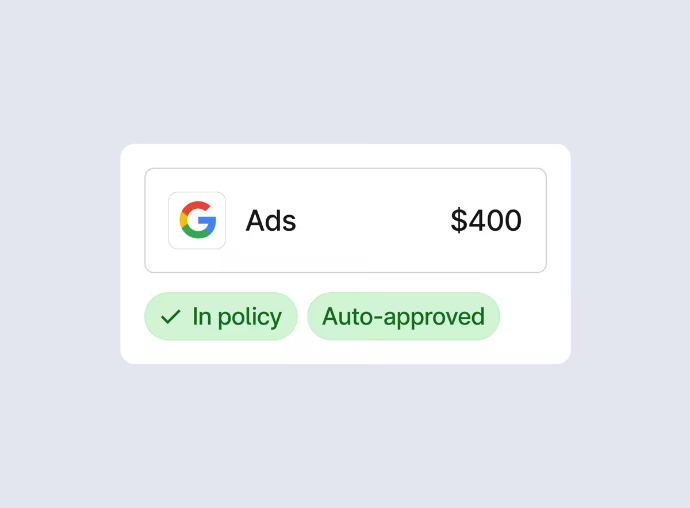
An escalated client dinner can arrive with the deal it was for
The reviewer of a flagged client dinner could open it to find the guests' CRM records and the stage of their deal already gathered, and approve or query it in one sitting. Before anyone asks, the finance team could know what an unfamiliar merchant descriptor stands for: what the business sells and whether anyone at the company has paid it before.
The finance lead could hear within the hour about any charge above an amount they set, along with how much of the cardholder's budget it used. The analyst who chases missing receipts could have them grouped by person, with the people on their third Monday email at the top.
A budget owner who asks in Slack how much of the offsite budget is left could get the figure as a reply in that thread. Before the week's bills go out through Brex, the controller could know whether the business account balance covers both the bills and the next payroll run, whose date and amount sit in the payroll system.
A view-only Brex role keeps the agent away from cards and approvals
The lookups behind those lists all happen outside Brex: the guests in the CRM, the merchant on the web, the payroll date with the payroll provider. WebRun is an AI agent that works a real Chrome browser, signed in as you. Starting from the escalated expenses and budgets in Brex, it does those lookups on a schedule, and what it finds goes to the finance channel in Slack or to a sheet.
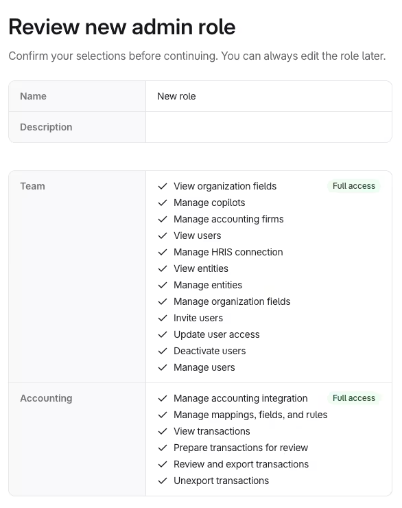
Brex's custom roles, on Premium and Enterprise plans, let an admin give the agent's login View expenses and View budgets without the matching Manage permissions. Brex itself then stops it from approving or editing an expense, and cards and bills stay out of its reach. A nudge meant for a cardholder appears in the finance channel as suggested wording, for the reviewer to send or drop. A Brex expense or budget is the starting point of every card below.
Questions people ask
Why did a receipt I forwarded not match its Brex expense?
Brex only matches receipts automatically when they are less than two months old, so an older one needs attaching to the expense by hand. Forwarded receipts go to [email protected], and Brex also accepts the common misspellings of that address.
Which calendar does Brex Assistant read for attendees?
The cardholder's Google Calendar, once connected, and only the events around the time of the expense.
Does Brex lock a leaver's cards when HR offboards them?
Not by default. Automatic offboarding is off when you first sync the HRIS. With it switched on, a termination in the HRIS deactivates the user, which revokes dashboard access and blocks spending on their Brex cards without locking or cancelling them, so the cards can be transferred to someone else.
Sources
- Intelligent finance: AI agents on Brex Brex's page on its agents: Brex Assistant writes memos, fetches receipts and files reimbursements, the Audit Agent categorizes potential violations by risk level, and the Review Agent auto-approves low-risk expenses, escalates exceptions and follows up with anyone out of compliance.
- Brex Assistant Support page: in auto-pilot mode Brex Assistant fills in receipts, memos and internal or external attendees as the policy requests; connected to Google Calendar it matches expenses to calendar events, reading only events around the time of the expense.
- Brex notifications Documents Brex's built-in reminders: a text or push notification two to seven days after an undocumented expense, an email every Monday until it is fixed, weekly approver emails, and Slack or WhatsApp delivery.
- Receipts for expenses Lists how receipts reach Brex: auto-generated for common vendors such as Amazon and major airlines, Uber and Lyft integrations, the Google Workspace add-on, text message, email forwarding and bulk upload, and that only receipts less than two months old match automatically.
- Live Budgets Brex's description of Live Budgets: spending actuals tracked against budgets in real time, with card spend and reimbursements drawn from the budgets assigned to an employee.
- Custom roles Custom roles on Premium and Enterprise plans, created under Security > Admin roles, with separate View and Manage permissions for expenses, cards and limits, budgets and policy.
- HRIS integration Explains that offboarding from the HRIS is off by default, and that deactivation revokes dashboard access and blocks spending on a leaver's active cards.
3 ready-made Brex workflows
Each one names the apps it touches and the exact steps it takes. Open one to read what it will do, then turn it on.



Want one of these running on your own Brex?
Show WebRun the process once and it will run it on schedule, in your own private browser environment.