Automated Varicent Quota Sign-Off Reminders
Every morning during a plan period, WebRun opens Varicent, checks which reps and managers still haven't signed off on their quota or compensation plan ahead of the period deadline, saves the outstanding list as a file in Google Drive, and texts the plan administrator through Twilio once the deadline is within 3 days.
How do I make sure comp plan and quota sign-offs happen before the deadline?
WebRun checks Varicent every morning during a plan period for reps and managers who haven't signed off on their quota or comp plan, and tracks how many days remain until the deadline. It saves the outstanding list to Google Drive and texts the plan administrator once the deadline is within 3 days, so nothing slips past sign-off.
- Outstanding sign-offs get tracked daily instead of discovered at the deadline
- The administrator gets a text only when the deadline is genuinely close
- A dated backup list exists in Drive for every check
Built for sales compensation analysts · revenue operations · HR compensation teams · finance teams
What does WebRun do on every run?
The exact actions WebRun takes, in order - in plain language, so you can adjust anything.
-
WebRun signs in and gets to work
Opens
varicent.comin a real browser with your saved login - no setup, no API keys. -
1
Varicent - check for outstanding sign-offs
varicent.com
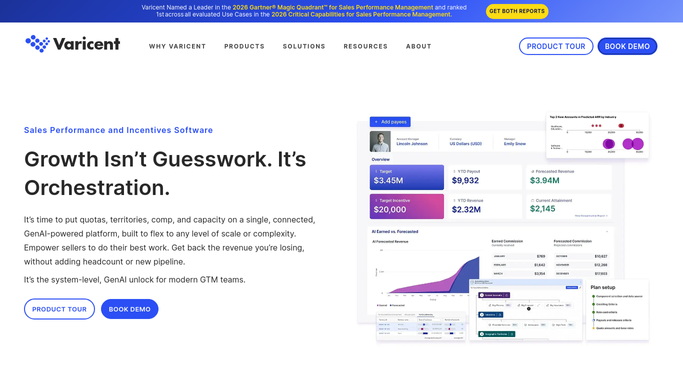
WebRun opens Varicent to check for outstanding sign-offs. - Open Varicent and check quota and comp plan sign-off status for every rep and manager
- Flag anyone who hasn't signed off yet
- Note how many days remain until the period deadline
Done when Every outstanding sign-off is flagged with days remaining.
-
2
Twilio - text the administrator as the deadline nears
twilio.com

WebRun opens Twilio to text the administrator as the deadline nears. - Text the plan administrator once the deadline is within 3 days, listing who's still outstanding
- Keep it to names and days remaining
Done when The administrator has a text once the deadline is close.
-
3
Google Drive - back up the outstanding list
drive.google.com

WebRun opens Google Drive to back up the outstanding list. - Save the outstanding sign-off list as a dated file
- Keep it in the shared Comp Plan Admin folder
Done when Today's outstanding list is backed up in Drive.
How is each run configured?
Secure by default
Connect once, stays signed in
WebRun signs in once and keeps each session in a persistent environment, so every run picks up right where it left off.
Every action is checked against this policy before it runs.
Questions, answered
Does it sign off on a plan for someone?
No. WebRun only tracks who hasn't signed off yet and alerts the administrator. Signing off on a quota or comp plan is a decision only the rep or manager can make.
When does the text alert go out?
Only once the period deadline is within 3 days, so it's a reminder near the deadline rather than a daily nag from day one.
Who receives the text?
Only the plan administrator's number you connect. It's an internal reminder, not sent to any rep or manager directly.
Related templates
Put this on autopilot.
Turn it on in minutes - or have our team set it up for you.