Catch a Huawei Cloud resource or cost spike early
Every hour, WebRun opens the Huawei Cloud console, checks every running ECS instance's resource usage and the account's month to date billing, archives the detailed usage report as a file in Google Drive, and posts a Slack alert naming the instance or service driving the spike whenever usage or projected cost crosses your threshold.
- No credit card
- Under $0.01 per run
- Cancel anytime
What does WebRun do on every run?
The exact actions WebRun takes, in order - in plain language, so you can adjust anything.
-
WebRun signs in and gets to work
Opens
huaweicloud.comin a real browser with your saved login - no setup, no API keys. -
1
Huawei Cloud - check ECS usage and month to date billing
huaweicloud.com

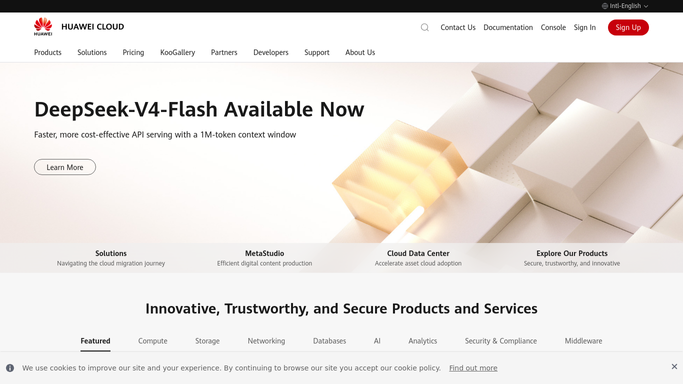
WebRun opens Huawei Cloud to check ECS usage and month to date billing. - Open the Huawei Cloud console and list every running ECS instance with its resource usage
- Read month to date billing across the account
- Compare usage and projected spend against the thresholds you set
Done when ECS usage and month to date billing are captured against the thresholds.
-
2
Google Drive - archive the usage report
drive.google.com How to Automate Google Drive
WebRun opens Google Drive to archive the usage report. - Compile a usage and billing report listing every instance and its contribution to cost
- Save it as a new file in the Huawei Cloud folder in Google Drive
- Keep an hourly archive rather than overwriting the prior report
Done when This run's usage and billing report is archived in Google Drive.
-
3
Slack - alert Slack on a threshold breach
slack.com How to Automate Slack
WebRun opens Slack to alert Slack on a threshold breach. - Post a Slack alert naming any instance or service driving usage or cost over threshold
- Include the current reading and the threshold it crossed
- Stay quiet when everything is within its threshold
Done when Slack has an alert for every genuine threshold breach this run.


How do I catch a Huawei Cloud resource or cost spike early?
Every hour, WebRun checks every Huawei Cloud ECS instance's resource usage and the account's month to date billing. It archives the detailed usage report to Google Drive and posts a Slack alert naming the instance or service driving a spike whenever usage or projected cost crosses your threshold, so a resource or cost problem gets caught early.
- A resource or cost spike gets caught within the hour, not at the invoice
- Every alert names the instance driving it, not just a generic warning
- An hourly archive gives a full, searchable usage and billing history
Built for cloud administrators · businesses operating in China · DevOps engineers · Huawei Cloud customers
How is each run configured?
Secure by default
Connect once, stays signed in
WebRun signs in once and keeps each session in a persistent environment, so every run picks up right where it left off.
Every action is checked against this policy before it runs.
Questions, answered
Does it stop an instance or change billing settings itself?
No. WebRun only reads usage and billing and reports them. Stopping an instance or changing a billing setting always stays your decision in the console.
How are the usage and cost thresholds set?
You set them during setup, one for resource usage and one for projected spend, and WebRun compares every hourly reading against exactly those numbers.
Can I see the detail behind an alert?
Yes. Every hour archives a full usage and billing report to Google Drive, so you can trace exactly which instance or service is behind any Slack alert.
Related templates
Put this on autopilot.
Turn it on in minutes - or have our team set it up for you.