Wake up to a clean summary of what SentinelOne stopped
Every morning, WebRun opens SentinelOne, reviews overnight threat detections and their mitigation status across endpoints, saves a copy of the detection log to Google Drive, and posts a summary to Slack so the team starts the day already briefed.
- No credit card
- Under $0.01 per run
- Cancel anytime
What does WebRun do on every run?
The exact actions WebRun takes, in order - in plain language, so you can adjust anything.
-
WebRun signs in and gets to work
Opens
www.sentinelone.comin a real browser with your saved login - no setup, no API keys. -
1
SentinelOne - review overnight detections
sentinelone.com

WebRun opens SentinelOne to review overnight detections. - Open SentinelOne and review detections from the last 24 hours
- Note the mitigation status, such as killed, quarantined, or still active, for each
- Flag any device with an active, unmitigated threat
Done when Overnight detections are listed with device and mitigation status.
-
2
Google Drive - archive the detection log
drive.google.com How to Automate Google Drive
WebRun opens Google Drive to archive the detection log. - Open the endpoint security folder in Google Drive
- Save a copy of today's detection log with the date
- Keep it alongside prior days for trend review
Done when Today's detection log is archived in Google Drive.
-
3
Slack - post the summary
slack.com How to Automate Slack
WebRun opens Slack to post the summary. - Post today's summary to the security channel in Slack
- Lead with any device that still has an active, unmitigated threat
- List the rest as a quick count by mitigation status
Done when The Slack channel has today's threat summary.
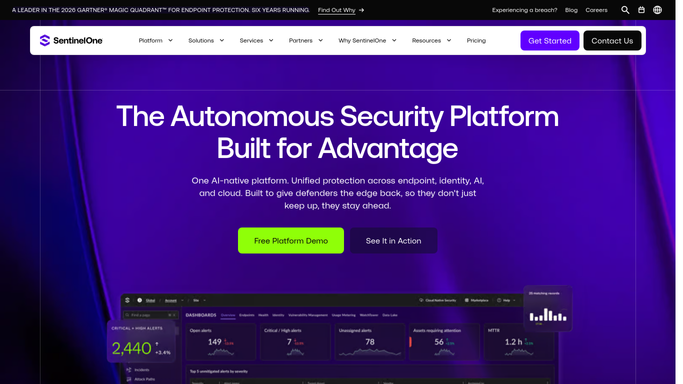


How do I get a daily summary of what SentinelOne stopped overnight?
WebRun reviews SentinelOne every morning for overnight threat detections across your endpoints, saves the detection log to Google Drive, and posts a Slack summary leading with any device that still has an active, unmitigated threat. It never isolates a device or kills a process itself, only reports what already happened.
- Active, unmitigated threats lead the summary instead of hiding in a list
- Overnight activity is briefed before the team's first meeting
- Detection logs are archived daily for later trend review
Built for security operations teams · IT admins · managed detection providers · CISOs
How is each run configured?
Secure by default
Connect once, stays signed in
WebRun signs in once and keeps each session in a persistent environment, so every run picks up right where it left off.
Every action is checked against this policy before it runs.
Questions, answered
Does WebRun isolate a device or kill a process itself?
No. WebRun only reports what SentinelOne already did. Any additional containment action, such as isolating a device, is a manual step for your security team.
What if a threat is still active?
It's called out first in the Slack summary so it gets attention immediately, rather than blending into the rest of the count.
Does the summary include full forensic detail?
No. It's a quick summary with device, status, and counts. Full forensic detail stays in the SentinelOne console and the archived log.
Related templates
Put this on autopilot.
Turn it on in minutes - or have our team set it up for you.