Keep your Poshmark closet shared every day
Every evening, WebRun opens Poshmark, checks how many listings were shared in the past 24 hours, flags anything unshared for over a week, updates a Trello card tracking what still needs sharing, and sends a WhatsApp reminder if the closet is not fully shared for the day.
- No credit card
- Under $0.01 per run
- Cancel anytime
How do I keep track of daily Poshmark closet sharing?
WebRun checks your Poshmark closet every evening for share activity in the past 24 hours, flags listings unshared for over a week, keeps a Trello card of what still needs sharing, and sends a WhatsApp reminder on any day the closet is not fully shared. This keeps consistent daily sharing from slipping during a busy week.
- Daily sharing gets a reminder instead of quietly slipping
- Oldest unshared items surface first on the Trello list
- No reminder at all on days the closet is already fully shared
Built for Poshmark sellers · fashion resale sellers · closet cleanout sellers · side hustle resellers
What does WebRun do on every run?
The exact actions WebRun takes, in order - in plain language, so you can adjust anything.
-
WebRun signs in and gets to work
Opens
poshmark.comin a real browser with your saved login - no setup, no API keys. -
1
Poshmark - check closet share activity
poshmark.com
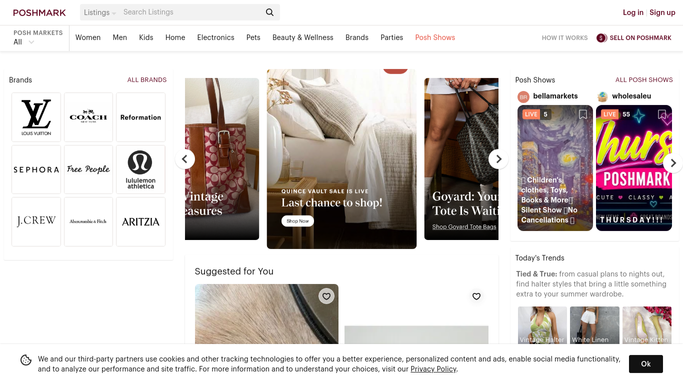
WebRun opens Poshmark to check closet share activity. - Open Poshmark and go to the seller's closet
- Check how many listings have been shared in the past 24 hours
- Flag any listing that has not been shared in over a week
Done when Today's share count and every listing over a week unshared are captured.
-
2
Trello - create a share reminder card
trello.com How to Automate Trello

WebRun opens Trello to create a share reminder card. - Create or update a Trello card listing items that need sharing
- Sort items by longest time since last shared
- Move the card to Done once the closet is fully shared for the day
Done when A Trello card tracks which listings still need sharing today.
-
3
WhatsApp - send a share reminder
whatsapp.com How to Automate WhatsApp

WebRun opens WhatsApp to send a share reminder. - Draft a short WhatsApp reminder with today's share count and the oldest unshared item
- Send it to the seller's own number as a personal nudge
- Skip the reminder if the closet is already fully shared for the day
Done when The seller gets a WhatsApp nudge on any day the closet is not fully shared.
How is each run configured?
Secure by default
Connect once, stays signed in
WebRun signs in once and keeps each session in a persistent environment, so every run picks up right where it left off.
Every action is checked against this policy before it runs.
Questions, answered
Will it share my listings for me?
No. WebRun only checks share activity and reminds you. Sharing to followers and parties is an action you take yourself in the Poshmark app.
What counts as needing a share?
Any listing that has not been shared in the past 24 hours goes on the Trello list, with anything over a week unshared flagged as the priority.
Does it track sales too?
It focuses on share activity for this workflow. Tracking sold items and payouts is a separate check outside this reminder.
Related templates
Put this on autopilot.
Turn it on in minutes - or have our team set it up for you.