Follow up on Pennylane reconciliation gaps
Every morning, WebRun opens Pennylane, checks bank transactions against invoices for the day, adds a calendar follow up event for any unmatched transaction older than 3 days so it does not get forgotten, and posts the day's reconciliation status to Microsoft Teams.
- No credit card
- Under $0.01 per run
- Cancel anytime
How do I follow up on unmatched Pennylane transactions before they pile up?
WebRun checks Pennylane bank transactions against your invoices every morning and posts the day's reconciliation status to Microsoft Teams. Any transaction still unmatched after 3 days gets a Google Calendar follow up so it stays visible, rather than getting buried in a growing list of items nobody circles back to.
- Unmatched transactions get a calendar follow up instead of disappearing into a list
- Daily reconciliation status is visible in Teams without a Pennylane login
- Nothing sits unmatched past 3 days without a scheduled check
Built for French small businesses · accountants · bookkeepers · finance teams
What does WebRun do on every run?
The exact actions WebRun takes, in order - in plain language, so you can adjust anything.
-
WebRun signs in and gets to work
Opens
app.pennylane.comin a real browser with your saved login - no setup, no API keys. -
1
Pennylane - check transactions against invoices
pennylane.com
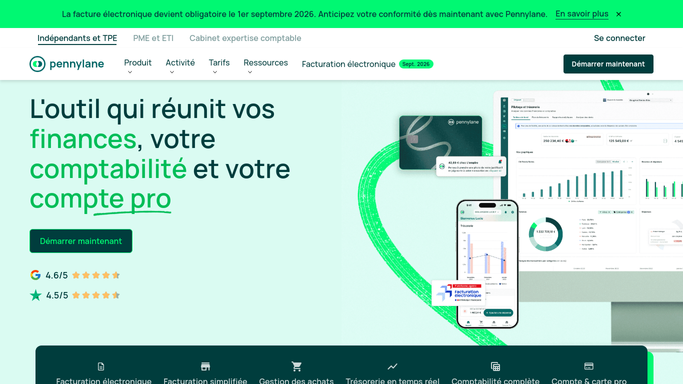
WebRun opens Pennylane to check transactions against invoices. - Open Pennylane and pull the day's bank transactions
- Match each transaction against open invoices where possible
- Note any transaction unmatched for more than 3 days
Done when Today's transactions have been checked against open invoices.
-
2
Google Calendar - schedule a follow up
calendar.google.com How to Automate Google Calendar

WebRun opens Google Calendar to schedule a follow up. - Add a follow up event for any transaction unmatched past 3 days
- Include the amount and date in the event title
- Skip transactions that already have a follow up scheduled
Done when A follow up is scheduled for every transaction still unmatched after 3 days.
-
3
Microsoft Teams - post the reconciliation status
microsoft.com How to Automate Microsoft Teams

WebRun opens Microsoft Teams to post the reconciliation status. - Post today's reconciliation status to Teams
- Include how many transactions matched and how many are still open
- Flag any newly scheduled follow up
Done when The team has today's reconciliation status in Teams.
How is each run configured?
Secure by default
Connect once, stays signed in
WebRun signs in once and keeps each session in a persistent environment, so every run picks up right where it left off.
Every action is checked against this policy before it runs.
Questions, answered
Does it mark transactions as reconciled?
No. WebRun only matches what it can and schedules a follow up for what it cannot. Confirming a match stays a decision inside Pennylane.
Why wait 3 days before scheduling a follow up?
Most unmatched transactions clear within a few days on their own. Waiting avoids cluttering your calendar with items that would have resolved themselves.
Can I change the 3 day window?
Yes. It is a setting you control, so you can follow up sooner or give transactions more time to match naturally.
Related templates
Put this on autopilot.
Turn it on in minutes - or have our team set it up for you.